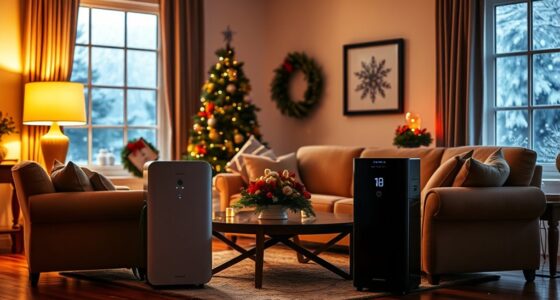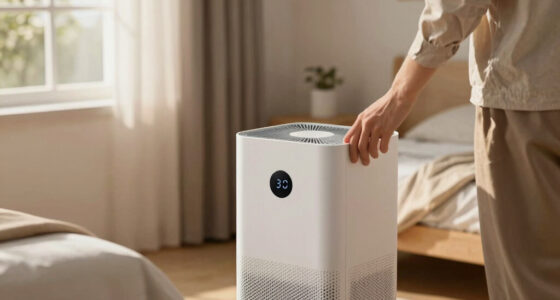
To maximize your air purifier’s efficiency, turn it off when indoor air pollutants like cooking fumes or cleaning chemicals have been reduced or when outdoor pollution levels improve. Use it during high activity times or periods of poor air quality, then switch it off once conditions get better or pollutants are filtered out. Monitoring air quality and device indicators helps, and if you want to learn more about effective use cycles, keep going.
Key Takeaways
- Turn off after indoor pollutants, like cooking or cleaning, have been effectively removed.
- Cease operation when outdoor air quality improves and pollution levels drop.
- Use timers or smart features to schedule off-cycles during low air quality or inactivity periods.
- Turn off when the room reaches desired air cleanliness to save energy and prolong device life.
- Regularly monitor air quality levels to determine optimal times for turning the purifier on or off.

Knowing when to turn off your air purifier is essential to guarantee it works efficiently without wasting energy. Properly managing its operation not only helps maintain optimal air quality but also ensures device energy savings over time. If you run your air purifier continuously without considering its use cycles, you might be using more power than necessary, which can lead to higher energy bills and unnecessary wear on the device. Conversely, turning it off too often or at the wrong times can compromise its ability to remove pollutants effectively, risking air quality maintenance in your home.
A good rule of thumb is to operate your air purifier during periods when indoor air quality tends to decline, such as after cooking, cleaning, or during high outdoor pollution days. You should also consider turning it off when outdoor air quality is better or when you’re not in the room, especially if the device is designed for localized purification rather than whole-house systems. This approach helps balance air quality maintenance with device energy savings, ensuring you’re not wasting power running it when it’s not needed.
It’s also helpful to pay attention to your device’s filter indicator, if it has one. These indicators often signal when the filters need replacement or when the device is working harder than usual, prompting you to adjust its operation accordingly. Additionally, many modern air purifiers come with programmable timers or smart features, allowing you to set specific on and off cycles. Using these features can maximize your device’s performance, ensuring it runs only when necessary and conserving energy without compromising air quality.
Furthermore, consider the size of the space you’re purifying. Smaller rooms may require the purifier to run less frequently or at lower fan speeds, while larger areas might need continuous operation during peak pollution times. Adjusting settings based on room size and air quality levels helps maintain a healthy environment without overworking the device. Remember, turning the purifier off when the air has cleared, such as after a cooking session or when outdoor pollution drops, supports both air quality maintenance and device energy savings. Additionally, understanding air quality fluctuations can help you better determine the optimal times to operate or turn off your air purifier.

GoveeLife Mini Air Purifier for Bedroom, Smart Filter Air Purifier with App Alexa Control for Pet Hair, Odors, Pollen, HEPA Portable Air Cleaner with 3 Speeds, 2 Modes, Timer, Aroma for Home
- App & Voice Control: Control via App, Alexa, and IFTTT
- Effective Purification: Purifies 376 sqft room hourly
- Dual-Channel 360° Intake: Ensures thorough air purification
As an affiliate, we earn on qualifying purchases.
As an affiliate, we earn on qualifying purchases.
Frequently Asked Questions
Can I Leave My Air Purifier on Continuously Without Issues?
Yes, you can leave your air purifier on continuously, but be mindful of its lifespan and energy consumption. Running it nonstop may shorten the device’s lifespan over time, and it can increase your energy bill. To balance air quality and efficiency, consider setting it on a timer or using auto mode. Regular maintenance ensures peak performance without unnecessary wear, helping your air purifier last longer while keeping your air clean.
How Does Room Size Affect When I Should Turn It Off?
Your room size directly impacts when you should turn off your air purifier. If the room’s capacity exceeds the purifier’s recommended coverage, airflow efficiency drops, and it may not effectively filter the air. To optimize performance, run the purifier continuously in larger rooms or when air quality is poor. For smaller spaces, you can turn it off once the air quality improves, ensuring efficient use without overworking the device.
Is It Necessary to Turn off the Purifier During Sleep?
Turning off your air purifier during sleep isn’t necessary. Think of sleep mode as your quiet partner, reducing noise and maintaining air quality without disturbance. I once kept mine on, and it helped me breathe easier through the night, just like a gentle breeze. Using sleep mode guarantees noise reduction, so you sleep soundly while your purifier works silently, improving air quality without disrupting your rest.
Can Frequent Switching on and off Damage the Device?
Frequent switching your air purifier on and off can potentially impact its device lifespan, as it may cause wear on internal components. However, occasional toggling won’t substantially harm it. Keep in mind, turning it off when not needed can reduce energy consumption and save you money. To balance device longevity and efficiency, try to minimize unnecessary power cycles and follow the manufacturer’s recommended usage guidelines.
How Do I Know When My Air Purifier Needs Maintenance?
You’ll know your air purifier needs maintenance when the air quality indicator shows poor readings or the device’s performance drops. Check your filters regularly and replace them as needed, usually every 3-6 months. Also, verify sensor calibration is accurate; if readings seem off, recalibrate or consult the manual. Regular maintenance, including filter replacement and sensor calibration, keeps your air purifier running efficiently and maintains healthy indoor air quality.

Amazon Smart Air Quality Monitor – Know your air, Works with Alexa
- Real-time air quality insights: Understand indoor air conditions easily
- Monitors five key factors: Tracks PM 2.5, VOCs, CO, humidity, and temperature
- Color-coded LED indicator: Displays current air quality status
As an affiliate, we earn on qualifying purchases.
As an affiliate, we earn on qualifying purchases.
Conclusion
Knowing when to turn off your air purifier helps it work efficiently. Turn it off when the air quality improves or during cleaning, much like you’d turn off a lantern at dawn. Don’t forget, even in the age of smartphones, good air quality remains essential. By following the right cycles, you’ll keep your space fresh and healthy—no need for a time machine, just smart timing!

HPA300 HEPA Air Purifier Filter R for Honeywell Air Purifier HPA100/200/300 and 5000 Series, 6 Pack HEPA Filter Compatible with Honeywell R Filter (HRF-R3 & HRF-R2 & HRF-R1)
- Compatibility: Fits Honeywell HPA Series air purifiers
- HEPA Filtration: Filters 99.97% of airborne particles
- Package Includes: Six HEPA replacement filters per pack
As an affiliate, we earn on qualifying purchases.
As an affiliate, we earn on qualifying purchases.

VOOPNU Air Purifiers for Home, High Efficiency Filter Up to 1076 Ft², White
- Easy-to-Use Control Panel: Intuitive design for effortless operation
- Compact Yet Powerful: Covers 1076 ft² in a small size
- Portable and Space-Saving: Fits on desks or in corners easily
As an affiliate, we earn on qualifying purchases.
As an affiliate, we earn on qualifying purchases.