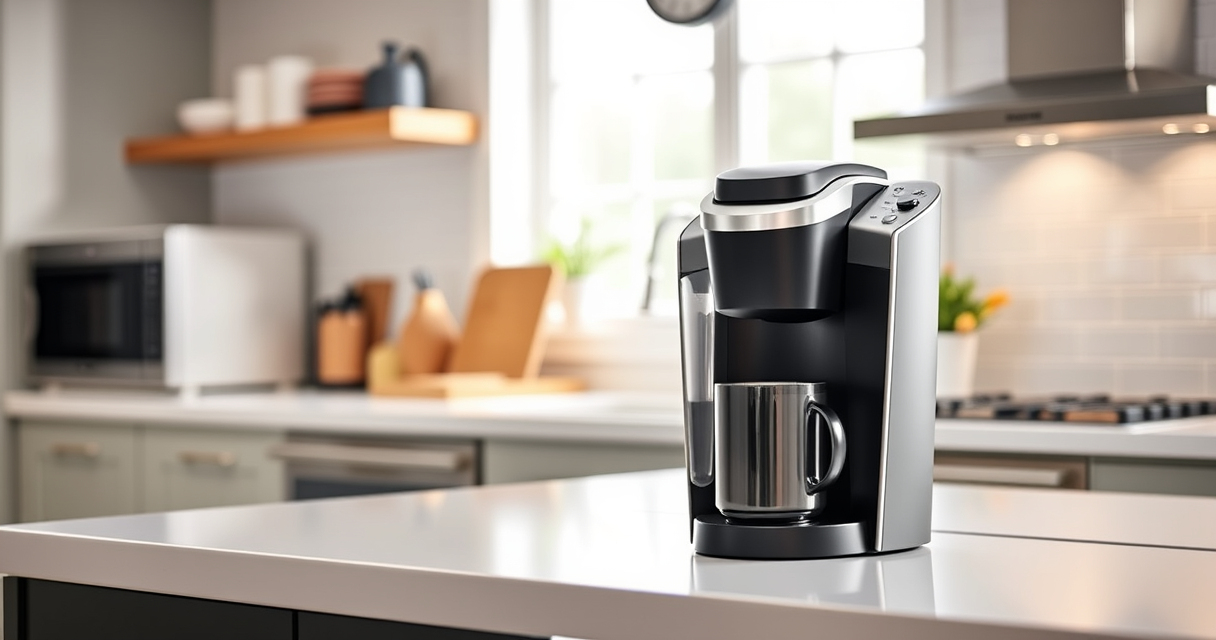

If your Keurig K-Mini Single Serve Coffee Maker isn’t brewing a full cup, it can be frustrating. This common issue often stems from mineral buildup, clogs, or water reservoir problems. Fortunately, with some simple troubleshooting steps, you can restore your coffee maker to optimal performance without needing professional repair.
Follow this practical guide to identify and fix the problem safely and efficiently, ensuring your Keurig brews full, delicious cups once more.
Key Takeaways
| Identify the cause | Common causes include mineral buildup, clogs, or water reservoir issues. |
| Use proper cleaning | Regular descaling and cleaning prevent brewing problems. |
| Check water supply | Ensure the water reservoir is filled correctly and seated properly. |
| Inspect the needle and nozzle | Clear blockages improve water flow. |
| Test with different pods or grounds | Sometimes the issue is pod-related or due to grounds clogging. |

Keurig K-Mini Single Serve K-Cup Pod Coffee Maker, 6 to 12oz Brew size, with Cord Storage, Perfect for Small Spaces, Black
- Compact Design: Fits spaces less than 5 inches wide
- Adjustable Brew Size: Brew 6-12oz cups with Keurig pods
- Single Use Reservoir: Add fresh water for each brew
As an affiliate, we earn on qualifying purchases.
Step 1: Turn Off and Unplug Your Keurig
Before troubleshooting, ensure the machine is turned off and unplugged for safety. Remove any used pods or grounds and empty the water reservoir.
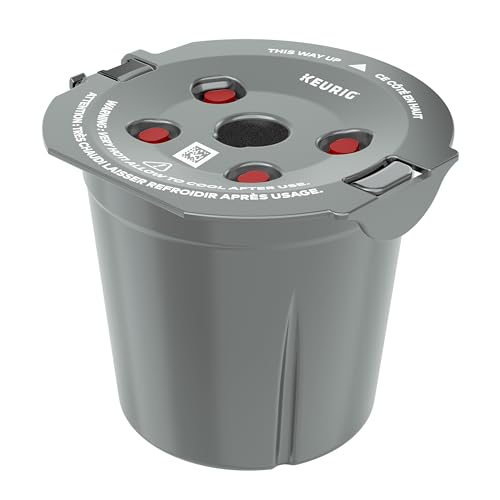
My K-Cup® Reusable Coffee Filter
- Brew with Ground Coffee: Use your favorite ground coffee
As an affiliate, we earn on qualifying purchases.
Step 2: Clean and Descale the Machine
- Fill the water reservoir with a descaling solution or a mixture of equal parts white vinegar and water.
- Run a brew cycle without a pod to let the solution flow through the system.
- Repeat with plain water to rinse out residual vinegar or descaling solution.
Step 3: Inspect and Clear the Needle and Nozzle
- Use a paperclip or a Keurig needle cleaning tool to gently clear any clogs in the entry needle.
- Check the nozzle for blockages and clear with a pin if needed.
Step 4: Check Water Reservoir and Seating
Ensure the water reservoir is filled to the appropriate level and properly seated. Sometimes, misalignment prevents full water flow, affecting the brew size.
Step 5: Test with Different Pods or Grounds
If using a reusable filter, ensure grounds are not packed too tightly. Try a different K-Cup pod to see if the issue persists, ruling out pod-related blockages.
The Products in This Guide

Keurig K-Mini Single Serve K-Cup Pod Coffee Maker
- ✔ Capacity: 6-12 oz
- ✔ Size: <5 inches wide
- ✔ Mug Height: Up to 7 inches

My K-Cup® Reusable Coffee Filter
- ✔ Use: Ground coffee
- ✔ Cleaning: Easy to rinse
- ✔ Compatibility: Keurig K-Mini
Keurig K-Mini Single Serve K-Cup Pod Coffee Maker
The Keurig K-Mini is a versatile and space-saving coffee maker, ideal for small kitchens or offices. Its simple design makes maintenance straightforward, which helps prevent brewing issues.
Pros:
- Compact size fits small spaces
- Brews 6-12oz cups
- Removable drip tray
- Fast brewing time
Cons:
- Limited water reservoir capacity
- No on/off button
- Requires regular descaling
Best for: Small space living and quick coffee needs
Not ideal for: Large households needing multiple cups at once
Bottom line: A reliable, space-efficient coffee maker perfect for quick brews in small spaces.
My K-Cup® Reusable Coffee Filter
If you prefer ground coffee over pods, the My K-Cup® Reusable Coffee Filter allows you to brew your favorite grounds easily with your Keurig K-Mini, extending its versatility.
Pros:
- Brew with ground coffee
- Eco-friendly and cost-effective
- Easy to clean
- Compatible with Keurig models
Cons:
- Requires regular cleaning
- Ground coffee may clog if packed too tightly
- Limits brewing options to ground coffee
Best for: Eco-conscious users wanting ground coffee options
Not ideal for: Those preferring single-use pods for convenience
Bottom line: A practical reusable filter for brewing ground coffee with your Keurig.
Frequently Asked Questions
Why does my Keurig K-Mini not brew a full cup?
Common reasons include mineral buildup, clogged needles, or incorrect water reservoir placement. Regular descaling and cleaning can resolve these issues.
How often should I descale my Keurig K-Mini?
It’s recommended to descale every 3-6 months, especially if you notice reduced water flow or brewing issues.
Can I use my own ground coffee in the Keurig?
Yes, with the My K-Cup® Reusable Coffee Filter, you can brew your own ground coffee instead of using pods.
What safety precautions should I take during cleaning?
Always unplug the machine before cleaning, avoid immersing electrical parts in water, and use gentle cleaning tools to prevent damage.
Get Your Brew Back on Track
By following these troubleshooting steps, you can resolve most issues causing your Keurig K-Mini to brew only partial cups. Regular cleaning and maintenance not only improve performance but also extend your machine’s lifespan. Now, enjoy your full, delicious brew every time!
Affiliate disclosure: As an Amazon Associate we earn from qualifying purchases. Prices and availability are accurate as of the time of publishing.