
A home office dust reset system works better than random wiping because it uses targeted, systematic cleaning strategies to effectively remove dust from high-priority areas like vents, behind monitors, and under desks. You’ll focus on tools like microfiber cloths and compressed air, and follow a regular schedule for deep cleans. This approach prevents dust buildup over time, promotes a healthier environment, and makes cleaning quicker and more effective—keep going to discover how to master this system at home.
Key Takeaways
- Systematic cleaning targets dust-prone areas, preventing buildup more effectively than random wiping.
- Using appropriate tools like microfiber cloths and compressed air ensures thorough dust removal without spreading particles.
- Regular, scheduled cleaning maintains consistency, reducing dust accumulation over time.
- Focused cleaning of hidden spots like vents and behind monitors prevents hidden dust reservoirs.
- Incorporating eco-friendly methods and proper habits minimizes dust entry and promotes a healthier workspace.

If your home office has become a magnet for dust, it’s time to implement a Dust Reset System that keeps your workspace clean and healthy. Relying on random wiping or sporadic cleaning isn’t enough to control the buildup of dust that settles on your desk, keyboard, and accessories. Instead, adopting a systematic approach can make a significant difference. A proper Dust Reset System involves targeted cleaning strategies, the right tools, and habits that prevent dust from accumulating in the first place.
Start by investing in ergonomic accessories that are easy to clean and minimize dust collection. Items like adjustable monitor stands, keyboard trays, and chairs designed with smooth surfaces reduce crevices where dust can hide. Using ergonomic accessories made from non-porous materials makes natural cleaning methods more effective. Regularly wiping down these surfaces with a microfiber cloth or a soft brush prevents dust from settling deeply. Microfiber cloths are excellent because they trap dust particles rather than just pushing them around, making your cleaning efforts more efficient.
Choose smooth, non-porous ergonomic accessories and clean regularly with microfiber cloths to prevent deep dust buildup.
To enhance your Dust Reset System, incorporate natural cleaning methods that are safe, eco-friendly, and effective. Avoid harsh chemicals that can trigger allergies or damage your equipment; instead, use solutions like a mixture of water and a few drops of natural vinegar or a mild soap solution. These natural cleaners cut through dust and grime without leaving residues that could harm your electronics or office furniture. When cleaning, be thorough but gentle—don’t forget to include less obvious spots like vents, behind monitors, and under desks, where dust tends to accumulate unnoticed. Incorporating proper cleaning techniques ensures that dust is effectively removed without spreading it around or causing damage. Additionally, understanding dust accumulation patterns can help you focus your cleaning efforts more strategically. Recognizing dust particle properties can also aid in selecting the most effective cleaning tools and methods. Being aware of airflow and ventilation in your workspace can further reduce dust settling and buildup, creating a healthier environment. Implementing a comprehensive cleaning schedule can help maintain consistency and prevent dust build-up over time.
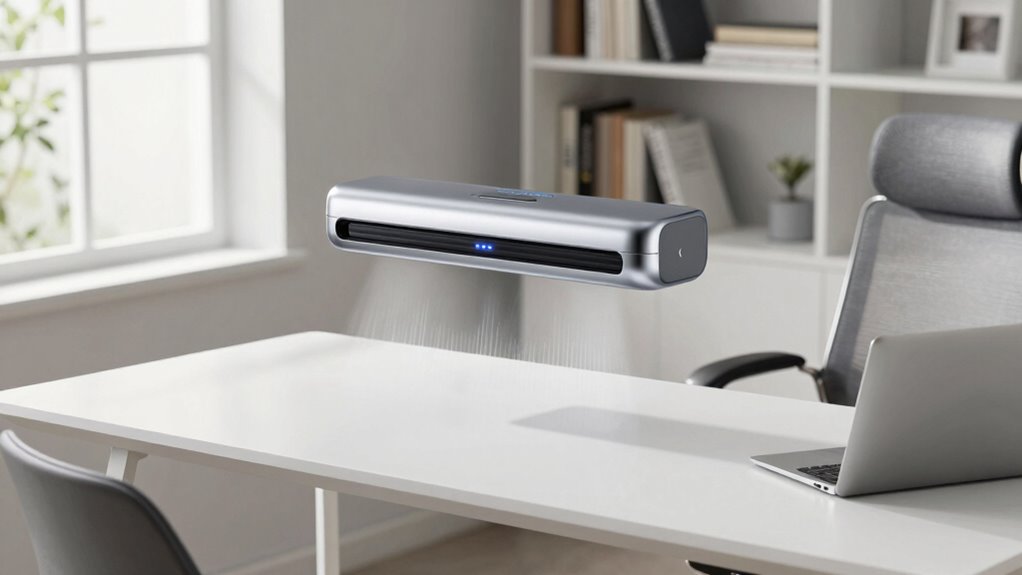
Consistency is key in a Dust Reset System. Schedule regular cleaning sessions—daily light dusting and weekly deep cleans—to maintain a dust-free environment. During each session, focus on areas prone to dust buildup, such as keyboard keys, mouse pads, and the surface of your desk. Use a compressed air canister to blow out dust from hard-to-reach places like keyboard crevices or vents. Pair this with a vacuum cleaner equipped with a HEPA filter for larger debris, ensuring you don’t just move dust around but remove it entirely.
Finally, adopt habits that prevent dust from returning quickly. Keep windows closed during windy days, use air purifiers with HEPA filters, and avoid clutter that can trap dust. By integrating these practices into your routine and using a targeted, methodical approach rather than random wiping, your home office stays cleaner longer. This systematic Dust Reset System will not only improve your workspace’s appearance but also contribute to a healthier, more productive environment.

Eco-Fused Microfiber Cleaning Cloths – 5 Pack – Double-Sided Cleaning Cloths – Microfiber and Suede Cloth for Smartphones, LCD TV, Tablets, Laptop Screens, Camera Lenses and Delicate Surfaces
- Pack Includes: 5 double-sided microfiber cloths
- Material Composition: Microfiber and suede sides
- Size: 6.6 x 6.2 inches
As an affiliate, we earn on qualifying purchases.
As an affiliate, we earn on qualifying purchases.
Frequently Asked Questions
How Often Should I Perform the Dust Reset System?
You should perform the dust reset system weekly to maintain ideal air quality and prevent dust accumulation. Regular resets help keep your home office environment clean and healthy, reducing allergens and airborne particles. Consistent cleaning prevents dust buildup that could impact air quality and cause allergies or respiratory issues. Stick to a weekly schedule, especially if you notice increased dust, to guarantee your workspace remains fresh, clean, and safe for everyday use.
Does the System Require Special Cleaning Products?
No, you don’t need special cleaning products for the system. Instead, opt for eco-friendly solutions that are safe and effective. Commercial cleaning products might seem tempting, but they can leave residues or harm your environment. The key is to use gentle, natural cleaners that get the job done without risking damage or toxicity. With the right approach, your system stays efficient and eco-conscious, ensuring a healthier workspace and planet.
Can This System Be Used on Electronics?
Yes, you can use this system on electronics, but with caution. To guarantee electronics safety, avoid direct contact with sensitive components, especially ports and vents. It effectively reduces dust accumulation without risking damage, as it’s designed to gently lift dust rather than push it further inside. Always follow manufacturer guidelines, and consider using compressed air for delicate electronics to prevent any harm.
Is It Safe for Allergy Sufferers?
Yes, this system is safe for allergy sufferers and can improve your air quality. It systematically reduces dust and allergens in your home, helping with allergy relief. By targeting dust buildup, it minimizes airborne particles that trigger allergies. You’re likely to breathe easier and notice less sneezing or congestion. Just make certain you follow the recommended usage instructions, and you’ll enjoy a cleaner, healthier environment tailored to allergy relief.
What Tools Are Necessary for the Dust Reset Process?
You’ll need a microfiber cloth or duster to gently remove surface dust, a vacuum with a HEPA filter for thorough cleaning, and an air purifier to improve air quality and effectiveness. Understanding dust accumulation patterns helps you target high-traffic areas. Regularly using these tools ensures dust doesn’t settle deeply, maintaining a cleaner, healthier workspace. Focus on reducing dust build-up and enhancing air filtration for ideal results.
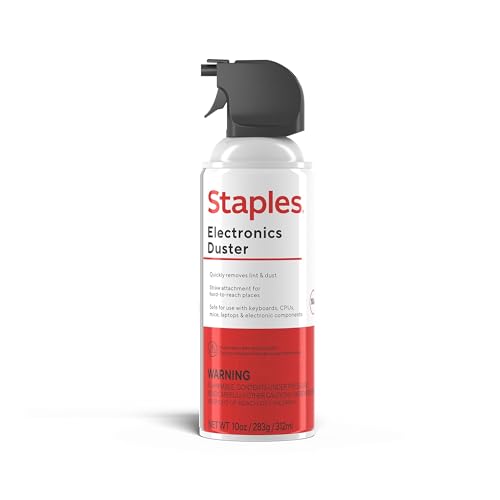
Staples Compressed Air Duster – 10 oz. Can for Electronics, Keyboards & Office Devices
- Ideal for electronics cleaning: Removes dust from sensitive devices
- Varying packaging: Same product, different packaging
- Contains liquefied gas: 152a compressed gas for cleaning
As an affiliate, we earn on qualifying purchases.
As an affiliate, we earn on qualifying purchases.
Conclusion
Now that you’ve seen how this home office dust reset system works better than random wiping, aren’t you tired of wasting time and effort on ineffective cleaning? With this simple, targeted approach, you’ll keep your workspace cleaner and more organized effortlessly. Why settle for dust settling back in when you can take control and maintain a spotless environment? Give this system a try—you’ll wonder how you ever cleaned any other way.

WALI Computer Monitor Stand for Desk, Adjustable Laptop Riser, up to 44 lbs
- Large Plastic Shelf: Fits most screens, laptops, printers
- Supports Up to 44 lbs: Heavy-duty for various devices
- Non-slip Rubber Pads: Protects surfaces and prevents slipping
As an affiliate, we earn on qualifying purchases.
As an affiliate, we earn on qualifying purchases.

naturally it's clean Electronics Cleaner – 24oz | Safe for Phones, Screens, Keyboards, Monitors & TVs | Removes Dirt & Grime | Streak-Free on Glass & Stainless Steel | Home & Office Use
- Safe and Effective Formula: Non-toxic, chemical-free cleaning
- Easy Spray and Wipe: Generously spray and wipe surfaces
- Made in the USA: Manufactured locally in the USA
As an affiliate, we earn on qualifying purchases.
As an affiliate, we earn on qualifying purchases.