
For an infrared thermal camera for home inspection, I’d choose the FLIR C5 as the best overall option for its compact design, Wi-Fi, and MSX image detail. The HSFTOOLS P2W is a standout for buyers who want higher-resolution imaging and an 8MP visual camera, while the FLIR TG165-X suits simpler spot-temperature checks. The main tradeoff is between clearer, more informative images and a lower-cost, simpler tool that may be enough for occasional checks. I also weigh usability, temperature features, and how easily images can be saved or shared. Read on for the full comparison and guidance on matching a camera to your inspection tasks.

Get home appliances delivered free with Prime
- Fast, free delivery on millions of items
- Prime Video, Amazon Music and more included
- Member-only deals all year
Complete the kit


Key Takeaways
- The FLIR C5 is the strongest all-around fit for homeowners who want a compact camera with Wi-Fi and MSX image detail, rather than a spot-check-only tool.
- The HSFTOOLS P2W separates itself with imaging capacity: its listed 640×480 Super Resolution and 8MP visual camera make it a notable choice for buyers who prioritize image detail.
- The FLIR TG165-X serves a different job from full thermal imagers; its Bullseye laser and spot IR focus on locating and checking specific temperature points.
- Several models use 240×240 TISR or similar enhanced-resolution claims, so buyers should distinguish stated native sensor resolution from software-enhanced output.
- Useful inspection features vary more than the shared category label suggests: thermometer modes, AI scene detection, edge enhancement, lighting, and image-sharing options suit different workflows.


| infrared thermal camera for home inspection | Temperature range | Weight |
|---|---|---|
| FLIR TG165-X Thermal Imaging C | -25°C to 300°C | — |
| Flir C5 Compact Thermal Imagin | -20°C to 400°C | 190 g |
| GH192 Thermal Imaging Camera 2 | -4°F to 1022°F | — |
| HSFTOOLS P2W WiFi Thermal Came | -4°F to 752°F | — |
| GT24S 320×240 UIRA-IR Thermal | -4°F to 1202°F | 198 g |
| FOXWELL RT280 Thermal Imaging | -4°F to 1022°F | — |
| Thermal Imaging Camera | -4°F to 1022°F | — |
| GT14S Thermal Imaging Camera | -4°F to 1022°F | 240g |
| GT14S Thermal Imaging Camera w | — | 15.1 ounces |
| FOXWELL HT280 Thermal Imaging | -10°C to 500°C (14°F to 932°F) | — |
| Infrared Thermal Imaging Camer | -4°F to 1022°F | 1.48 pounds |
| Thermal Camera | -4°F to 1022°F | — |
| GT16S Thermal Camera | -4°F to 1202°F | 0.5 lb |
| TOPDON TC004 Mini Thermal Imag | -4°F to 842°F (-20°C to 450°C) | 1.03 pounds |
| HF96 Thermal Camera with AI Sc | -4°F to 1022°F | 1.46 pounds |
More Details on Our Top Picks
FLIR TG165-X Thermal Imaging Camera with Bullseye Laser, Spot IR
The FLIR TG165-X suits homeowners who want to check a specific outlet, pipe, or patch of insulation without paying for a more elaborate imaging workflow. Its bullseye laser helps aim spot temperature readings, while MSX enhancement adds visual detail to thermal images—useful when documenting where a suspected hot or cold area sits. Compared with the Flir C5, it has fewer listed imaging and sharing features, but its simple targeting approach is a better fit for quick checks than for connected reporting. The 9Hz frame rate is a limitation for moving subjects, and 4,800 pixels provide less thermal detail than the GH192’s listed 240×240 resolution. Its broad temperature range and generous image storage favor practical inspection records, though buyers seeking wireless sharing or more detailed thermal views should look elsewhere.
Pros:- Bullseye laser helps target the area being measured
- MSX enhancement adds visual context to thermal images
- Stores up to 50,000 images internally
- IP54-rated, drop-tested construction suits job-site use
Cons:- 4,800-pixel imaging offers less detail than the GH192’s listed 240×240 resolution
- 9Hz frame rate is less suited to tracking motion
- USB connectivity lacks the C5’s Wi-Fi sharing
Best for: Homeowners and maintenance workers who mainly need to target and record temperature anomalies at fixed building components.
Not ideal for: Buyers who need fine thermal detail, wireless report sharing, or smoother imaging while scanning moving subjects.
- Pixel count:4,800 pixels
- Temperature range:-25°C to 300°C
- Frame rate:9Hz
- Display:LCD
- Connectivity:USB
- Image storage:Up to 50,000 images
- Power:Rechargeable lithium-ion battery
- Ingress protection:IP54
Our verdict“Choose the TG165-X for durable, laser-guided spot checks and image storage, but pick the C5 or GH192 for richer imaging or sharing features.”
Flir C5 Compact Thermal Imaging Camera with WiFi and MSX Technology
The Flir C5 is the strongest fit here for homeowners or inspectors who want to capture a finding and share it without moving files manually. Its Wi-Fi connectivity, 5MP visual camera, and MSX imaging make documentation more convenient than on the TG165-X, whose listed connection is USB. The 160×120 thermal resolution also gives it a clearer stated imaging baseline than the TG165-X’s 4,800-pixel count, while the 3.5-inch screen offers room to review images on the device. Its waterproof design and coverage terms add appeal for regular field use. The tradeoff is a fixed focus with a listed 0.3 m focus range, so it is less flexible for close-up inspection than buyers may want. At 190 g, it is also heavier than the GT24S, and its feature set may be more than occasional household checks require.
Pros:- Wi-Fi supports convenient image sharing and report workflows
- 160×120 thermal resolution with MSX and a 5MP visual camera
- 3.5-inch LCD gives more viewing area than the TG165-X’s listed LCD
- Waterproof design and stated detector coverage support frequent use
Cons:- Fixed focus and 0.3 m focus range limit close-up flexibility
- Heavier than the 198 g GT24S
- Wi-Fi and reporting features may be unnecessary for occasional household checks
Best for: Home inspectors and technically minded homeowners who document findings and want to share images wirelessly.
Not ideal for: Casual users seeking a simple spot-check tool or inspectors who need flexible close-focus imaging.
- Thermal resolution:160×120
- Visual camera:5MP
- Temperature range:-20°C to 400°C
- Display:3.5-inch LCD
- Connectivity:Wi-Fi and Ethernet
- Video capture:1080p MP4
- Focus:Fixed focus; 0.3 m listed focus range
- Weight:190 g
- Warranty:2 years parts and labor; 10 years detector coverage
Our verdict“Pick the C5 if wireless documentation matters more than close-focus flexibility or the lighter handling of the GT24S.”
GH192 Thermal Imaging Camera 240×240 Super IR Resolution with 2MP Visual Camera and Fusion Imaging, 25Hz Handheld Thermal Imager with Alarm for Mechanical Maintenance Home HVAC Electrical Inspection
The GH192 earns its place for inspectors who scan multiple rooms or building systems and want quick visual cues when a temperature stands out. Its listed 240×240 resolution and 25Hz frame rate give it a more detailed, fluid scanning profile than the TG165-X’s 4,800 pixels and 9Hz rate. Auto temperature tracking and alarms can help draw attention to anomalies during HVAC or electrical checks, while fusion imaging combines thermal and visible information for easier interpretation. Compared with the Flir C5, the GH192 lists a wider temperature span and longer battery life, but lacks the C5’s Wi-Fi and Ethernet sharing. Its ±2°C accuracy and settings required for image export mean it is not a hands-off documentation tool. The broad range reaches far beyond ordinary home inspection needs, so buyers should value the alert and scanning tools rather than assume every capability improves household diagnosis.
Pros:- 240×240 listed resolution gives more detail than the TG165-X’s 4,800-pixel imaging
- 25Hz frame rate supports smoother scanning than the TG165-X’s 9Hz
- Auto tracking and alarms can flag temperature anomalies
- Up to 8 hours of battery life and 6.6 ft drop resistance
Cons:- Image export requires enabling settings
- No Wi-Fi connectivity is listed, unlike the Flir C5
- ±2°C accuracy may not suit buyers needing tighter measurement precision
Best for: DIY inspectors and maintenance technicians scanning HVAC, electrical, and building areas who want alarms and faster image updates.
Not ideal for: Users who prioritize wireless sharing, polished report workflows, or measurement accuracy tighter than the listed ±2°C.
- Resolution:240×240
- Visible camera:2MP
- Frame rate:25Hz
- Temperature range:-4°F to 1022°F
- Accuracy:±2°C
- Display:2.8-inch IPS
- Battery life:Up to 8 hours
- Drop resistance:6.6 ft
- Emissivity adjustment:Yes
Our verdict“Choose the GH192 for alert-assisted, fast room and system scans, but favor the C5 if wireless sharing is central to your workflow.”
HSFTOOLS P2W WiFi Thermal Camera, 8MP Visual Cam, 640×480 Super Resolution
The HSFTOOLS P2W is the detail-first choice for inspectors who need to distinguish small thermal patterns and want analysis tools alongside image capture. Its 640×480 output, sensitivity below 40mK, and 8MP visual camera make it a more ambitious imaging option than the GH192’s listed 240×240 resolution and 2MP camera. Scene detection and anomaly alerts may help direct attention while checking insulation, air leaks, or electrical components; Wi-Fi adds a convenient route for sharing findings. That extra capability comes with a learning curve, and the listed battery life is only up to four hours—half the GT24S’s stated maximum. The P2W’s output resolution is described as super resolution, so buyers should not treat it as a native sensor specification. For short, detailed inspection sessions it stands out; for long rounds or simple spot measurements, the GT24S is more practical.
Pros:- 640×480 super-resolution output is more detailed than the GH192’s listed 240×240
- Thermal sensitivity below 40mK supports detection of subtle temperature differences
- 8MP visual camera and scene alerts add inspection context
- Wi-Fi supports wireless sharing
Cons:- Advanced functions may take time to learn
- Up to 4 hours of battery life is shorter than the GT24S’s stated 10 hours
- 640×480 is specified as output resolution, not native sensor resolution
Best for: Professional home inspectors and detail-focused building specialists who value high-resolution output, scene analysis, and wireless sharing.
Not ideal for: Beginners wanting a straightforward camera or inspectors who need a full day of scanning without recharging.
- Output resolution:640×480 super resolution
- Thermal sensitivity:<40mK
- Temperature range:-4°F to 752°F
- Visual camera:8MP
- Storage:16GB eMMC
- Battery life:Up to 4 hours
- Connectivity:Wi-Fi
- Drop test:6.6 ft
Our verdict“Choose the P2W for detailed, connected inspection sessions, but pick the GT24S for longer battery life and simpler thermometer use.”
GT24S 320×240 UIRA-IR Thermal Camera with Thermometer Mode
The GT24S is the practical pick for buyers who expect to scan a home over an extended session and also want a direct thermometer mode for checking a particular point. Its 256×192 native sensor is enhanced to 320×240 imaging, and the 25Hz frame rate supports responsive scanning; the lighter 198 g body is easier to carry than the 190 g Flir C5 only by a small margin, so weight is not a major separator between them. The more meaningful distinction is battery life: the GT24S lists up to 10 hours, compared with the P2W’s up to four. Its very broad temperature range reaches well beyond typical building checks, but those upper readings are of little value to most homeowners. Buyers also need some familiarity with emissivity and measurement setup; for connected image sharing, the C5 is the clearer choice.
Pros:- Up to 10 hours of battery life exceeds the P2W’s listed four hours
- Thermal imaging and single-point thermometer modes serve different checks
- 25Hz frame rate supports responsive scanning
- 198 g weight and 2500mAh battery suit extended handheld use
Cons:- 256×192 is the native sensor resolution; 320×240 is enhanced output
- No wireless connectivity is listed, unlike the Flir C5
- Emissivity and measurement settings may require technical familiarity
Best for: Home inspectors and hands-on homeowners who want a lightweight camera for long scanning sessions plus point-temperature readings.
Not ideal for: Buyers who need Wi-Fi reporting, a beginner-oriented workflow, or thermal output detail beyond the stated enhanced resolution.
- Native sensor resolution:256×192
- Enhanced resolution:320×240
- Frame rate:25Hz
- Temperature range:-4°F to 1202°F
- Thermal sensitivity:NETD <40mK
- Weight:198 g
- Battery capacity:2500mAh
- Battery life:Up to 10 hours
- Modes:Thermal imaging and thermometer
Our verdict“Choose the GT24S for long, mobile inspection rounds and point readings, but choose the C5 if wireless documentation matters more.”
FOXWELL RT280 Thermal Imaging Camera, 320×240 LCD, 240×180 TISR
The FOXWELL RT280 suits home inspectors who want to capture findings on the camera and refine them later on a Windows computer. Its 240×180 TISR imaging, 25Hz refresh rate, and nine palettes support readable scans of insulation gaps, damp areas, and warm electrical components. The stated 320×240 figure is the LCD resolution, rather than the thermal resolution, so buyers should distinguish screen detail from the underlying thermal image. Compared with the FOXWELL HT280, the RT280 lists a wider temperature range and MP4 video, while the HT280 specifies measurement accuracy and a 50°×50° field of view. The RT280’s 8GB storage and report tools help organize repeated inspections, but its advanced analysis requires Windows; Mac users should look elsewhere. It is also an infrared-only tool, not a camera that adds visible-light fusion.
Pros:- 240×180 TISR thermal imaging with a 25Hz refresh rate
- 8GB built-in storage for a large inspection image library
- Smart analysis with 2D/3D imaging and report generation
- IP54 rating and 6.6-foot drop resistance for tougher work settings
Cons:- Advanced analysis software requires a Windows PC and is not Mac compatible
- Infrared-only imaging provides no visible-light context
- The 320×240 figure describes the LCD, while TISR thermal resolution is 240×180
Best for: Home inspectors and maintenance technicians who document multiple findings and can use Windows software for later analysis.
Not ideal for: Mac users and buyers who need visible-light fusion to identify the exact object behind a thermal hotspot.
- Thermal resolution:240×180 TISR
- Display:2.8-inch LCD, 320×240
- Temperature range:-4°F to 1022°F
- Refresh rate:25Hz
- Storage:8GB eMMC
- Color palettes:9
- Protection:IP54; 6.6-foot drop resistance
- Connectivity and video:USB Type-C; MP4
Our verdict“Choose the RT280 if Windows-based reporting and substantial onboard storage matter more than visible-light fusion or Mac support.”
Thermal Imaging Camera, Dual-Light Infrared Thermal Camera 240×240 TISR
This dual-light model is a strong fit for inspections where a heat pattern alone may be hard to interpret. Its thermal and real-image fusion can give a homeowner more context around a suspicious cold patch or warm electrical connection than the infrared-only FOXWELL RT280. The listed 240×240 TISR resolution, sensitivity below 40mK, and 25Hz refresh rate support routine checks for insulation gaps, leaks, and temperature irregularities. Multiple scene modes and temperature alerts can help users flag areas for a closer look, though an alert is a prompt to investigate, not a diagnosis of the cause. Its 8GB storage and rechargeable battery suit handheld inspections, but the product data does not specify a battery runtime, field of view, or protection rating. Buyers new to thermal imaging may need time to interpret patterns and avoid mistaking surface temperature changes for hidden defects.
Pros:- Dual-light fusion pairs thermal maps with real-image context
- 240×240 TISR resolution and sensitivity below 40mK
- Scene modes and temperature alerts support varied inspection tasks
- 8GB built-in storage and a rechargeable 3200mAh battery
Cons:- Thermal patterns still require user interpretation and do not diagnose the underlying problem
- Battery runtime and protection rating are not specified in the supplied product data
- PC analysis software may add a computer-based step to reviewing findings
Best for: Homeowners and inspectors who want visible scene context alongside heat maps when checking leaks, insulation, and electrical areas.
Not ideal for: First-time users expecting the camera to identify the cause of a temperature anomaly automatically, or buyers who need clearly documented battery runtime and weather protection.
- Thermal resolution:240×240 TISR
- Thermal sensitivity:<40mK
- Refresh rate:25Hz
- Temperature range:-4°F to 1022°F
- Storage:8GB built-in
- Battery:3200mAh rechargeable
- Drop resistance:6.6 feet
- Imaging:Thermal and real-image dual-light fusion
Our verdict“Pick this model over the infrared-only RT280 if visual context is a priority and you are comfortable interpreting thermal readings.”
GT14S Thermal Imaging Camera, Thermometer Mode, Ultra-Light 240g
For a long walkthrough that involves moving between rooms, the GT14S’s 240g weight is its clearest advantage: it is easier to keep in hand than a heavier inspection device. Its 50° field of view takes in a broad area, while the thermal and thermometer modes give buyers two ways to check temperature patterns. Sensitivity below 50mK is listed, but the supplied data does not state image resolution or refresh rate, making it harder to judge fine-detail performance against the FOXWELL HT280, which specifies both. The GT14S also claims up to 14 hours of battery life, a useful advantage for extended work, though actual runtime can depend on use. Its light build and long battery life make it a straightforward handheld option, but unspecified connectivity and no stated weather-resistance rating limit its appeal for report-heavy or rough-site work.
Pros:- Lightweight 240g design for less tiring handheld inspections
- Thermal imaging and thermometer modes offer two inspection approaches
- NETD below 50mK for detecting subtle temperature differences
- Up to 14 hours of stated battery life
Cons:- Thermal image resolution and refresh rate are not provided
- Connectivity options are unspecified, limiting confidence about image transfer
- No waterproof or weather-resistance rating is stated
Best for: Homeowners or inspectors who prioritize a light handheld camera for room-to-room checks and extended sessions.
Not ideal for: Buyers who need confirmed image resolution, computer-transfer options, or a stated water and dust protection rating before purchasing.
- Weight:240g
- Temperature range:-4°F to 1022°F
- Sensor sensitivity:NETD <50mK
- Battery:2500mAh rechargeable
- Stated battery life:Up to 14 hours
- Field of view:50°
- Inspection modes:Thermal imaging and thermometer
Our verdict“Choose this GT14S when low weight and long stated battery life matter more than fully documented imaging and connectivity specifications.”
GT14S Thermal Imaging Camera with Edge Enhancement and Thermometer Mode
This GT14S version is best suited to buyers who want a quick prompt when a reading crosses a set threshold. Its customizable alarms pair with thermal imaging and digital thermometer modes, making it practical for checking HVAC outlets, suspect wall areas, or electrical components during a home inspection. The 50° field of view covers a useful area, and the stated 25Hz image frequency supports fluid handheld viewing. Like the lighter GT14S 240g model, it lists sensitivity below 50mK and up to 14 hours of battery life, but this version gives its weight as 15.1 ounces and adds alarm details. Neither product’s supplied data confirms connectivity or weather protection; the first GT14S at least states a 240g weight and battery capacity. Edge enhancement is named in the title, but no performance figures explain its effect on image detail.
Pros:- Customizable alarms can flag readings beyond user-selected thresholds
- Thermal imaging and digital thermometer modes support different checks
- 25Hz image frequency and 50° field of view suit handheld scanning
- Up to 14 hours of stated battery life
Cons:- Connectivity options such as USB, Wi-Fi, or Bluetooth are not specified
- No water-resistance or drop-resistance rating is provided
- Thermal resolution and the practical effect of edge enhancement are not detailed
Best for: HVAC technicians and home inspectors who want customizable temperature alerts for repeatable spot checks.
Not ideal for: Buyers who need documented image-transfer methods, ruggedness ratings, or detailed proof of how edge enhancement affects the thermal image.
- Measurement range:-4°F to 1022°F
- Weight:15.1 ounces
- Battery life:Up to 14 hours
- Sensor sensitivity:NETD <50mK
- Image frequency:25Hz
- Field of view:50°
- Modes and alerts:Thermal imaging, digital thermometer, customizable alarms
- Image feature:Edge enhancement
Our verdict“Choose this version over the other GT14S if customizable alerts matter more than its less clearly documented imaging and durability details.”
FOXWELL HT280 Thermal Imaging Camera – 2.8″ LCD, 320×240 display, 260×260 TISR
The HT280 stands out for buyers who want more measurement detail spelled out before choosing a home-inspection camera. It lists ±3.6°F or ±2% accuracy, a 50°×50° field of view, 50mK sensitivity, and 260×260 TISR-enhanced imaging. That makes its specifications easier to compare for thermal scans than the GT14S options, whose supplied data omits image resolution. The 2.8-inch LCD and nine palettes help with on-device viewing, while Windows PC software supports later 2D/3D analysis and reporting. Compared with the RT280, the HT280 specifies accuracy and field of view, but has a narrower stated temperature range and only USB transfer. Its eight-hour battery claim is useful, though shorter than the up-to-14-hour GT14S claims. Mac users and those wanting wireless sharing should skip it.
Pros:- 260×260 TISR-enhanced resolution with 50mK thermal sensitivity
- Specified accuracy of ±3.6°F or ±2%
- 50°×50° field of view and nine selectable palettes
- Windows PC software supports 2D/3D analysis and reporting
Cons:- PC software and USB image transfer are Windows-only
- No built-in Wi-Fi or Bluetooth for wireless sharing
- Eight-hour stated runtime is shorter than the up-to-14-hour GT14S claims
Best for: Home inspectors who want stated measurement accuracy, a defined field of view, and Windows-based analysis for documenting findings.
Not ideal for: Mac users, inspectors who need wireless image transfer, or buyers prioritizing the widest stated temperature range and longer battery claims.
- Display:2.8-inch LCD, 320×240
- Resolution enhancement:260×260 TISR
- Thermal sensitivity:50mK
- Temperature range:-10°C to 500°C (14°F to 932°F)
- Accuracy:±3.6°F or ±2%
- Field of view:50°×50°
- Battery runtime:Up to 8 hours
- Connectivity and storage:USB for Windows PC transfer; capacity for 20,000+ images/video
- Protection:IP54; 6.6-foot drop resistance
Our verdict“Choose the HT280 if defined measurement accuracy and Windows reporting matter more than wireless sharing or the RT280’s wider stated temperature range.”
Infrared Thermal Imaging Camera, 240×240 TISR Resolution, 25Hz Refresh Rate, -4°F to 1022°F, Adjustable Emissivity, Hot/Cold Spot Detection, LED Light for HVAC, Electrical & Home Inspection
For home inspectors who need to compare surface temperatures across different materials, this camera’s adjustable emissivity is its clearest advantage. Its stated 240×240 TISR resolution, 25Hz refresh rate, and hot/cold spot detection support scanning rooms, HVAC components, and electrical panels without a choppy display. The built-in LED can also help when inspecting dim utility spaces. Compared with the GT16S, it offers a higher stated display resolution, while the GT16S is lighter and adds inspection presets and AI alerts. The tradeoff here is a 1.48-pound body that may feel cumbersome during a long walkthrough, and the supplied details specify USB transfer rather than wireless sharing. I’d favor it when measurement flexibility matters more than light carry weight.
Pros:- Adjustable emissivity from 0.01 to 1.00 supports readings across varied surface types.
- 240×240 TISR resolution and 25Hz refresh rate suit routine room and equipment scans.
- Hot/cold spot detection helps draw attention to temperature outliers.
- Built-in LED aids visibility in dark utility spaces.
Cons:- At 1.48 pounds, it is heavier than the 0.5-pound GT16S for extended handheld inspections.
- The listed temperature range may not cover unusually high-temperature inspection work.
- Image transfer requires a USB connection according to the supplied product details.
Best for: Home inspectors who regularly compare readings from different surface materials and want adjustable emissivity plus hot/cold spot indicators.
Not ideal for: Inspectors who prioritize a lightweight camera for extended handheld scanning or need wireless image transfer.
- Resolution:240×240 TISR
- Refresh rate:25Hz
- Temperature range:-4°F to 1022°F
- Emissivity range:0.01 to 1.00
- Field of view:50° × 50°
- Battery:2000mAh rechargeable
- Weight:1.48 pounds
- Dimensions:10.28 x 5.24 x 3.54 inches
Our verdict“Choose this camera if adjustable emissivity and spot detection matter more to your inspection workflow than low weight or wireless file transfer.”
Thermal Camera, 240 x 240 TISR Resolution for Home Inspection
This is the lineup’s practical pick for inspectors who carry a camera through dusty, damp, or crowded work areas. Its IP54 dust and water resistance and stated 6.6-foot drop resistance offer more reassurance against everyday knocks than the product details provide for the 240×240 adjustable-emissivity camera. A 25Hz refresh rate, multiple imaging modes, and a temperature alarm are useful when scanning rooms and checking circuits, while the -4°F to 1022°F range spans common home-inspection tasks. The tradeoff is that IP54 is not protection for submersion, and the listed 30-centimeter length may be less convenient to stow than a compact camera. Its included lithium-ion battery is a plus, though replacement will eventually be part of ownership.
Pros:- IP54 rating provides dust and splash resistance for ordinary job-site exposure.
- Drop resistance is specified up to 6.6 feet.
- Multiple imaging modes and color palettes offer ways to view thermal patterns.
- Temperature alarm can help flag readings that pass a chosen threshold.
Cons:- IP54 protection does not make the camera suitable for submersion.
- The stated 30-centimeter length may be awkward for compact tool storage.
- The included lithium-ion battery may need replacement over time.
Best for: Home inspectors and renovation contractors who want a camera with stated drop and dust/water resistance for frequent use around active job sites.
Not ideal for: Casual homeowners who only need occasional checks, or anyone who needs a camera that can withstand immersion in water.
- Resolution:240 x 240 TISR
- Temperature range:-4°F to 1022°F
- Refresh rate:25Hz
- Display type:Digital
- Field of view:50°
- Durability:IP54 dust/water resistance; drop resistant up to 6.6 feet
- Power:1 included lithium-ion battery
- Item length:30 centimeters
Our verdict“Pick this model for routine inspections in rougher work areas where stated drop resistance matters more than compact storage.”
GT16S Thermal Camera, AI Scene Detection, Thermometer Mode
The GT16S is the most guided option here for a homeowner or newer inspector who wants prompts while scanning. Its AI scene detection flags potential moisture, insulation, and floor-heating issues, and five preset modes reduce the setup decisions required before checking a particular area. That approach differs from the 240×240 TISR camera with adjustable emissivity, which emphasizes manual measurement flexibility rather than automated alerts. The important tradeoff is image detail: the GT16S has a 128×128 native sensor and displays an upscaled 240×240 image, so it should not be mistaken for a native 240×240 sensor. Its 0.5-pound weight and stated 11-hour battery life are compelling for a full-day walkthrough, but its detection prompts are best treated as leads to investigate, not proof of a building defect.
Pros:- AI scene detection flags potential moisture, insulation, and floor-heating concerns.
- Five inspection presets simplify setup for common tasks.
- At 0.5 pounds, it is easier to carry through a full walkthrough than heavier options such as the 1.48-pound camera in this lineup.
- Stated battery life of up to 11 hours supports extended inspection sessions.
Cons:- The native 128×128 sensor has less detail than a true 240×240 sensor.
- The displayed 240×240 image is software-upscaled rather than native-resolution capture.
Best for: First-time home inspectors who want preset workflows and automated prompts for moisture, insulation, and floor-heating scans.
Not ideal for: Buyers who need maximum native thermal detail or prefer to interpret images without AI-generated alerts.
- Sensor resolution:128×128, upscaled to a 240×240 display
- Temperature range:-4°F to 1202°F
- Accuracy:±2%
- Thermal sensitivity:<50mK (≈0.05°C)
- Refresh rate:25Hz
- Weight:0.5 lb
- Battery life:Up to 11 hours continuous use
- Preset modes:Moisture, Insulation, Floor Heating, Electrical, Solar Panel
- Measurement modes:Thermal imaging and single-point thermometer
Our verdict“Choose the GT16S for lightweight, prompt-led inspections, but look elsewhere if native image detail is your main priority.”
TOPDON TC004 Mini Thermal Imaging Camera, 240 x 240 TISR Resolution
The TC004 Mini is a strong match for inspectors who would rather finish a long walkthrough than stop to recharge. Its stated 15-hour battery life exceeds the up-to-11-hour claims for both the GT16S and HF96, while onboard storage holds up to 8,000 photos for documenting findings. It lists a 240×240 TISR image, but the underlying 128×128 IR resolution is the figure detail-focused buyers should examine before choosing it; the display resolution does not mean the sensor is native 240×240. The 40°×30° field of view is narrower than the 50° options in this group, so scanning broad areas may take more repositioning. Its stated waterproof design adds job-site appeal, though the supplied data gives no specific waterproof rating.
Pros:- Stated battery life of up to 15 hours is longer than the GT16S and HF96 claims.
- 512MB eMMC storage is rated for up to 8,000 photos.
- Smart alerts and manual photo capture support inspection documentation.
- Portable design is described as durable and waterproof.
Cons:- The 128×128 IR sensor has lower native resolution than the 240×240 TISR display figure suggests.
- The 40°×30° field of view is narrower than the 50° field listed for several alternatives.
- A charging head is not included; the supplied description lists a cable only.
Best for: Inspectors who need long battery life and substantial onboard photo storage for documenting multiple properties in one day.
Not ideal for: Buyers who prioritize a wider field of view, documented waterproof ratings, or native 240×240 thermal sensor detail.
- Display resolution:240 x 240 TISR
- Thermal resolution:128 x 128 IR
- Temperature range:-4°F to 842°F (-20°C to 450°C)
- Field of view:40° x 30°
- Refresh rate:25Hz
- Battery life:Up to 15 hours
- Storage:512MB eMMC; up to 8,000 photos
- Weight:1.03 pounds
- Dimensions:4 x 3.5 x 9 inches
Our verdict“Choose the TC004 Mini for extended inspection days and photo storage, provided its narrower view and 128×128 sensor suit your needs.”
HF96 Thermal Camera with AI Scene Detection, Laser Pointer, -4°F to 1022°F
The HF96 suits inspectors who want to locate a temperature anomaly and point to its position without carrying separate tools. It combines thermal imaging, a thermometer, and a laser pointer, with AI scene recognition and live super resolution intended to clarify the displayed image. Compared with the GT16S, it has a stated 240×240 image resolution and 4GB of storage, while the GT16S is substantially lighter and offers named presets for moisture, insulation, and floor heating. Neither detail erases the HF96’s main limitation for home inspection: the product data says it has no moisture readings, so thermal patterns cannot be treated as direct moisture measurements. At 1.46 pounds, it is also a heavier carry than the GT16S, and its controls may take time to learn.
Pros:- Combines thermal imaging, a thermometer, and a laser pointer in one device.
- AI scene recognition and live super resolution support image interpretation.
- 4GB of storage provides room for inspection images.
- Stated battery life of up to 11 hours supports lengthy sessions.
Cons:- No moisture readings are available, unlike the GT16S’s moisture-focused scene prompts.
- At 1.46 pounds, it is much heavier than the 0.5-pound GT16S.
- Controls may feel complex at first, and firmware updates require a website.
Best for: Inspectors who want a laser pointer for indicating hot or cold spots and value combined thermometer and thermal-camera functions.
Not ideal for: Buyers seeking direct moisture readings, a very light handheld camera, or controls that require little familiarization.
- Temperature range:-4°F to 1022°F
- Thermal sensitivity:Below 50mK
- Image resolution:240×240
- Field of view:50°
- Battery life:Up to 11 hours
- Storage:4 GB
- Dimensions:3.8 x 6.3 x 10.4 inches
- Weight:1.46 pounds
Our verdict“Pick the HF96 if laser-assisted spot identification and combined measurement tools matter more than direct moisture readings or a lightweight body.”
How We Picked
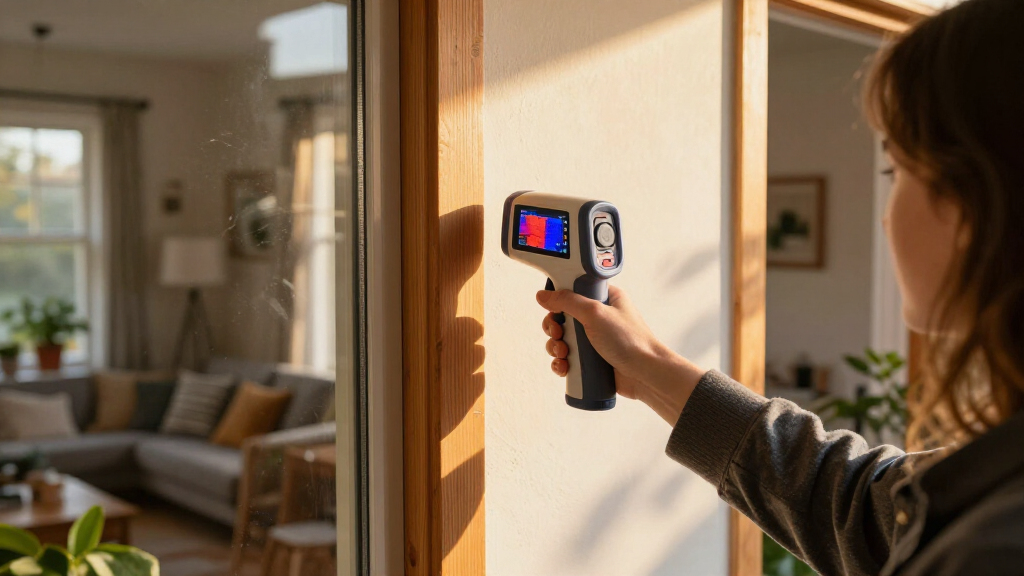
I ranked these cameras for practical home inspection tasks: finding temperature patterns around windows, insulation, HVAC components, plumbing, and electrical equipment. I weighed stated thermal resolution and image-enhancement methods alongside visible-camera detail, temperature tools, refresh rate where listed, and features that can help interpret or document a scan. A higher resolution can make patterns easier to examine, but it does not by itself confirm the source of a problem or guarantee accurate measurements.
The order reflects how well each product’s stated features support a broad range of home checks, with extra weight for useful imaging, approachable operation, and practical ways to save or interpret results. Specialized spot IR tools rank differently from full imaging cameras because they serve a narrower purpose. Where product names or listed specifications provide limited detail, I avoid assuming capabilities that are not stated; buyers should confirm sensor resolution, accuracy, included software, and file-sharing support before purchase.
Factors to Consider When Choosing Infrared Thermal Camera For Home Inspection
Choosing a home inspection camera is less about finding the biggest specification and more about getting images you can interpret and use. I’d start by deciding what you need to inspect, how often you’ll document findings, and whether you need broad thermal patterns or spot measurements.
Match the Camera to the Inspection Task
Thermal imaging is useful for locating temperature differences, but the camera does not identify their cause. A draft, missing insulation, moisture, a hot electrical connection, and a sun-warmed surface can produce patterns that need follow-up. For broad scans across rooms, a full thermal image is usually more useful than a spot-reading tool. A model such as the TG165-X has a more focused role when you mainly want to locate and check a particular point. Before buying, list the surfaces and systems you plan to inspect so you do not pay for imaging features you will rarely use—or choose a narrow tool for a whole-house survey.
Read Resolution Claims Carefully
Resolution affects how much image detail is available, especially when examining small areas or capturing patterns from a distance. Some listings distinguish a thermal sensor’s native resolution from an enhanced or interpolated output, while others foreground a Super Resolution figure. Those numbers are not automatically equivalent. A high-resolution visual camera can add context to a thermal image, but it does not increase the thermal sensor’s underlying detail. Compare the exact specification labels and look for sample images taken at realistic inspection distances before treating a larger number as a decisive advantage.
Check Measurement Controls, Not Just the Temperature Range
A broad temperature range can be useful around varied household equipment, but range alone says little about measurement reliability. Emissivity settings matter because different materials emit infrared energy differently; a camera set poorly for a reflective or unusual surface can mislead. Hot- and cold-spot markers and thermometer modes can make scans quicker to interpret, though they do not replace sound measurement technique. Think about whether you will compare readings over time or across materials, since consistent camera settings become more valuable in those cases. For electrical or mechanical checks, follow safe working practices and use a qualified professional when a finding needs diagnosis.
Plan for Image Review and Documentation
A camera is more useful when you can connect a thermal pattern to the room, component, and date where it appeared. Wi-Fi or an accessible file-transfer method can simplify sharing images with a contractor or keeping records of repairs. On-device fusion, edge enhancement, or visual overlays may help orient you, but the presentation should not be mistaken for added measurement precision. If you expect to build a record of seasonal changes, check storage capacity, export formats, and whether the companion app works with your phone. For occasional personal checks, straightforward image capture may matter more than an elaborate workflow.
Balance Portability, Screen Usability, and Battery Needs
Compact cameras are easier to keep in a tool bag and carry between rooms, while a larger screen can make it easier to inspect image details without a phone. Lightweight designs suit quick checks, but a very small display may slow interpretation or make controls harder to use. Consider whether you will scan ceilings, crawlspaces, or equipment at awkward angles; grip, button placement, and built-in lighting can matter more there than a minor specification difference. Check stated battery life and charging arrangements if you expect long inspection sessions. A camera that is comfortable to operate is more likely to be used consistently.
Know When to Pay More—and When Not To
Paying more can make sense if higher image detail, easier documentation, or more flexible analysis will support repeated inspections or professional work. For occasional checks around a home, a simpler device may cover the practical need without adding features you will not use. AI scene detection and enhancement tools can help organize or present information, but they cannot replace training or confirm a building defect. Consider whether you need a screening tool or a diagnostic workflow before choosing a premium model. If a scan could affect a repair, purchase, or safety decision, use thermal images as clues and arrange qualified confirmation.
Frequently Asked Questions
Can a home thermal camera tell me whether a wall has a leak or missing insulation?
It can reveal temperature patterns that may be consistent with a leak or insulation gap, but it cannot identify the cause on its own. Surface temperature can also change with sunlight, airflow, heating cycles, and moisture elsewhere in the structure. Scan under suitable conditions and compare suspicious areas with nearby surfaces. Treat the image as a lead for further checking, not a diagnosis. For a consequential repair decision, seek an inspection by a qualified professional.
Should I choose a camera with higher Super Resolution or a higher native thermal resolution?
Start with the stated native thermal sensor resolution, then check what the enhanced-resolution figure represents. Super Resolution may improve the displayed or processed image, but it does not necessarily provide the same underlying information as a sensor with more native pixels. The difference matters most when inspecting small targets or wanting finer detail at a distance. For broad room scans, ease of interpretation and a useful visual overlay may matter as much as pixel count. Compare sample images and specification definitions rather than relying on the largest number in a listing.
Is a spot IR camera enough for checking my whole house?
A spot IR camera can be useful for checking the temperature of a particular point, but it does not show the same room-wide pattern as a thermal imaging camera. That makes it less suited to scanning walls, windows, and ceilings for unexpected temperature differences. If your main goal is locating areas that deserve closer attention, a full thermal image is generally the more practical format. A spot tool can still suit buyers who already know where they want to measure. Choose based on whether you need a map of temperature patterns or a reading from a targeted area.
Do I need Wi-Fi or a phone app for home inspections?
Wi-Fi is convenient if you plan to share images with a contractor, keep a digital inspection record, or compare scans over time. It is not required to find temperature patterns, so occasional users may prefer a simpler camera with clear on-device viewing. Before relying on an app, confirm compatibility with your phone and check how images can be exported and stored. Also consider whether the camera can work effectively when the phone has no connection. Choose connected features for a real documentation need, not just because they appear on a specification list.
Can I use a thermal camera to check electrical panels safely?
A thermal camera can help identify unusual heat patterns on accessible equipment, but it does not make opening or approaching electrical equipment safe. Keep the camera use within your training and follow the equipment’s safety requirements. A thermal image is a screening aid, not a substitute for electrical testing or a professional diagnosis. If you see a concerning hot spot, avoid touching the equipment and contact a qualified electrician. For home buyers, remember that one scan cannot certify an electrical system as safe.
Conclusion
For most homeowners, I’d choose the FLIR C5 as the best overall because its compact form, Wi-Fi, and MSX imaging support a broad inspection workflow. The best premium-leaning imaging option in this lineup is the HSFTOOLS P2W for buyers drawn to its listed 640×480 Super Resolution and 8MP visual camera, while confirming the exact resolution definitions before purchase. The best fit for beginners is a model with a clear screen and straightforward thermometer or hot/cold-spot tools, such as the FOXWELL RT280 or a GT-series option with a thermometer mode. Choose the FLIR TG165-X for specific spot-check needs, not as a replacement for whole-room thermal imaging. If value is your priority, compare simpler 240×240 TISR cameras against the features you will actually use; the right choice is the least complicated camera that can produce images you can interpret and act on.