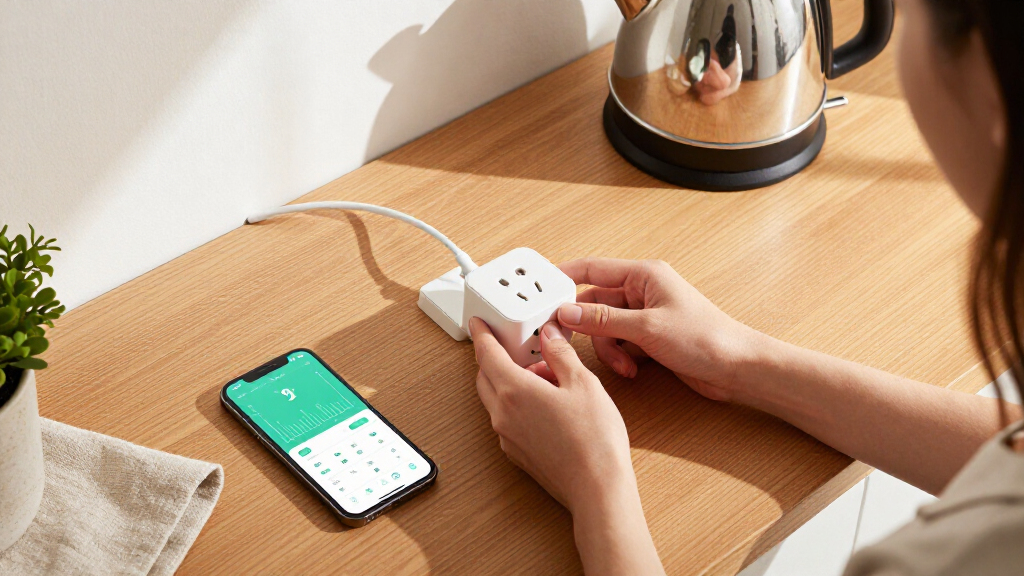

Smart plugs with energy monitoring do more than turn devices on and off remotely — they show you exactly how much electricity each appliance consumes, which is how you find the energy hogs driving up your bill. After comparing 12 leading options, the Kasa Matter Smart Plug KP125MP4 stands out as the best overall pick thanks to Matter support, a polished app, and reliable usage history. The Emporia Energy Monitoring Smart Plug is the stronger choice if your goal is serious energy tracking across many outlets, while the SwitchBot Smart Plug Mini suits buyers who want a compact single plug with Bluetooth setup simplicity. The main tradeoff in this category is between ecosystem openness (Matter vs. proprietary Wi-Fi apps vs. Zigbee hubs) and between real-time accuracy versus basic daily totals. Keep reading for the full breakdown of what each plug does well and where it falls short.

Get home appliances delivered free with Prime
- Fast, free delivery on millions of items
- Prime Video, Amazon Music and more included
- Member-only deals all year
Complete the kit


![[Genuine] Waterdrop PF-01A Water Filter Replacement for W...](https://m.media-amazon.com/images/I/41+5tl9EiKL._SX342_SY445_QL70_FMwebp_.jpg)
Key Takeaways
- Matter-compatible plugs (Kasa KP125MP4 and Tapo P110M) proved most future-proof, but both cost more per outlet than standard Wi-Fi plugs and require a Matter controller like Apple Home or Google Home to use that advantage.
- Zigbee options like the THIRDREALITY Gen3 pull ahead on hub-based reliability and double as mesh repeaters, yet they’re a poor fit for buyers who don’t already own a Zigbee hub such as an Echo or SmartThings device.
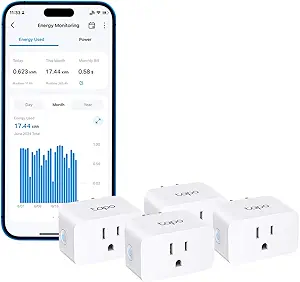
- Energy data quality varied more than expected: Emporia and the Tapo/Kasa plugs offer detailed hourly and monthly history with cost estimates, while budget plugs like the generic 4-Pack and TOPELER only show basic real-time wattage with limited logs.
- The Tapo P115 2-Pack and 4-Pack are identical hardware — the only decision is pack size and per-plug cost, so there’s no reason to compare them on features.
- The NOUS A9 was the only plug supporting 5GHz Wi-Fi, making it the standout for homes with crowded 2.4GHz networks, though its app and local support lag behind Kasa and Tapo.



| smart plugs with energy monitoring | Connectivity | Max Current | Certification | Model |
|---|---|---|---|---|
| THIRDREALITY Smart Plug Gen3 | Zigbee 3.0 | 15A | ETL Certified | — |
| Kasa Smart Plug Mini with Ener | 2.4 GHz Wi-Fi | — | UL certified | KP115 |
| Govee Smart Plug with Energy M | Wi-Fi 2.4GHz & Bluetooth | 15A | — | — |
| Kasa Matter Smart Plug with En | — | — | UL certified flame retardant | KP125MP4 |
| TOPELER 15A Smart Plug with En | Wi-Fi 2.4GHz, Bluetooth | — | — | — |
| SwitchBot Smart Plug Mini | WiFi & Bluetooth | — | ETL | — |
| Emporia Energy Monitoring Smar | Wi-Fi 2.4GHz only | — | — | — |
| Smart Plug Outlet with Energy | — | 15A | FCC | — |
| NOUS A9 5GHz Wi-Fi Smart Plug | Wi-Fi (2.4GHz and 5GHz) | — | CE | A9 |
| Tapo P115 Smart Plug Wi-Fi wit | Wi-Fi | 15A | — | P115 |
| Tapo P115 Smart Plug Wi-Fi wit | Wi-Fi | 15A | — | Tapo P115 |
| Tapo P110M Smart Plug | — | 15A | — | Tapo P110M |
More Details on Our Top Picks
THIRDREALITY Smart Plug Gen3 (4 Pack)
Most plugs in this roundup lean on Wi-Fi, but this option stands out for taking the Zigbee mesh route, which changes the entire ownership experience. Instead of crowding a router, each plug doubles as a Zigbee repeater, strengthening the network as you add more — something no Wi-Fi plug here, including the Kasa KP115, can do. The headline spec is ±1% monitoring accuracy, tighter than what Govee or TOPELER advertise, which matters if the goal is auditing specific appliances rather than eyeballing rough totals. The tradeoff is structural: without a Zigbee hub (Echo 4th Gen, SmartThings, Hubitat, Home Assistant), these are paperweights. Power-on state restoration after outages also depends on the hub, so this pick makes the most sense for buyers already invested in a mesh ecosystem.
Pros:- ±1% power monitoring accuracy for trustworthy energy auditing
- Each plug acts as a Zigbee repeater, extending mesh coverage
- Space-saving housing keeps adjacent sockets free
- Works with a wide range of hubs including Home Assistant and SmartThings
Cons:- Requires a separate Zigbee hub to function at all
- Power-on state restoration only works with THIRDREALITY Hub Gen2 or Home Assistant
Best for: Home Assistant, SmartThings, or Hubitat users who already run a Zigbee hub and want network-extending plugs with precise energy data
Not ideal for: Buyers without any Zigbee hub — these plugs simply won’t connect, unlike Wi-Fi options like the Govee 4-pack
- Connectivity:Zigbee 3.0
- Operating Voltage:110V
- Max Current:15A
- Power Monitoring Accuracy:±1%
- Certification:ETL Certified
- Quantity:4 Pack
- Compatible Platforms:Echo (4th Gen/Plus/Show/Studio), SmartThings, Home Assistant, Hubitat, Homey
Our verdict“If you already run a Zigbee hub, this 4-pack turns energy monitoring into a network upgrade — skip it entirely if you don’t own one.”
Kasa Smart Plug Mini with Energy Monitoring (KP115)
For a first smart plug, the Kasa KP115 gets the basics right where it counts: the Kasa app is among the most intuitive in the category, setup takes minutes, and Alexa plus Google Assistant work out of the box — no hub, no account gymnastics like the Smart Life app TOPELER requires before voice control unlocks. Compared with the Govee 4-pack, this single unit trades quantity for polish, and its safety story is a cut above: overheating protection, a fire-resistant shell, a sliding child-safety cover, and a 2-year warranty that outlasts most budget competitors. The monitoring data is solid for daily tracking, though it lacks the platform flexibility of the Matter-certified Kasa KP125MP4. The 2.4 GHz-only limitation is a minor annoyance on modern routers that split bands automatically.
Pros:- Excellent, beginner-friendly Kasa app with reliable energy tracking
- Alexa and Google Assistant voice control without a hub
- Strong safety package including overheating protection and child safety cover
- 2-year warranty with established brand support
Cons:- 2.4 GHz Wi-Fi only, which can complicate setup on dual-band routers
- No Apple Home or Matter support unlike newer Kasa models
Best for: First-time smart plug buyers who want a plug-and-play setup, a polished app, and dependable warranty support
Not ideal for: Apple Home users or multi-platform households — this model predates Matter, so the KP125MP4 is the better fit
- Model:KP115
- Connectivity:2.4 GHz Wi-Fi
- Voice Assistants:Amazon Alexa, Google Assistant
- Energy Monitoring:Included
- Safety Features:Overheating protection, fire-resistant shell, child safety cover
- Certification:UL certified
- Warranty:2 years
Our verdict“The safest first step into energy-monitoring smart plugs — buy it for the app and warranty, not for platform flexibility.”
Govee Smart Plug with Energy Monitoring, 4 Pack
Four monitoring plugs at a working budget is the entire pitch here, and Govee delivers it without gutting the feature set. The Govee Home app keeps a full year of daily, weekly, and monthly energy history, which beats the reporting depth most single-plug rivals offer and makes this pack well suited to whole-room audits. Setup is straightforward over Wi-Fi or Bluetooth, and scheduling, timers, and group control let a household gang-manage multiple appliances at once — a genuine advantage over buying the Kasa KP115 individually. The 15A/1800W rating handles heavier loads like space heaters, and ETL/FCC certification with fire-resistant materials keeps the safety floor respectable. The compromises are familiar: 2.4 GHz Wi-Fi only, and everything routes through the Govee app, which is less refined than Kasa’s software.
Pros:- Four plugs with full energy monitoring at a strong per-plug value
- Up to 1 year of daily, weekly, and monthly energy history
- Group control and scheduling across multiple plugs
- 15A/1800W rating with ETL and FCC certification for high-power appliances
Cons:- 2.4 GHz Wi-Fi only — no 5 GHz support
- Govee Home app is required and less polished than Kasa’s
Best for: Budget-conscious households that want to monitor several appliances at once without paying premium per-plug prices
Not ideal for: Buyers who want a single polished plug with the best app experience — the Kasa KP115 serves that use case better
- Quantity:4 Pack
- Connectivity:Wi-Fi 2.4GHz & Bluetooth
- Max Current:15A
- Voltage:120V
- Voice Assistants:Alexa, Google Assistant
- Certifications:FCC, ETL
- App:Govee Home
Our verdict“The smart pick when quantity matters — four capable monitoring plugs for the price where competitors sell two.”
Kasa Matter Smart Plug with Energy Monitoring (KP125MP4)
This is the plug I’d point most buyers toward, because it solves the problem that eventually frustrates everyone else on this list: platform lock-in. Matter certification means it works natively with Apple Home, Alexa, Google Home, and SmartThings — a flexibility the Wi-Fi-only Kasa KP115 and the app-tethered TOPELER can’t match. Even better, it supports local LAN control, so schedules and monitoring keep functioning during internet outages while purely cloud plugs like the Govee pack go dark remotely. Energy tracking covers usage over time without the rough edges of budget apps, and the compact, UL-certified flame-retardant housing won’t bully neighboring outlets. The one real hurdle: full functionality needs a Matter-compatible hub or controller, so households running older Echo or Google speakers should verify compatibility before committing.
Pros:- Native Matter support across Apple Home, Alexa, Google Home, and SmartThings
- Local LAN control keeps devices working during internet outages
- Built-in energy usage tracking over time
- Compact UL-certified flame-retardant design with a 2-year warranty
Cons:- Requires a Matter-compatible hub or controller for full functionality
- Per-plug cost runs higher than value multi-packs like the Govee 4-pack
Best for: Multi-platform households — especially Apple Home users — who want futureproof, locally controlled energy monitoring
Not ideal for: Households with older, non-Matter hubs or speakers — setup friction may outweigh the platform benefits
- Model:KP125MP4
- Protocol:Matter
- Max Load:15A / 1800W
- Energy Monitoring:Yes
- Compatibility:Apple Home, Amazon Alexa, Google Home, Samsung SmartThings
- Certification:UL certified flame retardant
- Warranty:2-year limited
Our verdict“The most futureproof pick here — buy it if you want one ecosystem-agnostic plug that survives internet outages and platform switches.”
TOPELER 15A Smart Plug with Energy Monitor, 2 Pack
What separates this TOPELER 2-pack from the crowd of budget Wi-Fi plugs is its Bluetooth fallback: when Wi-Fi drops, local Bluetooth control keeps the plugs operable — a resilience most cheap competitors lack and something the Govee 4-pack only partially matches during setup. Energy monitoring covers the essentials with daily, weekly, and monthly reports, enough to spot a power-hungry appliance, though the data presentation in the Smart Life app is more functional than refined. The 15A/1800W rating and ETL/FCC certification put it on par with pricier plugs for load capacity and safety. Frustrations are real but predictable: 2.4 GHz Wi-Fi only, and voice assistants won’t respond until you’ve linked accounts through the Smart Life app first — an extra hoop the Kasa KP115 skips entirely.
Pros:- Bluetooth local control keeps plugs working when Wi-Fi is offline
- Real-time energy monitoring with daily, weekly, and monthly reports
- 15A/1800W rating with ETL and FCC certification
- Compact housing leaves adjacent outlets accessible
Cons:- 2.4 GHz Wi-Fi only, no 5 GHz support
- Voice assistants require Smart Life app linking before they work
Best for: Cost-conscious buyers who want two monitoring plugs and value having a control fallback when the router hiccups
Not ideal for: Anyone wanting a friction-free app experience — the Smart Life linking process and clunkier interface lag behind Kasa and Govee
- Amperage:15A / 1800W
- Quantity:2 Pack
- Connectivity:Wi-Fi 2.4GHz, Bluetooth
- App:Smart Life
- Voice Assistants:Amazon Alexa, Google Assistant
- Certifications:ETL, FCC
- Hub Required:No
Our verdict“A sensible budget pair if Bluetooth backup appeals — just budget some patience for the Smart Life setup process.”
SwitchBot Smart Plug Mini – 15A Energy Monitoring, WiFi & Bluetooth Outlet
Most energy-monitoring plugs add noticeable bulk, but the SwitchBot Smart Plug Mini keeps things to a 1″ x 1″ footprint that leaves the second socket free — a real advantage over the heftier NOUS A9 when space is tight. Its standout trick is dual WiFi and Bluetooth connectivity: when the network drops, local Bluetooth control still works, which the Emporia and SmartLife 4-packs can’t match. Energy data updates per-second and can be exported, making it more useful for diagnosing phantom loads than the basic consumption totals many rivals offer. The tradeoff is ecosystem friction — Siri and SmartThings users need extra setup steps, and Bluetooth range is short enough that remote control sometimes means walking closer to the plug.
Pros:- Real-time energy monitoring with per-second updates and data export
- 1″ x 1″ non-blocking design fits any outlet
- Bluetooth fallback keeps control alive when WiFi fails
- Works with Alexa, Google, Siri, SmartThings and Home Assistant without a hub
Cons:- Bluetooth range is short, limiting true remote control
- Siri and SmartThings integration requires extra setup steps
Best for: Apartment dwellers and anyone using crowded power strips who need full-size features in a minimal footprint
Not ideal for: Apple HomeKit-first households, since Siri support requires additional configuration rather than working out of the box
- Brand:SwitchBot
- Amperage:15 A
- Connectivity:WiFi & Bluetooth
- Size:1″ x 1″
- Hub Required:No
- Certification:ETL
Our verdict“This pick makes the most sense for buyers who refuse to sacrifice a second outlet or lose control during WiFi outages.”
Emporia Energy Monitoring Smart Plug (4 Pack)
If the goal is monitoring energy across a whole home rather than obsessing over one appliance, the Emporia 4-pack covers four rooms at once and plugs into Emporia’s broader energy ecosystem — something the two-pack Tapo P115 can’t scale to as cheaply. The app delivers real-time consumption tracking with scheduling and voice control through Alexa and Google, which is all most people need to spot wasteful devices. The catch is capacity: at 10A continuous (1200W), it trails the 15A SwitchBot Mini and the SmartLife 4-pack, so space heaters, kettles, and other heavy draws are off the table. It’s also locked to 2.4GHz WiFi only, so mesh-network owners should verify compatibility before committing.
Pros:- Four plugs for whole-home energy coverage in one purchase
- Real-time monitoring that helps identify power-hungry devices
- Alexa and Google voice control plus app scheduling
- Wide operating temperature range from 14°F to 140°F
Cons:- Limited to 10A continuous / 1200W load
- 2.4GHz WiFi only — no 5GHz support
Best for: Budget-minded homeowners who want to audit energy use across multiple rooms at once
Not ideal for: People running high-wattage appliances like space heaters or air conditioners, given the 1200W continuous ceiling
- Quantity:4 Pack
- Operating Voltage:120 volts
- Max Wattage:1200 watts continuous (15A peak, 1hr/day)
- Connectivity:Wi-Fi 2.4GHz only
- Compatibility:Amazon Alexa, Google Assistant, Android, iOS
- Control Methods:App, Remote, Voice, Push Button
- Operating Temperature:14°F to 140°F
Our verdict“Compared with buying single plugs, this 4-pack is the smarter play for spreading energy monitoring across an entire house without heavy loads.”
Smart Plug Outlet with Energy Monitoring, 15A, 2.4 GHz Wi-Fi, 4-Pack
What separates this generic-looking 4-pack from the Emporia set is full 15A / 1800W capacity paired with genuine safety engineering: fire-resistant housing, short-circuit and overload protection. That makes it the better choice where high-draw devices meet monitoring — think garage freezers or window AC units that the 10A Emporia plugs can’t legally carry. Energy tracking runs through the SmartLife app with scheduling, timers, and group control, and the compact bodies avoid blocking neighboring sockets. The friction point is onboarding: unlike native options such as the Tapo P115, setup requires manually linking third-party services, and the SmartLife app demands an account before anything works. Buyers who want a plug-and-go experience will find that hurdle annoying.
Pros:- Full 1800W / 15A capacity on all four plugs
- Fire-resistant materials with short-circuit and overload protection
- Group control lets multiple plugs act as one
- Compact housing leaves adjacent outlets usable
Cons:- Setup requires linking SmartLife and third-party services manually
- 2.4GHz Wi-Fi only with no 5GHz option
Best for: Buyers who want full 15A capacity and built-in overload protection across four outlets for heavy appliances
Not ideal for: Anyone who hates fiddly onboarding, since initial setup requires manual third-party account linking rather than direct Alexa connection
- Pack Size:4
- Max Current:15A
- Max Power:1800W
- Wi-Fi:2.4 GHz
- App:SmartLife
- Hub Required:No
- Compatibility:Alexa, Google Assistant
- Certification:FCC
Our verdict“This model is better suited to safety-conscious buyers running power-hungry devices who can tolerate a clunkier first-time setup.”
NOUS A9 5GHz Wi-Fi Smart Plug 15A with Energy Monitoring
Nearly every plug in this roundup — Emporia, the SmartLife 4-pack, Tapo included — lives on 2.4GHz-only WiFi. The NOUS A9 is the outlier, supporting 5GHz connections for less congestion and faster response, which matters in dense apartment buildings or crowded mesh homes. It still delivers the core package: 15A capacity, real-time energy monitoring via the Tuya Smart app, scheduling, voice control, and a body compact enough to spare the second socket. The compromises are durability and scope — it carries only a CE certification rather than ETL like the SwitchBot Mini, and an IP20 indoor-only rating rules out patios, garages with moisture, or anywhere dusty. As a single-room monitoring tool on a modern network, though, it solves a problem the others simply ignore.
Pros:- Dual-band 5GHz and 2.4GHz support for reliable connections in crowded network environments
- Real-time energy monitoring with scheduling and timers
- Compact single-socket design
- Quick hub-free setup
Cons:- IP20 rating limits use to indoor, dry locations
- CE certification only — lacks the ETL listing common to rivals
Best for: Apartment residents on congested or 5GHz-preferred mesh networks tired of 2.4GHz connectivity problems
Not ideal for: Anyone needing outdoor or garage placement, since the IP20 rating limits it to clean, dry indoor environments
- Brand:NOUS
- Model:A9
- Operating Voltage:120 volts
- Amperage:15A
- Connectivity:Wi-Fi (2.4GHz and 5GHz)
- Compatibility:Alexa, Google Assistant
- Dimensions:2.36 x 1.5 x 2.05 inches
- Certification:CE
Our verdict“This option stands out for buyers whose 2.4GHz band is too congested for other plugs to stay connected reliably.”
Tapo P115 Smart Plug Wi-Fi with Energy Monitoring (2-Pack), 15A
The Tapo P115 wins on software depth. Where most competitors here show a raw wattage number, the Tapo app renders detailed usage charts and statistics that make it easy to spot trends and shift high-consumption devices to off-peak hours. Two features no other plug in this lineup matches: smart charging that cuts power at a set battery limit (genuinely useful for phones and e-bikes left plugged in) and automatic overload shutoff that acts before a breaker trips. Compared with the SwitchBot Mini’s per-second data feed, Tapo trades raw granularity for presentation and safety intelligence. The 15A ceiling covers most household loads, but everything smart depends on the Tapo app and WiFi — if the app goes down, so do schedules and energy history.
Pros:- Detailed energy tracking with charts and usage statistics
- Smart charging stops power at a set battery level to prevent overcharging
- Automatic shutoff protects against electrical overload
- Off-peak scheduling helps cut electricity costs
Cons:- All smart features depend on the Tapo app and WiFi
- Capped at 15A — no headroom beyond typical household loads
Best for: Data-driven users who want polished energy charts, off-peak scheduling, and overcharge protection for devices left plugged in
Not ideal for: Home Assistant tinkerers or anyone avoiding vendor apps, since all smart features run through Tapo’s cloud-dependent app
- Model:P115
- Pack Size:2-Pack
- Max Current:15A
- Connectivity:Wi-Fi
- Energy Monitoring:Yes
- Voice Assistants:Alexa, Google Assistant
- App:Tapo
Our verdict“Compared with plainer rivals, this pick makes the most sense for buyers who will actually read their energy data and act on it.”
Tapo P115 Smart Plug Wi-Fi with Energy Monitoring (4-Pack), 15A
Where most energy-monitoring plugs in this roundup, like the Kasa KP115 or the Govee 4-pack, simply report what your devices consume, the Tapo P115 goes a step further and helps you act on it. Its programmable off-peak scheduling lets you automatically run power-hungry appliances when electricity is cheapest, and the smart charging cutoff stops power once a battery is full — a genuinely useful safeguard for e-bikes, power tools, and laptops left plugged in overnight.
The Tapo app presents consumption through detailed charts and bill estimates, which makes the data easier to interpret than the raw readouts on cheaper options like the TOPELER 2-pack. Compared with its sibling, the Tapo P110M, this model lacks Matter certification, so it’s less flexible in mixed-ecosystem homes — but for Alexa and Google households focused on cost savings, that’s a tradeoff most buyers won’t feel.
Pros:- Off-peak scheduling automates real savings on time-of-use tariffs
- Smart charging cutoff prevents overcharging batteries and extends device lifespan
- Energy charts with bill estimates make usage data easy to act on
- Auto-shutoff guards against electrical overload on high-draw appliances
Cons:- Full functionality depends entirely on the Tapo app and a stable Wi-Fi connection
- Bill estimation requires setup with your utility’s billing structure to be accurate
Best for: Households on time-of-use electricity tariffs who want appliances to run automatically during cheap off-peak hours and see clear cost breakdowns
Not ideal for: Apple HomeKit or SmartThings users — without Matter certification, this plug can’t join those ecosystems the way the Tapo P110M can
- Model:Tapo P115
- Pack Size:4 plugs
- Max Current:15A
- Connectivity:Wi-Fi
- Voice Assistants:Alexa, Google Assistant
- App:Tapo app
- Energy Monitoring:Yes, with charts and bill estimates
- Safety Features:Smart charging cutoff, auto-shutoff overload protection
Our verdict“The strongest pick here for anyone on a time-of-use electricity plan who wants their plugs to actively cut costs, not just measure them.”
Tapo P110M Smart Plug (4-Pack), Matter Compatible, Energy Monitoring, 15A
If your smart home mixes platforms — an iPhone here, a Google speaker there, an Alexa display in the kitchen — the Tapo P110M solves a problem most plugs in this roundup still have. Its Matter certification means it works natively with Alexa, Apple HomeKit, Google Home, and SmartThings without dedicating itself to one ecosystem, something the standard Tapo P115 and the Govee Wi-Fi plugs can’t match. The Kasa KP125M offers similar Matter support, but the P110M pairs it with bill estimation and a user-set automatic power cutoff that adds a real safety layer.
The tradeoff is setup friction: tapping into Matter’s cross-platform benefits typically demands a Matter hub or controller, and advanced energy features still route through the Tapo app on 2.4GHz Wi-Fi. Buyers already anchored in a single Alexa or Google setup get little extra from Matter and could save complexity elsewhere.
Pros:- Matter certification gives native support across Alexa, HomeKit, Google Home, and SmartThings
- Bill estimation turns raw watt-hour data into projected electricity costs
- Off-peak scheduling runs high-consumption devices when power is cheapest
- Overcharge and overcurrent protection with user-defined cutoff thresholds
Cons:- Full platform integration may require a separate Matter hub or controller
- Advanced features depend on the Tapo app and a 2.4GHz-only Wi-Fi connection
Best for: Multi-platform smart home households, especially Apple HomeKit users, who want one plug line that works everywhere and still tracks energy costs
Not ideal for: Single-ecosystem Alexa or Google households without a Matter hub — the certification adds cost and setup steps they’ll never use
- Model:Tapo P110M
- Pack Size:4 plugs
- Max Current:15A
- Matter Certified:Yes
- Energy Monitoring:Yes, with bill estimation
- Compatibility:Amazon Alexa, Apple HomeKit, Google Home, Samsung SmartThings
- Voice Control:Alexa, Google Assistant
- App:Tapo
- Safety Features:Overcharge prevention, overcurrent protection, user-set power cutoff
Our verdict“The pick for households that refuse to marry one ecosystem — it delivers cross-platform flexibility plus the same cost-tracking depth Tapo is known for.”

How We Picked
I evaluated each plug through the same lens a buyer would: energy monitoring depth (real-time wattage, daily/weekly/monthly history, and cost projections), connectivity and ecosystem fit (Wi-Fi, Zigbee, Bluetooth, and Matter compatibility), app quality, and hardware reliability including amperage rating and certification. Because energy monitoring is the entire point of this roundup, plugs that only report crude totals ranked below those with granular, exportable data. I also weighed setup friction — a plug that demands a hub or a finicky 2.4GHz-only connection isn’t right for everyone, even if its data is excellent.
The ranking reflects value per outlet as much as features. Multi-packs that kept accuracy and app quality while lowering the per-plug price scored well, while single-feature budget plugs landed lower unless they filled a specific niche, like 5GHz support or Zigbee mesh repeating. No plug earned a top spot without a meaningful drawback noted — every pick here has a real tradeoff, and I state it plainly so the ranking logic stays transparent.
| smart plugs with energy monitoring | Certification | Model | App |
|---|---|---|---|
| THIRDREALITY Smart Plug Gen3 | ETL Certified | — | — |
| Kasa Smart Plug Mini with Ener | UL certified | KP115 | — |
| Govee Smart Plug with Energy M | — | — | Govee Home |
| Kasa Matter Smart Plug with En | UL certified flame retardant | KP125MP4 | — |
| TOPELER 15A Smart Plug with En | — | — | Smart Life |
| SwitchBot Smart Plug Mini | ETL | — | — |
| Emporia Energy Monitoring Smar | — | — | — |
| Smart Plug Outlet with Energy | FCC | — | SmartLife |
| NOUS A9 5GHz Wi-Fi Smart Plug | CE | A9 | — |
| Tapo P115 Smart Plug Wi-Fi wit | — | P115 | Tapo |
| Tapo P115 Smart Plug Wi-Fi wit | — | Tapo P115 | Tapo app |
| Tapo P110M Smart Plug | — | Tapo P110M | Tapo |
Factors to Consider When Choosing Smart Plugs With Energy Monitoring
Before picking a specific plug, it helps to understand what actually separates a useful energy-monitoring plug from a frustrating one. These are the factors that shaped this ranking — and the mistakes buyers most often make.Energy Data Depth: Real-Time Watts vs. Real Insight
The single biggest differentiator in this category isn’t whether a plug measures energy — it’s how granular and how long it stores the data. Some plugs only show the current wattage of whatever’s plugged in, which is fine for a one-time check but useless for spotting patterns. Better plugs keep hourly, daily, and monthly history and convert kilowatt-hours into estimated cost after you enter your electricity rate. That difference matters because most energy waste — an old fridge cycling inefficiently, a space heater left on, a vampire load from entertainment gear — is only visible over days or weeks, not in a single reading. If your goal is lowering your bill, treat detailed historical logging as a must-have, not a nice-to-have. Budget plugs that skip history logs are better suited to simple on/off scheduling with occasional spot checks.
Connectivity: Wi-Fi Bands, Zigbee, and Matter
How a plug connects determines its reliability and its future-proofing. Most budget plugs are 2.4GHz-only Wi-Fi, which works fine in smaller homes but struggles in apartment buildings saturated with neighboring networks — the NOUS A9’s 5GHz support exists precisely for that problem. Zigbee plugs like the THIRDREALITY don’t use your Wi-Fi at all, communicating through a hub instead; that means less router congestion and mesh-repeating benefits, but it’s a dead end if you don’t own a compatible hub. Matter-compatible plugs (Kasa KP125MP4, Tapo P110M) are the safest long-term bet because they work across Apple, Google, Samsung, and Alexa ecosystems without vendor lock-in. A common mistake is buying a proprietary-app plug for a smart home you plan to expand later — you end up juggling three control apps. Match the connectivity to the ecosystem you already have, not the one the product’s marketing imagines.
Accuracy and Amperage Ratings
Nearly every plug here carries a 15A rating, which covers roughly 1,800 watts — enough for most appliances but not for space heaters running on high, hair dryers, or anything approaching 1,500W continuously. Pushing a plug near its limit risks tripping its protection or, worse, slow heat buildup in cheap units, so look for ETL or equivalent certification as a floor requirement. On the measurement side, consumer plugs aren’t revenue-grade meters: expect readings within a few percent of your utility meter, not lab precision. That’s adequate for identifying which devices cost you money, which is the actual job. Where accuracy differences show up is at low standby loads — some budget plugs report anything under one watt as zero, which hides the small vampire draws you bought the plug to find. Premium plugs handle sub-watt readings more honestly.
App Quality and Ecosystem Lock-In
The plug is only half the product — the app is where you’ll live with it daily. Kasa and Tapo (both TP-Link brands) offer the most refined experiences in this lineup, with clear energy dashboards, reliable scheduling, and consistent updates. Generic-brand plugs often ship with rebranded Tuya-based apps that work but feel clunky and may change or lose features after aggressive cloud-policy updates. This is also where lock-in becomes real: if a company shuts down its cloud, a proprietary plug can become a dumb outlet overnight, while Matter and Zigbee plugs keep working through local control. A smart buyer checks whether scheduling and energy history work locally or only through the cloud before committing to a multi-pack. The cheapest plug with the worst app is rarely a bargain when you check it twice a day.
Pack Size and Cost Per Outlet
Energy monitoring only pays off when you measure the appliances that matter, which usually means buying multiple plugs at once. Multi-packs like the Emporia 4-Pack, Govee 4-Pack, and Tapo P115 4-Pack dramatically lower the per-outlet cost compared with singles, but only buy the pack size you’ll actually deploy — a spare plug sitting in a drawer monitors nothing. One pattern worth knowing: the Tapo P115 2-Pack and 4-Pack are identical products, so the decision is purely arithmetic. Also watch physical size, since side-by-side outlets on a power strip can be blocked by bulky plugs; mini designs like the SwitchBot and Kasa KP115 leave the second socket free. If you’re measuring a whole room’s worth of devices, prioritize slim profiles and larger packs together.
Common Mistakes to Avoid
The most frequent error is expecting a smart plug to save money by itself — it’s a measurement tool, and the savings come from acting on the data, like putting a vampire load on a schedule. Another is measuring the wrong devices: a phone charger draws so little that monitoring it is pointless, while HVAC-adjacent equipment, refrigerators, and always-on entertainment setups are where the real kilowatt-hours hide. Buyers also routinely overlook Wi-Fi strength at the outlet location — a plug in a garage or basement with weak signal will drop offline and leave gaps in its energy history. Finally, don’t assume energy monitoring means energy control; some plugs log usage but offer no scheduling or automation at all, which limits what you can do with what you learn. Match the plug’s control features to the fix you intend to make.
Frequently Asked Questions
Are energy-monitoring smart plugs accurate enough to trust?
For identifying which devices consume the most electricity, yes — most quality plugs report within a few percent of your utility meter. Where they differ is at the extremes: premium plugs like the Emporia and Tapo models handle sub-watt standby loads honestly, while cheaper plugs often round anything under one watt down to zero, hiding exactly the vampire draws you’re hunting. Expect them to be a diagnostic tool rather than a billing-accurate meter. If the numbers across a month roughly match what your utility charges for the same appliance, the plug is doing its job. Plugs claiming lab-grade precision at consumer prices should be treated with skepticism.
Do I need Matter compatibility, or is it a gimmick for now?
Matter matters most if you run a mixed smart home — say Apple Home alongside Alexa or Google — because it lets one plug work natively across all of them without vendor apps. The Kasa KP125MP4 and Tapo P110M are the picks here if that describes your setup. If you live entirely inside one ecosystem and like the manufacturer’s app, standard Wi-Fi plugs like the Tapo P115 do everything Matter plugs do for less per outlet. The honest caveat: Matter support via some controllers doesn’t always expose energy data — a few platforms show only on/off state — so confirm your controller displays energy stats before paying the Matter premium. Treat Matter as insurance for the future, not a feature you’ll feel every day.
Can these plugs handle high-wattage appliances like space heaters?
Most plugs in this roundup carry a 15A rating, which technically covers a 1,500W heater, but running any plug continuously at its maximum is asking for heat buildup and shortened lifespan — and some manufacturers explicitly exclude heaters from covered use. A safer approach is to reserve smart plugs for devices at or below about 80% of rated load, so around 1,400W. For heaters specifically, look for plugs with ETL certification and internal thermal protection, and never plug one into a power strip or extension cord first. Refrigerators, washing machines, computers, and lamps are the sweet-spot use cases. If heater control is the goal, a dedicated heavy-duty smart relay is the better tool.
Zigbee plugs like the THIRDREALITY need a hub — is that worth the hassle?
It depends entirely on what you already own. If you have an Echo device with a built-in Zigbee radio, a SmartThings hub, or Home Assistant with a Zigbee dongle, the THIRDREALITY plugs connect locally without touching your Wi-Fi, respond faster, and repeat the mesh to strengthen other Zigbee devices nearby. That makes them arguably more reliable than cloud-dependent Wi-Fi plugs in congested network environments. But if you own no hub, adding one just to use a $15 plug is poor economics — a Wi-Fi plug like the Kasa KP115 delivers similar monitoring with zero extra hardware. Zigbee also keeps working if your internet goes down, which Wi-Fi cloud plugs often don’t. Buy the hub-first approach only if the rest of your smart home justifies it.
How many energy-monitoring plugs do I actually need?
A practical starting point is three to four plugs covering your suspected energy hogs: the refrigerator, the entertainment center, any computer or office setup, and one spare for rotating checks around the house. That’s why the Emporia and Tapo 4-packs rank well — they match the realistic scope of a first energy audit. You don’t need to monitor everything permanently; use one plug to profile each mystery appliance for a week, then redeploy it elsewhere. Phone chargers, LED lamps, and routers draw so little that monitoring them wastes an outlet you could put to better use. Over time, most people settle on two or three permanent installations plus one roaming plug for investigations.
Conclusion
The right pick comes down to what you’re plugging in and what ecosystem you already live in. For best overall, the Kasa Matter Smart Plug KP125MP4 balances cross-platform support, dependable energy history, and a mature app with almost no setup friction. The Tapo P115 4-Pack takes best value — same excellent Tapo app and monitoring depth as its Matter sibling, at a lower per-outlet cost when you don’t need multi-platform control. For best premium energy tracking specifically, the Emporia 4-Pack is the serious auditor’s tool, especially if you might expand into Emporia’s whole-home monitoring later. Beginners should start with the Kasa KP115 or SwitchBot Mini, both forgiving single plugs that make the first week of energy data effortless. For specific needs: choose the THIRDREALITY Gen3 if you run a Zigbee hub and want mesh-repeating benefits, the NOUS A9 if your 2.4GHz network is hopelessly congested, and the Tapo P110M 4-Pack if you want Matter across many outlets without TP-Link’s cloud dependency. Whatever you choose, buy only as many plugs as you’ll genuinely deploy — the savings come from acting on the data, not from owning the hardware.
Halloween Picks
halloween
As an affiliate, we earn on qualifying purchases.