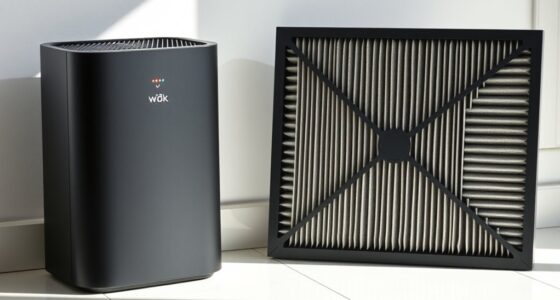
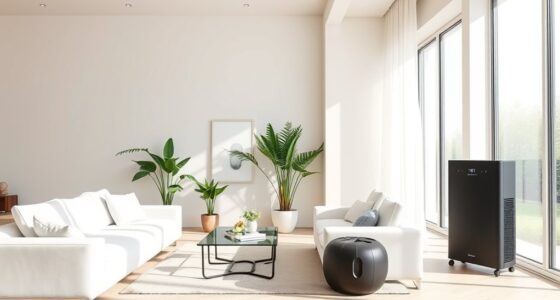
This guide shows you how to select and set up a portable air purifier for one room, then check that it is operating as intended. It is for people who want to reduce airborne particles such as dust, pollen, smoke, or pet dander in a bedroom, living room, or home office. You will need to match the purifier’s clean-air delivery rate to the room, place it with clear airflow, and follow the manufacturer’s filter and operating instructions. The setup takes about 30-60 minutes, including measuring the room and reading the product manual.

Get home appliances delivered free with Prime
- Fast, free delivery on millions of items
- Prime Video, Amazon Music and more included
- Member-only deals all year

LEVOIT Vital 200S-P Smart Air Purifier for Large Rooms
- ✔ Coverage area: Up to 1,875 sq ft
- ✔ Smoke CADR: 250 CFM
- ✔ Dust CADR: 254 CFM

MOOKA PR1 Air Purifier – H13 True HEPA, Up to 2200 ft²
- ✔ Coverage area: Up to 2,200 sq ft
- ✔ Filter system: Four-stage H13 True HEPA
- ✔ Pre-filter: Washable

KNKA APH4000 Air Purifier, White – Covers up to 1,695 ft²
- ✔ Coverage at 4.8 ACH: Up to 350 sq ft
- ✔ Maximum stated coverage: Up to 1,695 sq ft at lower efficiency
- ✔ CADR, smoke/dust/PM2.5: 226 CFM (384 m³/h)
Difficulty: Beginner | Time: 30-60 minutes for selection and setup; ongoing operation as needed
What You’ll Need
Tools & Materials:
- Tape measure
- Calculator or phone calculator
- Air purifier’s model and manual or product specifications
- Access to the room’s electrical outlet
Knowledge:
- Basic multiplication for calculating room area
- Ability to identify the room where you want to use the purifier
Decide which room needs air cleaning most. A portable unit generally treats the room where it is operating; it does not reliably clean an entire home through closed doors or a central HVAC system. Check the purifier’s specifications for its clean-air delivery rate (CADR), recommended room size, filter type, noise levels, and replacement-filter availability. If you need to address gases or odors, check that the unit has an appropriate gas-phase filter, such as activated carbon; a particle filter alone is not designed to remove every gas or odor.
LEVOIT Vital 200S-P Smart Air Purifier for Large Rooms
The LEVOIT Vital 200S-P is our first choice for buyers who want a large-room purifier with performance information that is relatively straightforward to assess. Its coverage claim reaches up to 1,875 square feet, and the supplied CADR figures—250 CFM for smoke, 254 CFM for dust, and 289 CFM for pollen—give us more useful context than a coverage figure alone. AHAM VERIFIDE certification adds another point of comparison when we are evaluating a purifier for a shared living space.Against the MOOKA PR1, LEVOIT gives up some stated maximum coverage but offers more quantified cleaning data. That makes it the easier recommendation when we care about balancing room size with pollutant type, particularly for pollen or smoke. It also runs at a stated 27 dB in sleep mode, close to MOOKA’s 26 dB and quieter than many buyers will tolerate at higher speeds, though these low-noise settings are not necessarily the modes we would use for the fastest cleaning.Its multiple specialized filter choices—covering toxin absorption, smoke removal, or pet allergy needs—make it more adaptable than a one-filter-fits-all approach. The compromise is that filter selection and replacement deserve ongoing attention, and the unit’s larger footprint may be awkward in a compact room. Buyers should also match its coverage to the air-change level they want rather than assuming the maximum area guarantees rapid cleaning under every condition.
Pros:
- AHAM VERIFIDE certification supports clearer performance comparison.
- Published CADR figures cover smoke, dust, and pollen.
- Sleep-mode noise is stated at 27 dB.
- Specialized filter options address different household concerns.
Cons:
- Its larger footprint can be difficult to place in smaller rooms.
- Filter replacements add an ongoing maintenance consideration.
- Maximum coverage alone does not specify cleaning intensity at every room size.
Best for: Buyers seeking a large-room purifier with AHAM VERIFIDE certification, published CADR figures, and filter options for specific concerns such as smoke, pollen, or pets.
Not ideal for: People who need a compact unit, want the highest stated coverage figure in this group, or do not want to manage recurring filter replacements.
Bottom line: We recommend the LEVOIT Vital 200S-P for most large-room buyers because its quantified, certified performance makes the coverage claim easier to evaluate.
“We recommend the LEVOIT Vital 200S-P for most large-room buyers because its quantified, certified performance makes the coverage claim easier to evaluate.”
MOOKA PR1 Air Purifier – H13 True HEPA, Up to 2200 ft²
For households focused on pets or a broad open-plan area, the MOOKA PR1 makes a compelling case with the lineup’s largest stated reach: up to 2,200 square feet. Its four-stage H13 True HEPA system, washable pre-filter, and dedicated Pet Mode speak to everyday hair and airborne debris, while real-time PM2.5 monitoring gives us a visible indication of changing air quality. Six operating modes provide more flexibility than the KNKA’s four fan speeds.The key caveat is that its impressive maximum area is not accompanied in the supplied specifications by CADR figures or a stated air-change rate at that size. Compared with LEVOIT, we have less quantified information for judging cleaning speed; buyers who need dependable turnover across a large room should check the room-size conditions behind the coverage claim. Its broad reach is still useful as a selection signal, but it should not automatically outrank performance data.MOOKA is also a strong fit for a bedroom or pet area where low-speed operation matters: sleep mode is rated at 26 dB, a small advantage over LEVOIT’s stated 27 dB and well above the KNKA’s quieter 22–24 dB claim. It includes a timer, child lock, and filter reminder, but the aroma feature requires extra preparation rather than working as a fully integrated fragrance system. First-time owners may also need to learn what the preheating indicator means. Filter replacement is specified every 3–6 months, so low-maintenance buyers should account for that routine.
Pros:
- Largest stated coverage in this lineup, up to 2,200 sq ft.
- Pet Mode and washable pre-filter suit homes with shedding animals.
- Real-time PM2.5 monitoring provides an at-a-glance air-quality reading.
- Sleep mode is stated at 26 dB and the unit offers six modes.
Cons:
- Supplied information does not include CADR figures or air changes at maximum coverage.
- Aroma use requires separate preparation of the pad.
- Filter replacement is recommended every 3–6 months.
- The preheating indicator may be confusing to new owners.
Best for: Pet households and buyers with a large open area who value a washable pre-filter, a dedicated Pet Mode, visible PM2.5 readings, and the highest stated coverage in this comparison.
Not ideal for: Buyers who need published CADR or air-change data to verify cleaning speed at maximum coverage, or who want an aroma function with no extra setup.
Bottom line: Choose the MOOKA PR1 when pet-focused controls and broad stated coverage matter more than having published CADR figures for direct performance comparison.
“Choose the MOOKA PR1 when pet-focused controls and broad stated coverage matter more than having published CADR figures for direct performance comparison.”
KNKA APH4000 Air Purifier, White – Covers up to 1,695 ft²
The KNKA APH4000 stands out for buyers who want quiet nighttime operation and a clearer distinction between an effective room size and a maximum reach. Its sleep mode is rated at 22–24 dB, the lowest stated noise range here. It also specifies coverage of up to 350 square feet at 4.8 air changes per hour, alongside a maximum of 1,695 square feet at lower efficiency. That two-part claim is useful: it reminds us that room coverage depends on how quickly the air is being recirculated.Its AHAM certification and published CADR values—226 CFM for smoke, dust, and PM2.5, plus 244 CFM for pollen—provide measurable context, although those figures are below LEVOIT’s listed smoke, dust, and pollen CADR values. For buyers prioritizing maximum cleaning throughput across a large open room, LEVOIT is the more compelling choice. KNKA instead makes a case for a bedroom or moderate room where quieter sleep operation and an easy-to-read color-coded AQI display may matter more than the top CADR in this group.A dual front-and-back intake and three-stage filtration system support its whole-room design, with washable pre-filter and activated carbon included. Pet, Eco, Sleep, and Auto modes provide sensible daily options, but there are only four fan speeds. Its biggest limitation is also its most important sizing detail: the 1,695-square-foot figure comes with reduced purification efficiency, so buyers should size it to the smaller area when frequent air changes are a priority. Filter replacement every 3–6 months is another recurring task.
Pros:
- Lowest stated sleep-mode noise in this comparison at 22–24 dB.
- Distinguishes 350 sq ft at 4.8 ACH from its lower-efficiency maximum coverage.
- AHAM-certified model with published smoke, dust, PM2.5, and pollen CADR information.
- Color-coded real-time AQI display and washable pre-filter.
Cons:
- Purification efficiency is reduced at the maximum 1,695-square-foot coverage.
- Published CADR figures are lower than LEVOIT’s listed figures.
- Filter replacement is recommended every 3–6 months.
Best for: Buyers who prioritize very quiet sleep operation, want real-time AQI feedback, and can size the purifier around its stated 350-square-foot area for 4.8 air changes per hour.
Not ideal for: People who need high air-change performance across the full 1,695-square-foot maximum or want CADR values that match LEVOIT’s higher published figures.
Bottom line: The KNKA APH4000 is the quiet-sleep pick, provided we size it for its stronger air-change area rather than treating its maximum coverage as full-speed performance.
“The KNKA APH4000 is the quiet-sleep pick, provided we size it for its stronger air-change area rather than treating its maximum coverage as full-speed performance.”
As an Amazon Associate we earn from qualifying purchases.
Before You Start
Measure the room’s length and width in feet and multiply them to estimate floor area. For an irregular room, split it into rectangles, calculate each area, and add them. Use the ceiling height and the manufacturer’s guidance if the room has unusually high ceilings. A listed maximum room size may assume a particular air-change rate or operating speed, so compare the underlying CADR or the manufacturer’s stated sizing method when available. Do not treat an air purifier as a substitute for ventilation, source control, or professional advice about serious indoor-air hazards. Never use an ozone generator or a device that intentionally produces ozone as a room air cleaner.
Step-by-Step Instructions
Step 1: Measure the room
Measure the length and width of the room, then multiply the measurements to get its area. For example, a room measuring 12 feet by 15 feet has an area of 180 square feet. If the room is L-shaped, measure each rectangular section and add the results. Note the ceiling height as well, especially if it is higher than the standard height assumed by the purifier’s rating.
Tip:Measure the usable room that the purifier will serve, not the whole house. If a doorway is usually open to another large space, ask the manufacturer whether its room-size rating still applies.
Check: You have a room area in square feet or square metres and know whether the ceiling is unusually high.
Step 2: Match purifier capacity to the room
Compare your room measurements with the manufacturer’s recommended room size and CADR. Choose a model rated for at least your room’s area at the air-cleaning rate you plan to use. If the product lists separate CADR ratings for smoke, dust, and pollen, use the rating relevant to your main concern, and check the manufacturer’s sizing method rather than relying only on a broad maximum-area claim. For a larger room, a higher ceiling, or a need for faster particle removal, choose more capacity or ask the manufacturer for a suitable model.
Tip:CADR describes how quickly a unit delivers filtered air for specific particle types. A small purifier may still run in a large room, but it may not clean the air at the rate you expect, especially if you use a low, quiet setting.
Check: The unit’s published room coverage or CADR supports the size of your room at a practical operating speed.
Step 3: Check the filter and safety details
Read the product specifications and manual before purchase or setup. Check the filter type and whether it is designed to capture the particles you want to reduce. A correctly sized, sealed HEPA or high-efficiency particle filter can capture airborne particles; it does not remove all gases. Check whether the unit has a separate carbon filter if odors or some gases are a concern, and confirm the replacement filter is available. Review power requirements, intake and outlet locations, filter-change instructions, and any warning against using the unit in wet or dusty conditions.
Tip:Do not assume that “HEPA-type,” “HEPA-like,” or marketing claims mean a filter meets a specific HEPA standard. Check the exact specifications and the manufacturer’s documentation.
Check: You know which filter is installed, what it is intended to address, and how to obtain a replacement.
Step 4: Unpack and prepare the purifier
Place the purifier on a stable, dry, level surface near an accessible outlet. Unplug it before opening any filter compartment. Check the manual for packaging materials around the filter: many new units have a plastic bag that must be removed before use. Remove only the packaging the manual identifies, reinstall the filter in the marked direction, and close the compartment securely. Keep the unit away from water, heat sources, and places where it could be knocked over.
Tip:Some models have a washable pre-filter and a non-washable main filter. Do not wash a filter unless the manual specifically says it is washable.
Check: The filter is unwrapped and seated as directed, the cover is closed, and the purifier is stable on its surface.
Step 5: Place the unit for clear airflow
Set the purifier in the room where you want cleaner air. Keep its air intake and outlet clear of walls, curtains, furniture, bedding, and other obstructions. Follow the clearance distances in the manual; if the manual gives no distance, leave open space around the vents rather than pushing the unit into a tight corner. Avoid placing it where people may trip over the cord or where a child or pet can tip it. Keep doors and windows in mind: opening them can introduce outdoor particles and change how quickly the room air is cleaned.
Tip:Do not cover the purifier or put objects on top of it unless the manufacturer allows this. Air needs a clear path through the filter and back into the room.
Check: The unit stands securely, its vents are unobstructed, and its cord is routed safely.
Step 6: Start the purifier and choose an operating speed
Plug the unit directly into an outlet as directed by the manual, then switch it on. Select the speed that provides the cleaning rate you need while keeping noise at a level you can tolerate. Use a higher setting when you need faster cleaning, such as after an activity that raises particle levels, if the manual permits. If the unit has an automatic mode, check what its sensor measures and do not assume that a low reading means the air is free of all particles or gases.
Tip:For steady room filtration, regular operation is generally more effective than running the purifier only briefly. Follow the maker’s guidance for continuous use, energy use, and overnight settings.
Check: The purifier powers on, air moves through its intake and outlet, and no warning light or unusual noise appears.
Step 7: Reduce particle sources and support filtration
Keep the purifier running while you reduce avoidable sources of airborne particles in the room. Use kitchen or bathroom exhaust fans for moisture and cooking emissions, avoid smoking indoors, and clean dust with methods that limit particles becoming airborne. Keep windows closed when outdoor smoke or pollen is high, while still following appropriate ventilation guidance for your home. Do not use the purifier as the only response to a gas leak, carbon monoxide alarm, mold growth, or another hazard that needs source control or urgent professional attention.
Tip:An air purifier filters air that passes through it. It cannot remove a pollution source that continues to release particles or gases at a faster rate than the unit can handle.
Check: The purifier is operating in the target room, and obvious particle sources are being reduced where practical.
Step 8: Set a filter-check and maintenance routine
Write down the filter type and the maintenance interval stated in the manual. Check the filter indicator and inspect or clean the pre-filter only as directed. Replace the main filter on the maker’s schedule or when its condition and indicator call for replacement; do not rely on a generic replacement interval because filter life varies with use and pollution. Unplug the unit before cleaning it, and keep water away from electrical parts. Reset the filter indicator only after completing the maintenance the manual describes.
Tip:A filter indicator may track operating time rather than measure actual filter loading. Follow the manual’s inspection and replacement instructions even if the indicator seems inconsistent.
Check: You know when and how to check the filter, and you have a reminder or replacement plan.
Common Mistakes to Avoid
- Expecting a particle filter to remove all odors, gases, or the source of pollution. — Check for a suitable gas-phase filter where relevant, and address the source or seek qualified help for hazards a purifier cannot resolve.
Troubleshooting
Problem: The purifier does not turn on.
Solution:
Check that the plug is seated in a working outlet, the unit’s power switch is on, and the filter cover is fully closed. Look for a shipping bag left on the filter or a safety lock described in the manual. Unplug the unit before opening it. If it still will not start, stop using it and contact the manufacturer or a qualified service provider.
Problem: Airflow seems weak or the unit makes more noise than expected.
Solution:
Confirm that the intake and outlet are unobstructed and the filter is installed in the correct direction. Check the pre-filter for dust and clean it only as instructed. Verify that the selected fan speed is not set to a quiet or sleep mode. If airflow remains weak, inspect the main filter according to the manual and replace it if needed.
Problem: A filter or warning light stays on after maintenance.
Solution:
Find the indicator-reset instructions for your exact model. Some units require holding a button for several seconds after replacing the filter. Reset only after the filter task is complete; do not use a reset as a substitute for checking a dirty or incorrectly installed filter.
Problem: The room still seems dusty or smells unpleasant.
Solution:
Check that the purifier is sized for the room and has been running at a suitable speed. Clear airflow obstructions, inspect the filter, and reduce the pollution source. A particle filter may not remove gases or odors, and a room purifier will not treat connected spaces effectively through closed doors. Seek help for persistent odors that could indicate a building, plumbing, or safety problem.
What Success Looks Like
Your setup is working as intended when the purifier is stable in the target room, its vents have clear space, the correct filter is installed with packaging removed, and the unit runs without warning lights or abnormal sounds. Its published capacity should match the room at a usable speed, and you should have a clear plan for filter checks and replacement. These signs confirm correct setup, not that the air is free of every pollutant; a purifier cannot replace ventilation, source control, or testing for specific hazards.
Next Steps
Run the purifier according to the manufacturer’s instructions, especially during periods when the room has more airborne particles. Check and clean any washable pre-filter on schedule, replace filters as directed, and keep a record of replacement dates. Reassess placement if furniture or room use changes. If you need to treat another room, size a separate unit for that room rather than assuming one portable purifier will cover the home. For smoke, mold, chemical odors, or symptoms that persist, identify and address the source and contact an appropriate professional; use emergency services for immediate hazards such as a carbon monoxide alarm.
Frequently Asked Questions
Can one portable air purifier clean an entire house?
Usually not. A portable purifier is intended to clean air in the room where it operates. Closed doors and walls limit circulation, and open layouts can exceed the unit’s rated room area. Use a properly sized unit in each priority room or consult an HVAC professional about whole-home filtration.
How long should I run a room air purifier?
Follow the manufacturer’s instructions for continuous or scheduled use. Running it regularly allows it to filter room air repeatedly; a short run may not provide the same cleaning rate. Use a higher speed when faster filtration is needed, while accounting for noise and energy use.
Where should I place a room air purifier?
Place it on a stable surface in the room, with its intake and outlet clear. Follow the manual’s spacing requirements and keep the unit away from water, heat, trip hazards, and places where it could be tipped over.
Will a HEPA purifier remove smells and gases?
A particle filter captures airborne particles but is not designed to remove every gas or odor. Some units include activated carbon or another gas-phase filter, but performance depends on the filter design and amount of media. Check the specifications and replace that filter as directed.
How often should I replace the filter?
Use the replacement interval and inspection instructions for your model. Filter life varies with operating hours, fan speed, and the amount of dust, smoke, or other particles in the room. Do not wash or vacuum a filter unless the manufacturer specifically permits it.