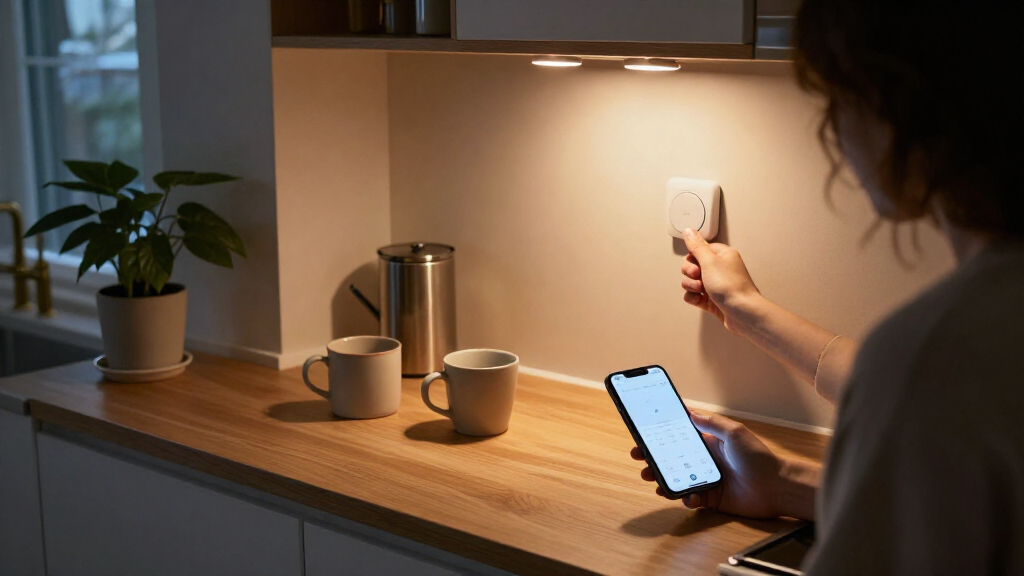
This checklist is for anyone choosing smart lighting for a home, from everyday bulbs to controls for fans and accent lighting. It can help you match each pick to its role before deciding what belongs in your setup.

Get home appliances delivered free with Prime
- Fast, free delivery on millions of items
- Prime Video, Amazon Music and more included
- Member-only deals all year
The sections are organized by product type: bulbs, switches, plugs, strips, motion sensor lights, and a fan control. Each slot covers why it matters, what to check, and who may find the pick most useful. Read the fit details alongside the product name.
Before buying, note the fixtures and outlets you want to use, how you prefer to control them, and any existing smart home equipment. Check the product listing for compatibility, dimensions, and installation requirements; the names alone do not establish those details.
Smart bulbs
Smart bulbs are a straightforward place to consider connected lighting when the fixture already uses a compatible bulb. This pick is a four-pack of Philips Hue Essential Smart LED A19 Bulbs, so start by confirming that the A19 shape and base fit each intended socket. Check the fixture’s bulb limits and whether the bulb is suitable for its location. Socket and fixture fit are the first checks; a smart feature cannot compensate for a bulb that does not physically suit the lamp.
A common buying mistake is assuming all smart bulbs work with every hub, app, voice assistant, or wall control. Confirm the current product listing for the control method and smart home systems you plan to use, and check whether any additional equipment is required. Also decide whether you want smart control at the bulb or at a wall switch: cutting power at a conventional switch can prevent a connected bulb from responding. Verify the ecosystem details before choosing a multi-bulb pack, especially if the bulbs will be spread across rooms or fixtures.
What to look for:
- Confirm each fixture accepts an A19 bulb and matching base.
- Check the fixture’s maximum bulb wattage and location requirements.
- Verify compatibility with your smart home system and preferred controls.
- Confirm whether a hub or other equipment is required.
- Plan how wall switches will interact with smart bulb control.
Philips Hue Essential Smart LED A19 Bulbs, 4-Pack

These dimmable smart LED bulbs offer tunable white light and millions of colors, with app control and preset scenes for different moods. They work with Alexa, Google Assistant, and Apple Home, and can be expanded with a Hue Bridge for additional features.
Pros:
- Millions of colors and tunable white light
- Smooth dimming to 2%
- Works with popular voice assistants
- Offers app control and preset lighting scenes
Cons:
- A Hue Bridge is needed for some additional features
- Conflicting wattage figures appear in the source
Best for: Households replacing several compatible A19 bulbs at once
Not ideal for: Fixtures that require a different bulb shape or control setup
Bottom line: Choose this four-pack after confirming A19 socket fit and smart home compatibility.
Smart light switches
A smart switch can make sense when you want to control a hardwired light or fan from its wall location. This product is named as a bathroom exhaust fan timer switch with light control, so its intended use is more specific than a general-purpose light switch. Check that the device matches the bathroom fan and light circuits you plan to control, and confirm the wiring and installation requirements in the listing. Match the circuit and function before considering convenience.
A frequent mistake is treating a timer switch as interchangeable with every switch box or fan. Verify the electrical requirements, supported load, wiring configuration, and whether the light and exhaust fan are controlled together or separately. Check the box depth and available wiring, and consult a qualified electrician if you are unsure about the installation. Also consider whether the switch’s controls suit the people using the bathroom and the way the fan is operated. Confirm the exact wiring and load limits from the manufacturer’s information; the product name does not specify them.
What to look for:
- Confirm the switch is rated for the fan and light loads involved.
- Check wiring configuration and electrical requirements.
- Determine whether fan and light controls are independent or linked.
- Measure the switch box and check space for wiring.
- Review installation guidance and seek qualified help when needed.
Zuomeng Smart Bathroom Exhaust Fan Timer Switch with Light Control

This wall-mounted switch controls a bathroom light and exhaust fan, with hourly ventilation settings and a 1–60 minute fan delay after the light is turned off. Its moisture-resistant design is intended to help reduce humidity, odors, and steam, and it is compatible with LED, CFL, and incandescent bulbs.
Pros:
- Combines light and exhaust fan control in one switch
- Adjustable hourly ventilation and post-light fan delay
- Compatible with LED, CFL, and incandescent bulbs
Cons:
- Requires a 120-volt installation
- Product information lists plastic material despite describing a metal design
Best for: Bathrooms needing a wall control for an exhaust fan and light
Not ideal for: Setups whose wiring or load requirements do not match the listing
Bottom line: Verify circuit, load, and wiring compatibility before replacing a bathroom switch.
Smart plugs
A smart plug or outlet strip can add control at the outlet for compatible devices, while keeping the existing wall wiring in place. This pick is named as an Eve Energy Strip with three outlets and a power meter, and its product name references Apple Home. Check the listing for the exact plug format, supported control options, and what the power meter reports. Outlet layout and platform fit matter when you plan to place several devices together.
Do not assume that every connected appliance should be switched through a smart outlet. Check the device’s electrical rating and manufacturer guidance, and confirm the strip is intended for the loads you will connect. Consider whether the plug and cord reach the planned location, whether nearby outlets remain accessible, and whether the strip’s controls work with your existing setup. The supplied product name is truncated, so confirm the complete model and its current compatibility information. Check the full listing before relying on a particular voice assistant, automation, or measurement feature.
What to look for:
- Confirm the full model name and supported smart home platform.
- Check the outlet type and cord reach for the intended location.
- Verify electrical ratings for every connected device.
- Review what the power meter measures and how readings are accessed.
- Keep the strip accessible and follow appliance maker guidance.
Eve Energy Strip – Smart Triple Outlet & Power Meter for Apple Home with Built‑i

The Eve Energy Strip lets you control three widely spaced outlets via Siri, the iOS app or onboard buttons, and includes built‑in scheduling to automate lights, fans and other devices. It monitors total power consumption, estimates cost, and provides surge, overcurrent and overvoltage protection for connected electronics.
Pros:
- Direct Wi‑Fi setup with no bridge required
- Full Apple HomeKit integration and Siri control
- Energy monitoring with scheduling to reduce standby power use
- Built‑in surge, overcurrent and overvoltage protection
Cons:
- Limited to North American plug types (no EU version included)
- Requires an iPhone/iPad running the latest iOS/iPadOS
Best for: Users seeking a smart strip for compatible devices and Apple Home
Not ideal for: Setups needing a different platform or outlet configuration
Bottom line: Confirm platform support, electrical ratings, and the complete model details before use.
LED light strips
LED strips can add accent lighting along a room feature, furniture, or another suitable surface. The listed Govee strip is 65.6 feet long and named as RGBIC, Wi-Fi, and voice controlled, with 64 scenes. Before choosing it, measure the route carefully, including corners and the path to power. Measure the full installation path rather than relying on a rough estimate of room size.
A common mistake is buying a long strip without checking whether it can be cut, extended, or joined, or whether those changes affect operation. Confirm those details in the manufacturer’s instructions, along with mounting surface requirements, power supply placement, and any indoor or outdoor limitations. Verify that your Wi-Fi setup and preferred voice control are supported. Plan how the strip will turn corners and where the controls and cable will sit so the finished installation is practical. Check installation and control limits before applying adhesive or trimming anything.
What to look for:
- Measure the complete route, including corners and power access.
- Confirm whether the strip can be cut, extended, or rejoined.
- Check mounting surface and location requirements.
- Verify Wi-Fi and voice control compatibility.
- Review power supply placement and installation instructions.
Govee 65.6ft RGBIC LED Strip Lights, WiFi & Voice Controlled, 64 Scene Modes, 16

These Govee LED strip lights are durable, flexible, and feature segmented RGBIC lighting with 64 scene modes and 16 million colors. Compatible with Alexa and Google Assistant, they can be controlled via app, voice, or music sync for customizable home lighting.
Pros:
- Segmented RGBIC lighting creates vibrant, multi-colored effects
- Compatible with Alexa and Google Assistant for voice control
- Music sync feature enhances ambiance with sound-responsive lighting
- Durable, water-resistant coating suitable for indoor and outdoor use
Cons:
- Requires WiFi connection for full functionality
- Long length may be difficult to install in small spaces
- Higher price point compared to basic LED strips
Best for: Rooms where a measured 65.6-foot route fits the plan
Not ideal for: Short runs or installations with unsupported surfaces or controls
Bottom line: Measure first and verify installation limits and network compatibility.
Motion sensor lights
Motion sensor lights can provide hands-free illumination in places where a wall switch is inconvenient. This pick is named as a six-pack of rechargeable motion sensor night lights, so consider where several individual lights would be useful and how you will recharge them. Check the mounting method, dimensions, sensor behavior, and charging connection in the product listing. Placement and recharging are central to making a multi-light set convenient.
A common mistake is assuming a motion sensor will respond as desired in every location. Check the manufacturer’s information for detection range, operating conditions, light behavior, and any settings for timing or sensitivity. Consider whether the sensor could be triggered by passing movement, whether the light will be blocked by furniture, and whether the mounting surface is suitable. Plan access for charging before placing lights in hard-to-reach areas. Review the sensor and charging details for each intended location rather than treating all placements as identical.
What to look for:
- Check each light’s dimensions and mounting method.
- Confirm charging connection and expected recharging routine.
- Review sensor range, trigger behavior, and available settings.
- Choose placements with a clear sensor path and useful illumination.
- Check location requirements and access for charging.
EZVALO 6-Pack Rechargeable Motion Sensor Night Lights with Charging Station

These rechargeable LED lights turn on together when motion is detected in low light, illuminating a path for about 20 seconds after movement stops. They offer three synchronized brightness levels, a warm 3000K glow, and magnetic, tool-free mounting for flexible placement around the home.
Pros:
- Connected lights illuminate together to cover a path
- Rechargeable battery and charging station simplify charging
- Three brightness levels synchronize across connected lights
- Magnetic, tool-free mounting supports flexible placement
Cons:
- Not water resistant
- Battery life varies with usage frequency
Best for: Households wanting several rechargeable sensor lights
Not ideal for: Locations where charging access or sensor placement is difficult
Bottom line: Plan placements and confirm charging and sensor details before mounting.
Smart dimmer switches
This section’s pick is named as a Lutron Caseta Smart Fan Control Switch with four-speed paddle fan control and a smart hub. That description points to fan control, so confirm that this is the function you need before selecting it for a lighting checklist. Check the supported fan type, wiring, load requirements, and hub compatibility in the product information. Confirm it controls the intended fan and suits the existing circuit.
A frequent buying mistake is assuming a fan control switch is a light dimmer or that it supports any fan motor. Review the manufacturer’s compatibility guidance and determine whether the switch controls a fan only, a light only, or a specific combination. Confirm whether the named smart hub is included or required, and whether it works with your existing smart home setup. Check the wall box and wiring before installation, using qualified help when necessary. Match the control to the fan and hub before planning automations or replacing a wall control.
What to look for:
- Verify supported fan type and motor compatibility.
- Check electrical ratings, wiring, and installation requirements.
- Confirm whether the switch controls a fan, light, or both.
- Determine whether a smart hub is included or required.
- Check compatibility with the existing smart home setup.
Lutron Caseta Smart Fan Control Switch (4-Speed, Paddle Fan, Smart Hub Required)

This smart wall switch allows you to control your ceiling fan’s speed and power directly from the wall, app, or voice assistant, eliminating the need for pull chains. It supports four fan speeds plus off and integrates with major smart home platforms like Alexa, Google Assistant, and Apple Home.
Pros:
- Eliminates the need for pull chains with wall, app, and voice control
- Broad compatibility with major smart home ecosystems (Alexa, Google, Apple)
- Easy 3-way setup using Pico remotes without cutting holes or pulling new wire
- Allows scheduling and scene creation via the Lutron app
Cons:
- Requires a separate Lutron Smart Hub to function
- Only compatible with AC fans, not DC fans
- Wall plate and remote controls are sold separately
Best for: Users seeking compatible wall control for a paddle fan
Not ideal for: Anyone specifically needing a light dimmer switch
Bottom line: Treat this as a fan control pick and verify fan, wiring, and hub compatibility.
If you are buying in stages, start with the lighting need that affects daily use most: compatible bulbs for existing fixtures, a switch for a specific wired fan or light, or sensor lights for a spot where hands-free illumination helps. Add strips and outlet controls after confirming placement, platform support, and electrical fit. Prioritize compatibility first so each purchase works with the room and setup you have.
You do not need to outfit every room at once. Measure, check the full product details, and choose one area to improve before expanding your smart lighting setup. A few well-matched devices can make a home easier to use, and careful planning keeps the checklist manageable.


