If your Dyson V15 Detect™ Origin cordless vacuum is pulsing on and off during use, it can disrupt your cleaning routine. This issue often points to underlying problems such as blockages, filter issues, or motor concerns. Fortunately, many causes are simple to diagnose and fix with careful troubleshooting.
In this guide, you’ll find practical, step-by-step instructions to identify and resolve the pulsing problem safely and effectively, ensuring your vacuum performs at its best.
Key Takeaways
| Common Causes | Blockages, dirty filters, or motor overheating |
| Basic Troubleshooting | Check filters, clear obstructions, and ensure proper maintenance |
| When to Seek Professional Help | Persistent motor issues or electrical faults |
| Preventive Tips | Regular cleaning and filter replacement enhance performance |

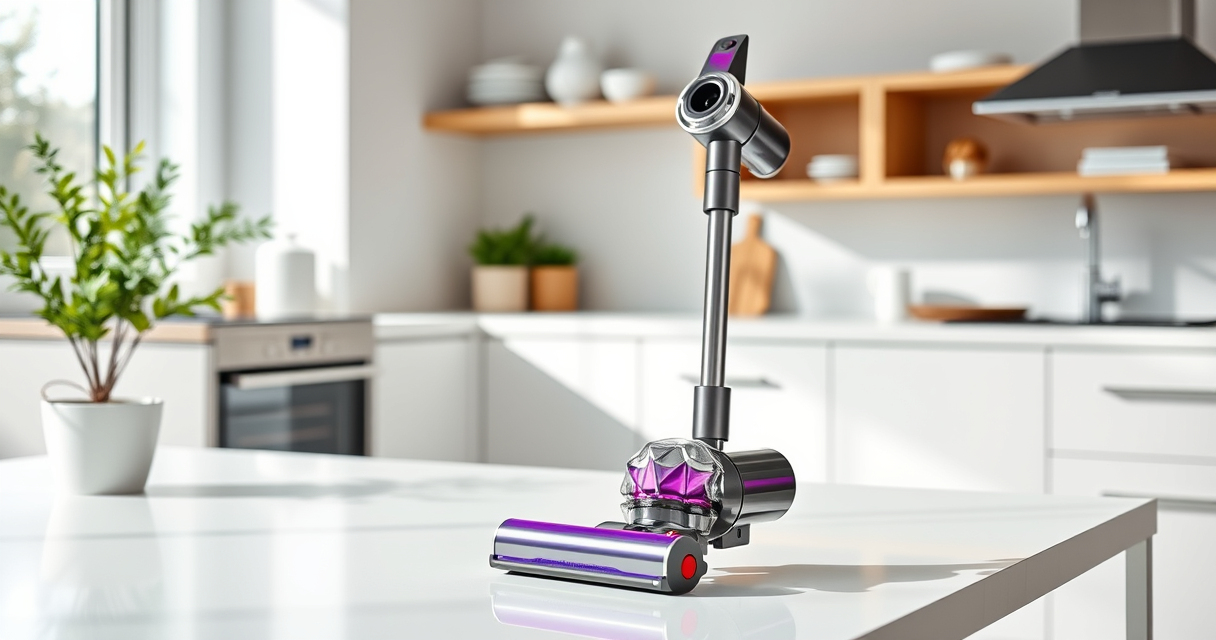
Dyson V15 Detect™ Origin Cordless Vacuum
Powerful and intelligent for whole-home deep cleaning. Reveals invisible dust.
As an affiliate, we earn on qualifying purchases.
Check for Blockages and Obstructions
- Turn off and unplug your Dyson vacuum for safety.
- Detach the cleaner head and wand, inspecting all accessible hoses and nozzles for debris or blockages.
- Use a long, flexible brush or a straightened coat hanger to gently dislodge any obstructions.
- Reassemble and test the vacuum to see if pulsing persists.

LANMU Crevice Tool Vacuum Attachments Compatible with Dyson V15 V12 V11 V10 V9 V8 V7 Gen5 Outsize Vacuum Cleaner, Narrow Nozzel Replacement Parts for Hard-to-Reach Space
Wide Compatibility: This crevice tool attachment is compatible with V15 V12 V11 V10 V9 V8 V7 Gen5 G5...
As an affiliate, we earn on qualifying purchases.
Inspect and Clean the Filters
Dirty filters can cause motor overheating, leading to pulsing. Remove the pre-filter and main filter as per the user manual.
- Rinse the filters under cold water, avoiding soap or detergents.
- Allow filters to air dry completely, ideally for 24 hours.
- Reinstall the filters and run the vacuum to check if the issue is resolved.
Check for Overheating and Power Settings
The vacuum may pulse if it overheats or if power mode settings are not optimal. Ensure you are not using the vacuum continuously on high power for extended periods.
- Switch to a lower power mode temporarily and observe performance.
- Allow the vacuum to cool down if it feels hot, and avoid using it on very thick carpets or debris-heavy areas for long durations.
Reset the Vacuum
- Turn off the vacuum and remove the battery if removable.
- Wait for 30 seconds before reattaching the battery.
- Power the vacuum back on and test if pulsing persists.
Additional Tips and Warnings
- Regularly replace filters to sustain optimal suction.
- Avoid forcing the vacuum into blocked areas, which can damage the motor.
- If pulsing continues after troubleshooting, contact Dyson customer support or a qualified technician.
The Products in This Guide

Dyson V15 Detect™ Origin Cordless Vacuum
- ✔ Battery Life: 60 minutes
- ✔ Filtration System: Pre-filter and filters
- ✔ Compatibility: Suitable for hard floors and carpets

LANMU Crevice Tool Vacuum Attachments Compatible
- ✔ Nozzle Width: 1 inch
- ✔ Flexible: Yes
- ✔ Compatibility: Multiple Dyson models
Dyson V15 Detect™ Origin Cordless Vacuum
The Dyson V15 Detect™ Origin offers powerful suction and intelligent debris detection, making it a top choice for whole-home cleaning. Its advanced features help reveal hidden dust and optimize performance, but occasional pulsing issues may arise.
Pros:
- Powerful 100% more suction
- Intelligent debris detection
- Long 60-minute run time
- LCD screen with real-time data
Cons:
- Can experience pulsing if filters or blockages aren’t maintained
- Battery life may vary with usage
- Requires regular filter cleaning
Best for: Deep cleaning of all floor types and detailed home maintenance
Not ideal for: Heavy-duty commercial cleaning or continuous high-power use
Bottom line: Regular maintenance and filter care keep your Dyson V15 performing flawlessly.
LANMU Crevice Tool Vacuum Attachments Compatible
The LANMU Crevice Tool Vacuum Attachments fit Dyson models including the V15 and help reach narrow, tricky areas. It’s a practical addition to address dust hiding in corners or behind furniture.
Pros:
- Narrow, flexible nozzle for tight spaces
- Compatible with multiple Dyson models
- Easy to attach and use
- Great for cars and home corners
Cons:
- Not suitable for larger debris
- Requires separate purchase
- Only compatible with certain Dyson models
Best for: Cleaning hard-to-reach spots on floors, upholstery, and in vehicles
Not ideal for: Large debris removal or heavy-duty cleaning
Bottom line: A versatile tool that enhances your Dyson’s reach and cleaning precision.
Frequently Asked Questions
Why does my Dyson vacuum pulse during use?
Pulsing can be caused by blockages, dirty filters, overheating, or electrical issues. Follow the troubleshooting steps to identify the root cause.
How often should I clean or replace filters?
Filters should be rinsed every 1-3 months and replaced every 6-12 months, depending on usage and condition.
Can I fix the pulsing issue myself?
Yes, most causes like blockages, filter cleaning, and resets can be handled at home safely. Persistent problems may require professional assistance.
Is pulsing normal during operation?
Some brief pulsing may occur if the vacuum detects high debris levels or during filter cleaning, but continuous pulsing indicates a troubleshooting need.
Keep Your Dyson V15 in Top Shape
Regular maintenance, including cleaning filters and clearing obstructions, helps prevent pulsing issues and ensures your Dyson vacuum maintains optimal suction and performance. If problems persist despite troubleshooting, contact Dyson support for professional assistance to keep your cleaning routine smooth and effective.
Affiliate disclosure: As an Amazon Associate we earn from qualifying purchases. Prices and availability are accurate as of the time of publishing.