TL;DR

Get home appliances delivered free with Prime
- Fast, free delivery on millions of items
- Prime Video, Amazon Music and more included
- Member-only deals all year
Smart home security cameras combine video with internet connectivity, offering remote viewing, alerts, and AI detection. Choosing the right camera depends on quality, detection accuracy, privacy, and compatibility—think beyond resolution. Local storage, cybersecurity, and smart-home integration are key to reliable, private protection.
When it comes to protecting your home, a good security camera feels like having an extra set of vigilant eyes. But not all cameras are created equal. The market is flooded with options, each promising better detection, smarter alerts, and sleek designs. The truth is, understanding what makes a camera effective—and secure—can save you from wasted money and privacy headaches.
In this guide, you’ll learn how these devices work, what features really matter, and how to pick a system that fits your needs and your home’s unique quirks. No fluff, just the real stuff you need to know to keep your space safe and your data private.
Resolution isn’t everything—lighting, lens quality, and stabilization matter just as much for clear footage.
Detection accuracy is more about AI and sensor quality than megapixels; false alerts can undermine security.
Choose storage based on your privacy preference, budget, and need for continuous or event-based recording.
Prioritize cybersecurity—use strong passwords, enable two-factor authentication, and keep firmware updated.
Match your camera choice to your environment—wired, battery, or solar—considering climate and maintenance.
Why Video Quality Isn’t the Whole Story in Security Cameras
High resolution like 4K sounds impressive, but it’s only part of the story. A 1080p camera with good lighting and a steady lens can often produce clearer, more useful footage than a shaky, blurry 4K shot. Lighting conditions, lens quality, and sensor performance influence how well you can identify faces or license plates.
Imagine a camera pointed at your front porch during dusk. A 1080p with high dynamic range (HDR) can balance bright sunlight and shadow, revealing details that a 4K camera might miss due to glare or motion blur. Night performance depends just as much on sensor quality and IR illumination—spotlights or color night vision can make the difference.
And don’t forget—field of view, mounting height, and zoom capabilities determine whether footage helps you. A wide-angle lens might catch more area but can distort faces or objects if not positioned carefully. The key is clarity, not just pixel count.
4K outdoor security camera with night vision
As an affiliate, we earn on qualifying purchases.
As an affiliate, we earn on qualifying purchases.
How Modern Cameras Detect and Alert You Accurately
Smart cameras today can tell a person from a squirrel or a car from a trash bin. Activity zones let you specify where to watch—say, the driveway or backyard—while ignoring busy street noise or swaying trees. This focused detection cuts down false alarms caused by passing shadows or insects fluttering past.
Imagine your camera is set to monitor only your front door. When a delivery arrives, it recognizes a person and sends you an alert. But it also filters out passing cars or falling leaves, so you’re not flooded with useless notifications.
Some advanced models require a paid subscription for the most accurate AI detection, which can tell a person from a pet with 95% accuracy. This is crucial if you want to avoid constant false alarms or missing real threats.
wireless home security camera with AI detection
As an affiliate, we earn on qualifying purchases.
As an affiliate, we earn on qualifying purchases.
Storage Options: Cloud vs. Local—What Fits Your Home Best
Storage can make or break your security setup. Cloud storage is super convenient—your footage sits safely online, accessible from anywhere, and survives theft or damage. But it usually comes with a recurring fee—anywhere from $5 to $20 per month per camera.
Local storage, like a microSD card or a network video recorder (NVR), keeps footage on your premises. No ongoing costs, but if your camera gets stolen or damaged, the footage is gone unless you back it up elsewhere. Some cameras support both, giving you flexibility.
For example, a homeowner who values privacy might prefer local storage, while someone who travels often and wants easy access might lean toward cloud plans. Consider your budget, privacy concerns, and whether you want continuous recording or event-based clips.
smart home security camera with local storage
As an affiliate, we earn on qualifying purchases.
As an affiliate, we earn on qualifying purchases.
Protect Your Data: Security and Privacy Tips for Cameras
Smart home cameras hold sensitive footage—think faces, license plates, or even private conversations. Protect your data with robust measures. Use cameras that offer end-to-end encryption, and always set strong, unique passwords.
Enable two-factor authentication whenever possible. Keep your firmware updated—hackers often exploit outdated software to gain access. Be cautious about where you place indoor cameras—avoid private spaces like bathrooms or bedrooms unless absolutely necessary.
For example, a family installed an indoor camera in their living room, but failed to change default passwords. When hackers accessed the feed, they could see their children and personal belongings. Using hardware privacy shutters, visible recording indicators, and automatic privacy modes can help keep your data safe.
battery-powered security camera with motion alerts
As an affiliate, we earn on qualifying purchases.
As an affiliate, we earn on qualifying purchases.
Wired, Battery, or Solar? Choosing the Power Supply That Suits You
Wired cameras are the workhorses—reliable, often supporting continuous recording, and unaffected by battery life. But wiring can be tricky during installation, especially if running cables outdoors.
Battery-powered cameras are easier to install—just mount and connect Wi-Fi. But expect to recharge or replace batteries every few months, especially if you get lots of alerts or use high-res recording. Cold weather shortens battery life, so plan accordingly.
Solar-powered models are growing in popularity. They reduce recharging fuss—if placed in good sunlight. But placement matters; shade or cloudy days can limit their effectiveness.
Imagine a homeowner in a snowy climate choosing between a wired camera for constant power or a solar one that might struggle during winter. The decision hinges on your home’s wiring, climate, and how much maintenance you’re willing to do.
Smart Home Compatibility: Making Sure Your Cameras Play Nice
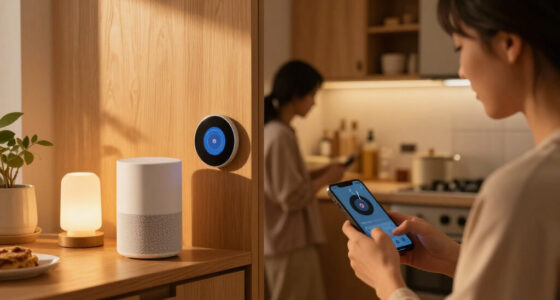
Smart home security cameras should integrate smoothly with your existing ecosystem—be it Alexa, Google, Apple, or a dedicated hub. Compatibility isn’t just about viewing a live feed; it’s about automating responses, triggering lights, locks, or alarms.
For example, a camera that works with Alexa can announce visitors through your Echo device or trigger your smart lights to turn on at night. But some features—like recording or detection zones—might only be available on specific platforms.
Check the exact capabilities rather than just relying on “works with” labels. A camera might support live video but lack automation or detection features on your preferred platform, leading to frustration.
Indoor, Outdoor, or Doorbell: Picking the Right Style for Your Home
Indoor cameras are compact, often with pan-and-tilt, ideal for monitoring nurseries, hallways, or living rooms. Outdoor models are built tough—weatherproof, with secure mounts, and sometimes with floodlights or sirens. Doorbells focus on visitors, combining camera, microphone, and speaker in a portrait orientation.
Imagine a porch with a doorbell camera that captures both visitors and packages. The wide vertical view helps identify a person from head to toe and see what’s on the doorstep. Floodlight cameras add deterrence with bright lights and loud alarms, but usually require wiring.
Choosing depends on your needs—want discreet indoor monitoring, or robust outdoor coverage? Or maybe a doorbell that captures deliveries and visitors alike?
Deterrence Features That Make Intruders Think Twice
Two-way audio allows you to speak to visitors or warn intruders directly through the camera. Sirens, flashing lights, and prerecorded warnings can scare off troublemakers before they get close.
For example, a homeowner notices someone lurking around after hours. Using the app, they trigger the siren and speak through the camera, making the intruder hesitate and leave. But these features should be adjustable—automatic activation might disturb neighbors or escalate harmless situations.
Use deterrent features wisely, balancing security with neighborly peace.
What You Should Know Before Buying a Camera Today
Understanding detection accuracy, storage costs, cybersecurity, and smart-home compatibility saves you from buyer’s remorse. Higher resolution doesn’t guarantee better identification—lighting, angle, and lens quality matter just as much.
Battery life estimates can be misleading—frequent alerts, cold weather, and high-res recording drain power faster. Cloud plans often come with recurring costs, and some features vanish if subscriptions end. Local storage offers privacy but less flexibility.
Matching your home’s environment, privacy comfort level, and budget with the right features will lead to smarter, safer choices.
The Future of Home Security Cameras: What’s Coming Next
Expect more on-device AI for faster alerts and smarter detection. Natural-language search will let you find moments like “person with a red backpack,” making footage more useful. AI summaries will replace generic motion alerts, saving time.
Better package detection, multi-camera tracking, and radar fusion will create a more seamless security experience. Privacy controls like hardware shutters and encrypted video are becoming standard. Subscription plans will expand to include emergency response and AI-powered insights.
Imagine a camera system that not only detects a package but alerts you if it’s missing—across multiple cameras, with a quick summary on your phone. The future is smarter, faster, and more private.
Your Top Questions About Buying and Using Cameras Answered
Common questions include whether indoor, outdoor, or doorbell cameras suit your needs, how high to mount them, and if 1080p is enough. Power options—wired, battery, or solar—depend on your environment and maintenance willingness. Compatibility with your smart home is crucial for seamless automation.
Other concerns include storage costs, privacy safeguards, and whether cameras can record continuously or only on motion. Understanding these helps you avoid surprises and pick a system that truly protects your home.
For example, a user worried about privacy asks if indoor cameras should have privacy shutters. The answer: yes, especially if placed in sensitive areas. Being informed makes a big difference in long-term satisfaction.
Frequently Asked Questions
Do I need an indoor or outdoor camera, or both?
Indoor cameras are great for monitoring sensitive areas like nurseries or living rooms, while outdoor cameras protect entry points and yards. Often, a combination offers the best coverage based on your home’s layout.Is 1080p resolution enough for effective security?
Yes, for most home security needs, 1080p provides clear enough footage to identify faces and details. Higher resolutions like 2K or 4K can offer more detail but come with increased costs and bandwidth demands.What’s better—wired, battery, or solar-powered cameras?
Wired cameras offer greater reliability and continuous power, but installation can be complex. Battery models are easier to set up but require regular recharging. Solar panels reduce maintenance but depend on sunlight, making placement critical.How do I prevent hackers from accessing my cameras?
Use strong, unique passwords, enable two-factor authentication, keep firmware updated, and choose cameras with end-to-end encryption. Physical privacy shutters also add an extra layer of security.Can I record continuously without a subscription?
Yes, many cameras support local storage options like microSD cards or NVRs, allowing continuous recording without ongoing fees. However, cloud storage offers easier access and backup but usually costs monthly.Conclusion
Your home’s safety doesn’t depend on the biggest camera or the fanciest features. It’s about choosing smartly—balancing detection, privacy, and reliability. Remember, a well-placed, secure camera system is a powerful tool, but it’s just one piece of a complete security plan.
Invest time now to understand your needs, verify compatibility, and prioritize safety. When your system works seamlessly, you’ll sleep easier—knowing your space is watched over by something smarter, not just flashier.
Cold & flu season Picks
humidifiers
As an affiliate, we earn on qualifying purchases.