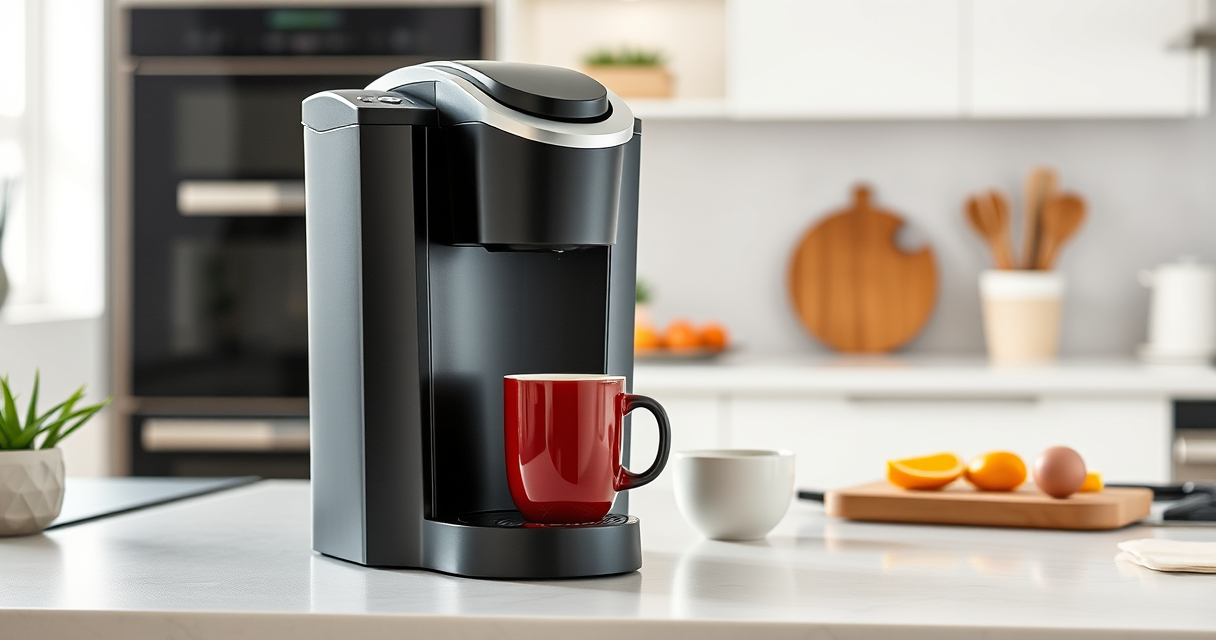

If your Keurig K-Mini is not brewing properly or showing signs of wear, this guide offers clear, safe, and effective troubleshooting steps. Regular maintenance can extend your coffee maker’s lifespan and ensure every brew is fresh and flavorful. Whether you’re dealing with clogs, mineral buildup, or operational glitches, these practical steps will help you resolve common issues and keep your Keurig running smoothly.

Get home appliances delivered free with Prime
- Fast, free delivery on millions of items
- Prime Video, Amazon Music and more included
- Member-only deals all year
Below, we cover everything from basic troubleshooting to deep cleaning and descaling, along with tips for optimal performance. Remember, safety first: always unplug your machine before performing any maintenance or troubleshooting procedures.
Key Takeaways
| Regular cleaning is essential | Descale and clean your Keurig every 3-6 months to prevent clogs and mineral buildup. |
| Check water reservoir | Ensure the water reservoir is filled correctly and seated properly for optimal operation. |
| Clog prevention | Use filtered water and clean the needle to avoid blockages and brewing issues. |
| Handling error messages | Follow specific reset and cleaning steps for common error codes or alerts. |
| Use compatible accessories | Opt for the My K-Cup reusable filter for ground coffee, enhancing versatility. |
Basic Troubleshooting Steps
- Unplug your Keurig and check for any obvious blockages or debris in the needle or water reservoir. Remove and clean the needle using a paperclip or needle cleaning tool.
- Ensure the water reservoir is filled with fresh, clean water and properly seated. Sometimes, a loose reservoir can cause brewing issues.
- Reset your Keurig by unplugging it for 30 seconds, then plugging it back in. This can resolve minor electronic glitches.
- If your machine displays an error message, consult the user manual for specific instructions or error codes.
Deep Cleaning & Descaling
Mineral deposits from hard water can cause clogging and poor brewing performance. Regular descaling removes these deposits, restoring optimal function.
- Fill the water reservoir with a descaling solution or a mixture of equal parts white vinegar and water.
- Run a brew cycle without a K-Cup, allowing the solution to pass through the machine. Repeat until the reservoir is nearly empty.
- Follow up by running 2-3 cycles with clean water to rinse out any vinegar or descaling solution residue.
- Perform descaling every 3-6 months, depending on water hardness and usage frequency.
Cleaning the Brew Head & Needle
Clogs in the needle or brew head can cause water to bypass or result in weak brews.
- Turn off and unplug your Keurig.
- Remove the water reservoir and drip tray for easy access.
- Use a paperclip or needle cleaning tool to gently clear any debris from the needle’s entrance and exit.
- Wipe the brew head with a soft, damp cloth to remove coffee oils and residues.
- Reassemble and run a water-only brew cycle to ensure proper flow.
Maintaining Water Quality & Reservoir
Using clean, filtered water reduces mineral buildup and improves taste. Regularly cleaning the water reservoir also prevents mold and bacteria growth.
- Empty and wash the reservoir weekly with warm, soapy water. Rinse thoroughly.
- Use filtered water to minimize mineral deposits.
- Check for mold or slimy buildup, especially around the lid and edges, and clean as needed.
When to Replace Parts or the Machine
If your Keurig continues to malfunction after cleaning and descaling, it may be time to replace certain parts or consider a new machine.
- Replace water filter cartridges every 2-3 months for best performance.
- If the machine leaks, doesn’t turn on, or shows persistent error messages, consult the warranty or contact customer service.
- Consider upgrading if your machine is over 5 years old and frequently needs repairs.
The Products in This Guide
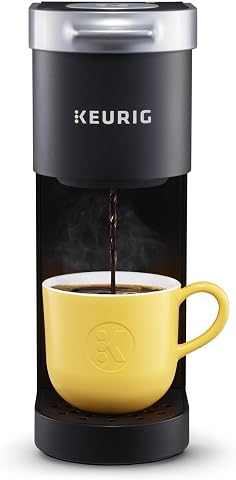
Keurig K-Mini Single Serve K-Cup Pod Coffee Maker
- ✔ Dimensions: Less than 5 inches wide
- ✔ Brew capacity: 6-12 oz
- ✔ Weight: Less than 5 lbs
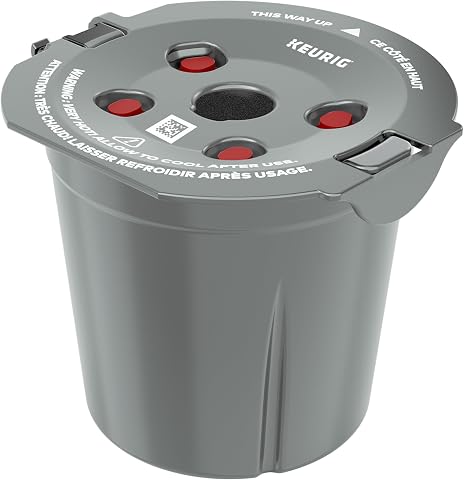
My K-Cup® Reusable Coffee Filter
- ✔ Capacity: Single cup
- ✔ Material: Plastic
- ✔ Dimensions: Standard size
Keurig K-Mini Single Serve K-Cup Pod Coffee Maker
The Keurig K-Mini offers a sleek, space-saving design with versatile brewing options from 6 to 12 oz, making it ideal for small kitchens or office setups. Its simple one-cup reservoir and auto-off feature enhance convenience and energy efficiency.
Pros:
- Compact size fits anywhere
- Brews up to 12 oz quickly
- Removable drip tray accommodates travel mugs
- Energy-saving auto off
Cons:
- Limited water reservoir capacity
- No on/off switch
- Requires frequent refilling for heavy usage
Best for: Small households, office spaces, dorms
Not ideal for: Heavy users needing larger capacity or multiple brews at once
Bottom line: A compact, efficient coffee maker perfect for small spaces.
My K-Cup® Reusable Coffee Filter
The My K-Cup reusable coffee filter allows you to brew your favorite ground coffee with your Keurig K-Mini, offering more variety and cost savings. Its updated design is compatible with the K-Brew+Chill and other Keurig models.
Pros:
- Brew with ground coffee
- Cost-effective
- Environmentally friendly
- Easy to clean
Cons:
- Requires pre-measuring coffee
- May need fine-tuning for grind size
- Not compatible with all models
Best for: Ground coffee enthusiasts, eco-conscious users
Not ideal for: Those wanting the convenience of pod brewing only
Bottom line: A versatile, eco-friendly option for ground coffee lovers.
Frequently Asked Questions
Why is my Keurig not brewing?
Check for clogs in the needle, ensure the water reservoir is filled and properly seated, and perform a descaling if needed. Also, verify the machine is plugged in and powered on.
How often should I descale my Keurig?
Descale every 3-6 months, especially if you notice slower brewing, weak coffee, or mineral deposits around the water reservoir.
Can I use ground coffee in my Keurig?
Yes, with the My K-Cup reusable filter, you can brew your own ground coffee instead of using pre-packaged K-Cups.
What is the best way to clean the brew head?
Turn off and unplug your machine, then use a paperclip or needle to clear the needle opening. Wipe the brew head with a damp cloth to remove coffee oils.
My machine leaks or won’t turn on, what should I do?
Check for any blockages or damaged parts. Ensure the water reservoir is seated correctly. If problems persist, contact customer support or consider replacing the machine if it’s old or heavily malfunctioning.
Keep Your Keurig Running Smoothly with Routine Care
Maintaining your Keurig K-Mini is simple with regular cleaning, descaling, and proper water quality. Addressing common issues early can prevent costly repairs and ensure your coffee tastes great every time. Follow these step-by-step tips to keep your machine in top shape and enjoy fresh, delicious brews for years to come.
Affiliate disclosure: As an Amazon Associate we earn from qualifying purchases. Prices and availability are accurate as of the time of publishing.
Black Friday Picks

Sonos One (Gen 2) Two-Room Set Voice-Controlled Smart Speaker with Alexa (2-Pack, Black)
As an affiliate, we earn on qualifying purchases.