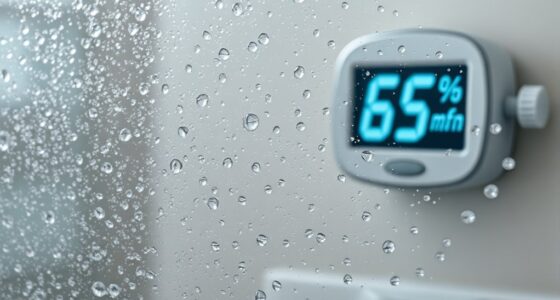
To create a humidity and temperature log in a spreadsheet, start by setting up columns for date, time, humidity, temperature, and notes. Input your measurements consistently, and use formulas to calculate averages, maximums, and minimums over time. Incorporate conditional formatting to highlight out-of-range values and create charts for visual analysis. Properly organizing your data helps identify trends and make informed adjustments—if you keep going, you’ll discover even more ways to optimize your environmental monitoring.

Get home appliances delivered free with Prime
- Fast, free delivery on millions of items
- Prime Video, Amazon Music and more included
- Member-only deals all year
Key Takeaways
- Set up spreadsheet columns for date, time, humidity, temperature, and notes for systematic data entry.
- Consistently input readings and use data validation to minimize errors.
- Use conditional formatting to highlight out-of-range humidity and temperature values.
- Create formulas to calculate daily averages, maximums, and minimums for quick analysis.
- Generate charts or graphs to visualize trends and identify patterns over time.
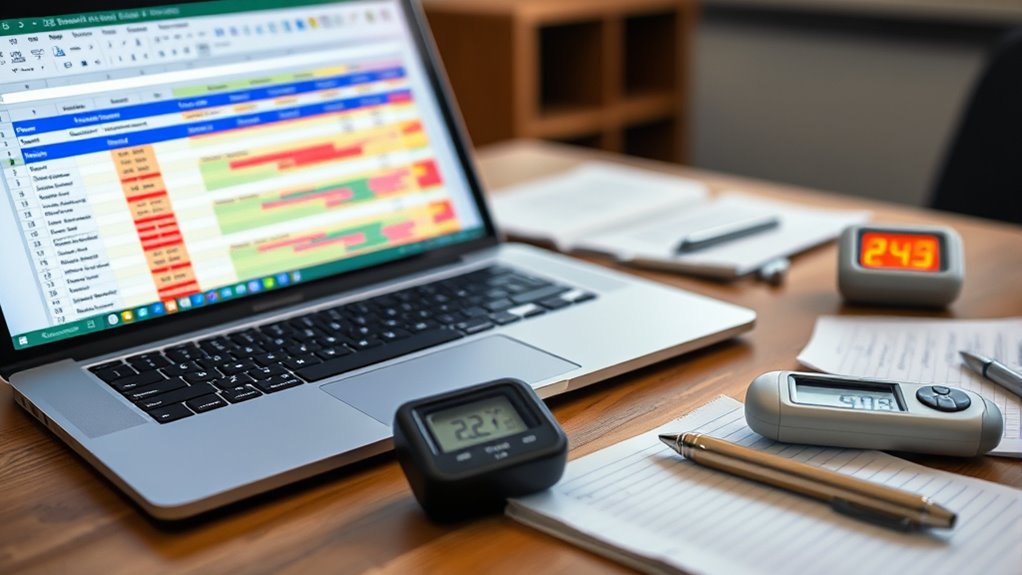
Keeping track of humidity and temperature levels is essential for maintaining ideal conditions in many environments, from greenhouses to storage facilities. When you’re collecting data manually, it’s easy to make mistakes or overlook trends, which is why using spreadsheets can be a game-changer. They allow you to organize your readings systematically, analyze patterns over time, and make informed decisions. To guarantee your data remains accurate, sensor calibration becomes vital. If your sensors aren’t calibrated properly, the readings you record could be misleading, leading to improper adjustments in your environment. Regularly calibrate your sensors according to the manufacturer’s instructions, and verify their accuracy with known reference points. This step guarantees that your data reflects real conditions, making your analysis more reliable.
Once you’ve gathered accurate data, the next step is making sense of it through data visualization. Spreadsheets offer powerful tools, like charts and graphs, that help you see trends and outliers at a glance. Visualizing humidity and temperature data makes it easier to identify patterns—like seasonal fluctuations or equipment malfunctions—that might otherwise go unnoticed. For instance, a line graph showing temperature changes over a month can reveal gradual shifts, prompting you to adjust your climate controls proactively. Data visualization also helps communicate findings to others, whether you’re sharing reports with team members or stakeholders. It transforms raw numbers into clear, understandable visuals, making complex data accessible to everyone.
Creating a log with spreadsheets involves setting up columns for date, time, humidity, temperature, and notes. As you record readings, input your data consistently, ensuring your sensor calibration remains up-to-date. Use conditional formatting to highlight values outside acceptable ranges, so you can quickly spot issues. As your dataset grows, leverage formulas to calculate averages, maximums, and minimums, providing a snapshot of your environment’s conditions over time. These calculations help you assess whether your environment stays within desired parameters and guide you in fine-tuning your climate control systems.
digital humidity and temperature monitor
As an affiliate, we earn on qualifying purchases.
As an affiliate, we earn on qualifying purchases.
Frequently Asked Questions
How Can I Automate Data Entry in My Spreadsheet?
You can automate data entry by linking your sensors directly to your spreadsheet, which updates automatically. Make certain sensor calibration is accurate for reliable data. Use data validation rules to prevent errors and keep entries consistent. Set up scripts or macros to regularly import sensor readings, reducing manual input. This way, your log stays current and accurate, saving you time and minimizing mistakes in your humidity and temperature tracking.
What Are the Best Spreadsheet Templates for Logging Temperature and Humidity?
You should choose spreadsheet templates that are designed for sensor calibration and data visualization. Look for ones with built-in charts and auto-calculation features to track temperature and humidity over time. These templates make it easy to analyze your data, identify trends, and guarantee your sensors stay calibrated. They streamline logging, help you visualize fluctuations, and improve the accuracy of your environmental monitoring efforts.
How Do I Analyze Trends Over Long Periods?
To analyze trends over long periods, you should use trend analysis techniques and data visualization tools in your spreadsheet. Create charts like line graphs to visualize changes over time, making patterns easier to spot. Filter and organize your data to focus on specific periods, and use formulas to calculate averages or fluctuations. These steps will help you identify long-term trends effectively and make informed decisions based on your humidity and temperature data.
Can I Share My Log With Others Securely?
Sharing your log securely is like locking a treasure chest—you want only trusted hands to access it. You can do this by using cloud services with robust access controls, like setting permissions or password protection. These tools act as your digital security guards, ensuring your data stays private. Always choose platforms that prioritize security, so you can share your insights confidently without risking unauthorized access.
What Calibration Methods Ensure Accurate Sensor Readings?
You should perform sensor calibration regularly to guarantee accurate readings. Use calibration methods like comparing your sensor’s data with a known standard or reference instrument, then adjust if necessary. Accuracy verification involves checking your sensor’s readings against these standards to confirm reliability. By consistently calibrating and verifying, you maintain precise humidity and temperature data, which is essential for dependable logs and analyses.
sensor calibration tools for environmental sensors
As an affiliate, we earn on qualifying purchases.
As an affiliate, we earn on qualifying purchases.
Conclusion
By maintaining a humidity and temperature log in your spreadsheet, you gain clear insights into environmental patterns. For example, tracking daily data over a month could reveal that humidity levels fluctuate between 40% and 70%, helping you identify ideal conditions. This visual approach makes it easy to spot trends and make informed adjustments. Start logging today—it’s a simple way to monitor and improve your environment effectively.
spreadsheets for environmental data logging
As an affiliate, we earn on qualifying purchases.
As an affiliate, we earn on qualifying purchases.
environmental data visualization charts
As an affiliate, we earn on qualifying purchases.
As an affiliate, we earn on qualifying purchases.
Halloween Picks
halloween
As an affiliate, we earn on qualifying purchases.