The easiest way to estimate sensor coverage in multi-room homes is to plan placements strategically based on key areas like entrances and high-value spots. Test signal strength in each room using your smartphone or wireless testers to identify weak spots. Adjust sensor positions accordingly and consider obstacles like walls or furniture that may block signals. Conduct simulated activities to verify coverage and make improvements. Keep exploring to learn more tips for optimizing your sensor setup effectively.
Key Takeaways
- Use a wireless tester or smartphone app to measure signal strength in each room before installation.
- Identify key areas and overlap sensor zones to ensure complete coverage and minimize blind spots.
- Conduct post-installation signal testing by walking through the home to detect dead zones.
- Place sensors closer together in areas with obstacles or weak signals for better connectivity.
- Adjust sensor positions based on testing results to optimize coverage and ensure reliable detection.
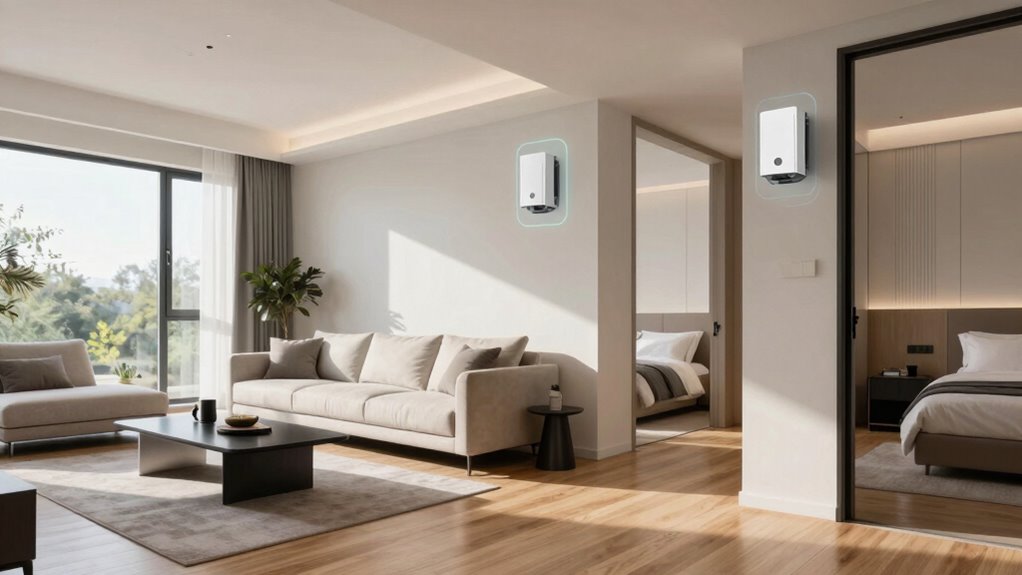
In multi-room homes, guaranteeing thorough sensor coverage is essential for safety, security, and automation. To get started, you need to understand how wireless connectivity plays a pivotal role in deploying sensors effectively across your space. Wireless sensors eliminate the need for complex wiring and allow you to place them flexibly, but their placement needs careful planning. When estimating sensor coverage, think about how wireless signals will travel through your home’s walls, furniture, and other obstacles. Strong wireless connectivity ensures sensors stay connected and operate reliably, so testing signal strength in different rooms is a critical step. Use a smartphone or a wireless signal tester to check where the signal is strongest and weakest, guiding your placement decisions.
Next, consider sensor placement carefully. Start by identifying the key areas you want to monitor, such as entrances, hallways, or rooms with valuable belongings. Place sensors at strategic points to maximize coverage and minimize blind spots. For example, motion sensors should be positioned at entrances and in corners of rooms where movement is likely, but avoid placing them near vents, windows, or sources of interference that could cause false alerts. For environmental sensors like temperature or humidity, position them away from direct sunlight, heating vents, or drafts to get accurate readings. When estimating coverage, think about the sensor’s range—most sensors specify their effective radius— and plan placements accordingly to guarantee overlapping zones for complete detection. Additionally, understanding the sensor capabilities and how they interact with your home’s layout can significantly improve coverage accuracy. Considering your home’s layout and obstacles is also crucial, as these factors can influence wireless signal strength and sensor effectiveness. Recognizing potential interference sources and planning sensor placement to avoid them can further enhance reliability. Incorporating a comprehensive layout plan can also streamline installation and troubleshooting. Being aware of how building materials can affect signal propagation helps in making more informed placement decisions.
You should also consider how your home’s layout affects sensor coverage. Multi-room homes often have thick walls or open floor plans, which can influence wireless signals and sensor effectiveness. To address this, place sensors closer together in areas with obstacles or weaker signals, and use repeaters or additional hubs if needed. Remember, the goal is to create a network where sensors communicate seamlessly, providing consistent coverage throughout the entire home. Testing your setup after initial placement is essential. Walk through your home and simulate typical activities to see if sensors detect movement or environmental changes as expected. Adjust placements if you notice dead zones or inconsistent signals.
Ultimately, estimating sensor coverage in a multi-room home involves understanding your home’s layout, wireless connectivity, and sensor capabilities. With a strategic approach—testing signals, thoughtfully placing sensors, and considering obstacles—you can guarantee comprehensive coverage. This proactive planning results in a more secure, automated, and comfortable living environment, giving you peace of mind knowing your sensors are working as intended across every room.

2PCS Analog Sensor Tester Automotive Sensor Simulator Tester – Vehicle Circuit Diagnose Tool, Adjustable Resistor Signal Generator, Premium Durable and Wear-Resistant Material Repair Set
Multi-Function Signal Simulator: Simulates various vehicle signals including analog adjustable resistor, exhaust temperature, oil pressure, fuel temperature, water…
As an affiliate, we earn on qualifying purchases.
As an affiliate, we earn on qualifying purchases.
Frequently Asked Questions
How Does Furniture Placement Affect Sensor Coverage?
Furniture placement can considerably impact your sensor coverage by creating blind spots and furniture obstructions. When you position furniture near sensors, it may block the sensors’ line of sight, reducing their effectiveness. To guarantee ideal coverage, keep sensors elevated and away from large furniture pieces. Regularly check for blind spots caused by furniture, and adjust their placement or add additional sensors if needed to maintain thorough detection throughout your home.
Can Multiple Sensors Overlap Coverage Areas?
Yes, multiple sensors can overlap coverage areas, creating a web of protection. Think of sensor calibration as fine-tuning each device’s focus, ensuring they work harmoniously. As signals intersect, beware of signal interference, which might cause blind spots. Overlapping coverage enhances security, but you need to balance it carefully to avoid false alarms. Proper placement and calibration help you maximize coverage while minimizing interference, giving your home thorough protection.
What Is the Ideal Sensor Height for Accuracy?
For maximum accuracy, position your sensor at about 4 to 6 feet high. This height helps minimize signal interference from furniture or walls and allows for better sensor calibration. Keep it away from metal objects and sources of electromagnetic interference, as these can skew readings. Proper placement guarantees more reliable detection, reducing false alarms and improving overall coverage in your multi-room home.
How Do Doorways Impact Sensor Signal?
Doorways can notably impact your sensor signal, with studies showing up to 30% signal interference in certain designs. When sensors face doorways, signal strength may weaken or fluctuate due to doorway design and materials. To minimize this, position sensors away from direct doorway paths or use sensors with better signal penetration. This guarantees consistent coverage and reduces blind spots, keeping your home secure and monitored effectively.
Are Certain Sensor Types Better for Multi-Room Homes?
Certain sensor types, like motion sensors, are better for multi-room homes because they adapt well to different spaces. To guarantee reliable performance, you should calibrate your sensors properly and minimize signal interference from thick walls or electronic devices. Wireless sensors, for example, often require more calibration and interference management, while wired sensors usually provide more consistent coverage. Choose sensors suited to your home’s layout for maximum coverage.

Wireless Motion Sensor LED Light – Motion Detector Alarm Chimes Door Sensor with 500 FT Range Security Alert Monitor System for Home, Business, Store, Office, School
【58 RINGTONES & 5 VOLUME LEVELS】 Security Alarms Detection Chime has 58 ringtones and 5 adjustable volume levels…
As an affiliate, we earn on qualifying purchases.
As an affiliate, we earn on qualifying purchases.
Conclusion
By understanding how to estimate sensor coverage in your multi-room home, you’re gently taking a step toward peace of mind. It’s a small act that can make a big difference, quietly ensuring your loved ones are protected without fuss. When you plan thoughtfully, you’re weaving a subtle safety net that offers comfort and reassurance. Remember, a little foresight today can softly brighten the days ahead, making your home a sanctuary you can always trust.

Fourair Infrared Wireless IR Repeater Long Range 500 Feet and IR Remote Control Extender Repeater Kit Infrared IR Extender for Expansion (IR Emitter and Receiver)
▶▶Wireless Repeater- The Best Choice for Fashion:This is an creative product to hide the components which is controlled…
As an affiliate, we earn on qualifying purchases.
As an affiliate, we earn on qualifying purchases.
Wireless Motion Sensor LED Light – Motion Detector Alarm Chimes Door Sensor with 500 FT Range Security Alert Monitor System for Home, Business, Store, Office, School
【58 RINGTONES & 5 VOLUME LEVELS】 Security Alarms Detection Chime has 58 ringtones and 5 adjustable volume levels…
As an affiliate, we earn on qualifying purchases.
As an affiliate, we earn on qualifying purchases.