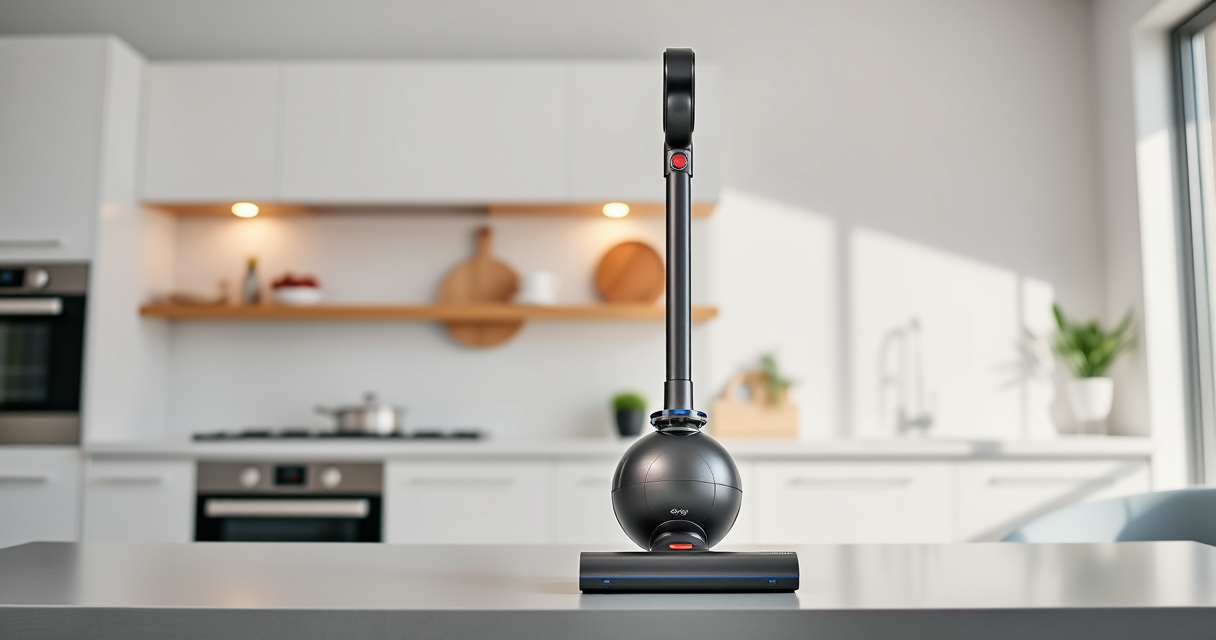

If your Dyson V15 Detect™ Origin Cordless Vacuum is losing battery power quickly, it can be frustrating. A battery that drains fast may be caused by dirty filters, worn-out parts, or improper usage. This guide provides simple, step-by-step solutions to help you restore optimal battery life and keep your vacuum running longer between charges.
Follow these instructions carefully to troubleshoot effectively and safely, ensuring your vacuum performs at its best without risking damage.
Key Takeaways
| Check and replace filters regularly | Clogged filters can cause the vacuum to work harder, draining the battery faster. |
| Inspect the battery and charging port | Damaged or dirty contacts can prevent proper charging, reducing run time. |
| Reduce unnecessary power modes | Using lower power settings extends battery life during cleaning. |
| Maintain the vacuum and clean components | Keeping brushes and filters clean prevents overheating and improves efficiency. |

Dyson V15 Detect™ Origin Cordless Vacuum
Powerful and intelligent for whole-home deep cleaning. Reveals invisible dust.
As an affiliate, we earn on qualifying purchases.
Step 1: Check the Battery and Charging Connections
- Ensure the vacuum is properly connected to the charger and the charger is plugged into a working outlet.
- Inspect the charging port and contacts for dirt, dust, or corrosion; clean gently with a dry cloth if needed.
- Leave the vacuum on charge for at least 3-4 hours, especially if the battery is completely drained.

LANMU Crevice Tool Vacuum Attachments Compatible with Dyson V15 V12 V11 V10 V9 V8 V7 Gen5 Outsize Vacuum Cleaner, Narrow Nozzel Replacement Parts for Hard-to-Reach Space
Wide Compatibility: This crevice tool attachment is compatible with V15 V12 V11 V10 V9 V8 V7 Gen5 G5...
As an affiliate, we earn on qualifying purchases.
Step 2: Replace or Clean the Filters
- Remove the pre-filters and other filters from the vacuum as per the user manual.
- Rinse the filters under cold water until clean and wring out excess water.
- Allow filters to air dry completely for at least 24 hours before reinstalling.
- If filters are worn out or damaged, replace them with compatible replacements like the 3Pack Pre Filters (ASIN B091D4YRYG).
Step 3: Reduce Power Usage
Use the LCD screen to select a lower power mode if available. The Power Trigger feature helps conserve energy by only using power when the trigger is pressed. Switching to Eco mode can extend your vacuum’s runtime significantly.
Step 4: Clean and Maintain Components
- Check the brushes and cleaner heads for hair and debris; clean or untangle as needed.
- Remove any blockages from the wand, cleaner heads, or hose.
- Regular maintenance prevents overheating and ensures efficient power use.
Additional Tips & Warnings
- Always use genuine or compatible replacement filters to avoid damaging the vacuum.
- Avoid overcharging the battery; unplug once fully charged to prevent battery wear.
- Consult the user manual for specific instructions related to your model.
The Products in This Guide

Dyson V15 Detect™ Origin Cordless Vacuum
- ✔ Weight: Approx. 6.8 lbs
- ✔ Charge Time: Approximately 4 hours
- ✔ Warranty: 2 years

LANMU Crevice Tool Vacuum Attachments Compatible
- ✔ Length: Approx. 12 inches
- ✔ Material: Plastic
- ✔ Compatibility: Multiple Dyson models
Dyson V15 Detect™ Origin Cordless Vacuum
The Dyson V15 Detect™ Origin offers advanced features like real-time particle detection and a powerful motor that ensures deep cleaning across all floor types. Proper maintenance can significantly improve its battery life and overall performance.
Pros:
- Long 60-minute runtime
- Intelligent power adaptation
- LCD screen with real-time data
- Deep cleaning capabilities
Cons:
- Battery may degrade over time
- Filters require regular cleaning
- Higher initial cost
Best for: Homeowners seeking deep, versatile cleaning with smart features
Not ideal for: Users with limited storage space or those preferring budget models
Bottom line: Regular maintenance and correct usage can keep your Dyson V15 running optimally longer.
LANMU Crevice Tool Vacuum Attachments Compatible
The LANMU Crevice Tool Vacuum Attachments compatible with Dyson models is a versatile addition. It helps reach narrow corners and tight spaces, making your cleaning more efficient.
Pros:
- Narrow nozzle for tight spots
- Flexible and durable design
- Easy to attach and detach
- Suitable for cars and home use
Cons:
- May not fit older Dyson models
- Limited to crevice cleaning
- Requires manual handling
Best for: Detail cleaning of edges, corners, and hard-to-reach areas
Not ideal for: Heavy-duty deep cleaning or large debris removal
Bottom line: A practical tool for precision cleaning in tight spots.
Frequently Asked Questions
Why does my Dyson vacuum battery drain so quickly?
Common causes include clogged filters, worn-out batteries, or using high power modes continuously. Regular maintenance and filter replacement help improve battery life.
How often should I replace the filters?
It’s recommended to replace or clean filters every 2-3 months, depending on usage, to maintain optimal suction and battery efficiency.
Can I extend my Dyson vacuum’s battery life?
Yes, by regularly cleaning filters, avoiding prolonged high-power use, and ensuring proper storage and charging practices.
What should I do if my vacuum still loses power after cleaning filters?
Check the battery health and contacts. If the issue persists, consider replacing the battery or contacting Dyson support for further assistance.
Keep Your Dyson V15 Powering Through Your Home
Regular maintenance, proper charging habits, and timely filter replacements are key to preventing rapid battery drain. Following these troubleshooting steps can help you enjoy longer cleaning sessions and keep your Dyson performing at its best for years to come.
Affiliate disclosure: As an Amazon Associate we earn from qualifying purchases. Prices and availability are accurate as of the time of publishing.