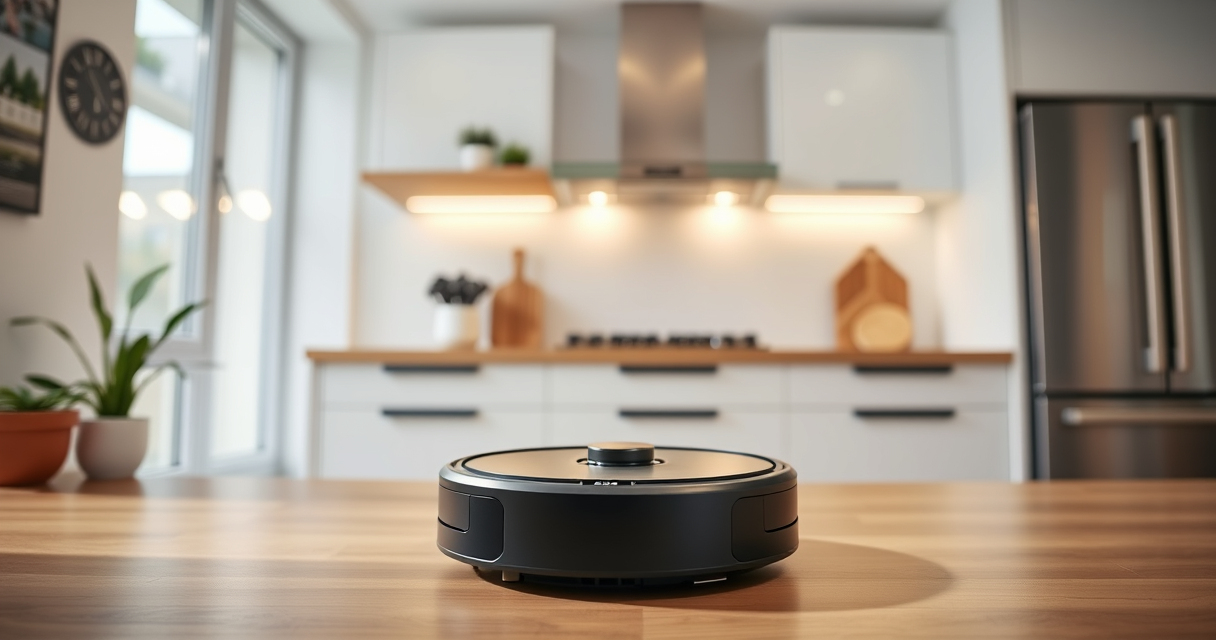
If your Roborock Q7 M5+ robot vacuum isn’t connecting to WiFi, it can disrupt your cleaning routine and prevent access via the app. Fortunately, most connectivity issues are fixable with a few straightforward steps. This guide walks you through common causes and proven solutions to get your vacuum back online quickly and safely.
Before diving into troubleshooting, ensure your WiFi network is functioning properly and your device is within range. Follow these step-by-step instructions to diagnose and resolve connection problems effectively.
Key Takeaways
| Check WiFi Compatibility | Ensure your WiFi network is 2.4 GHz, as Roborock devices typically don’t connect to 5 GHz. |
| Restart Devices | Power cycle your vacuum, router, and smartphone to refresh network connections. |
| Update Firmware & App | Make sure your Roborock app and vacuum firmware are up to date for optimal compatibility. |
| Reset WiFi Settings | Reconfigure WiFi on the vacuum and reconnect through the app. |

roborock Q7 M5+ Robot Vacuum and Mop, Upgraded from Q5 Max+, Up to 7-9 Weeks Self-Empty, 10000Pa Suction, Dual Anti-Tangle System for Pet Hair & Carpet, PreciSense LiDAR Navigation, App Control, Black
𝗨𝗽 𝘁𝗼 𝟳-𝟵 𝗪𝗲𝗲𝗸𝘀 𝗛𝗮𝗻𝗱𝘀 𝗙𝗿𝗲𝗲 𝗖𝗹𝗲𝗮𝗻𝗶𝗻𝗴: With a 2.7L sealed dust bag, the RockDock Plus efficiently collects...
As an affiliate, we earn on qualifying purchases.
Ensure WiFi Network Compatibility
- Check your router settings to verify it broadcasts a 2.4 GHz network, which is compatible with the Roborock Q7 M5+.
- If your router only broadcasts 5 GHz, enable the 2.4 GHz band or create a separate SSID for it.
- Confirm that your smartphone is connected to the same WiFi network during setup.

4 Pack Washable Filter For Roborock Q5 Pro/Pro+(Plus)/ Max+(Plus)/ DuoRoller+, Q7/ Q7+, Q7 Max/Max+, Q8 Max/Max+ Robot Vacuum Cleaner Accessories Replacement Part True HEPA Filter For Robotic
Compatible Models: The True HEPA washable filter replacement parts are compatible with Roborock Q7, Q7+(Plus), Q7 Max, Q7...
As an affiliate, we earn on qualifying purchases.
Power Cycle Your Devices
- Turn off your Roborock vacuum and unplug it from the charging dock.
- Restart your WiFi router by unplugging it for 30 seconds, then plugging it back in.
- On your smartphone, close the Roborock app completely and reopen it.
Update Firmware and App
- Open the Roborock app and check for firmware updates for your Q7 M5+.
- If an update is available, follow prompts to install it.
- Ensure your app is updated to the latest version from your app store.
Reset WiFi Settings on the Vacuum
- Press and hold the power button on your vacuum for about 3 seconds until the device enters WiFi setup mode (usually indicated by a flashing light).
- Follow the app instructions to reconnect your vacuum to WiFi.
- If needed, perform a factory reset through the app or device controls, then set up WiFi again.
Additional Tips & Warnings
- Ensure your WiFi signal is strong and unobstructed where your vacuum operates.
- Avoid using VPNs or firewalls that may block the vacuum’s connection.
- Keep your device and app updated for the best compatibility and security.
- Do not attempt to connect your vacuum to a hidden or non-standard network without consulting the manual.
The Products in This Guide

roborock Q7 M5+ Robot Vacuum and Mop
- ✔ Battery Life: Long-lasting
- ✔ Dust Capacity: 2.7L sealed bag
- ✔ Connectivity: WiFi 2.4 GHz

4 Pack Washable Filter
- ✔ Size: Standard HEPA
- ✔ Washable: Yes
- ✔ Number in Pack: 4
roborock Q7 M5+ Robot Vacuum and Mop
The Roborock Q7 M5+ offers powerful suction, a self-emptying dock, and Precise LiDAR navigation for efficient cleaning. When WiFi issues occur, following these troubleshooting steps ensures your device stays connected and operational.
Pros:
- Up to 7-9 weeks self-emptying
- 10000Pa suction power
- Advanced LiDAR navigation
- App control compatibility
Cons:
- Requires stable 2.4 GHz WiFi
- Firmware updates needed for optimal performance
- WiFi reset can be technical
Best for: Homeowners seeking a high-performance, low-maintenance robot vacuum.
Not ideal for: Users with unreliable WiFi or limited technical experience.
Bottom line: Ensure your WiFi setup matches device requirements for seamless connection.
4 Pack Washable Filter
The 4 Pack Washable Filter is compatible with the Roborock Q7 and other models, ensuring your vacuum maintains peak performance. Regular filter maintenance can also impact WiFi stability indirectly by keeping the device running smoothly.
Pros:
- Washable and reusable
- Effective HEPA filtration
- Easy to install
- Improves air quality
Cons:
- Requires regular cleaning
- Not OEM but compatible
- May need replacement every few months
Best for: Maintaining optimal vacuum performance and air quality.
Not ideal for: Users seeking OEM filters only.
Bottom line: A cost-effective way to keep your vacuum and air clean.
Frequently Asked Questions
Why won’t my Roborock connect to WiFi?
Common reasons include incompatible WiFi networks, weak signals, outdated firmware, or incorrect setup procedures. Following the troubleshooting steps can resolve most issues.
How do I reset the WiFi on my Roborock Q7 M5+?
Press and hold the power button for about 3 seconds until the device enters WiFi setup mode, then follow the app instructions to reconnect.
Can I connect my Roborock to a 5 GHz WiFi network?
No, Roborock devices generally require a 2.4 GHz WiFi network for stable connection. Ensure your router broadcasts both bands if needed.
How often should I update the firmware?
Check for updates regularly through the app to ensure your vacuum has the latest features and bug fixes, which can improve connectivity.
Keeping Your Roborock Connected and Clean
WiFi connection issues with your Roborock Q7 M5+ can be frustrating, but most are easily resolved by verifying network compatibility, restarting devices, and updating firmware. Regular maintenance and following these troubleshooting steps will help keep your vacuum operating smoothly and your home effortlessly clean.
Affiliate disclosure: As an Amazon Associate we earn from qualifying purchases. Prices and availability are accurate as of the time of publishing.