The Kasa Smart Wi-Fi Power Strip HS300 is my best overall pick for its six individually controlled outlets and broad usefulness at a desk or entertainment center. The TP-Link Tapo P316M stands out for Matter compatibility and energy monitoring, while the Kasa KP303 suits buyers who need fewer smart outlets and a simpler footprint. The main tradeoffs are how many outlets can be controlled independently, whether the strip fits your smart-home platform, and how much space USB ports or a bulky plug take up. Some models add surge protection or monitoring, while others focus on straightforward app and voice control. Read on for the full breakdown of all 14 options and how I’d match each one to a setup.

Get home appliances delivered free with Prime
- Fast, free delivery on millions of items
- Prime Video, Amazon Music and more included
- Member-only deals all year
Complete the kit


Key Takeaways
- The HS300 is the most balanced option: six individually controlled outlets make it more flexible for a multi-device setup than strips with only three smart outlets.
- Matter and monitoring set the Tapo P316M apart: it speaks to buyers prioritizing cross-platform smart-home integration and energy-use visibility rather than outlet count alone.
- Three-outlet models serve a different job: the Kasa KP303 and KMC strip are better fits for a small cluster of devices than for managing an entire entertainment center.
- USB ports do not equal smart outlets: many models combine controllable AC sockets with USB charging, so buyers should check which connections can actually be scheduled or switched.
- Surge protection and cord layout affect placement: several Geeni and other options include surge protection, while flat plugs and cord lengths vary, making furniture clearance and outlet location part of the choice.
| GHome Smart Power Strip with 3 Wi-Fi Outlets, 3 USB Ports, and 3 Standard Outlets |  | Best Wall-Mounted Outlet Mix | Smart outlets: 3, individually controlled | Standard outlets: 3, always on | USB ports: 3, group controlled | VIEW LATEST PRICE | See Our Full Breakdown |
| Yozisital Smart Power Strip with 6 Smart Outlets, 4 USB Ports, and 5 ft Flat Plug Cord |  | Best for Port Variety | AC outlets: 8 total: 6 individually controlled smart outlets and 2 standard outlets | USB ports: 4 total: 2 USB-A and 2 USB-C | Total ports: 12 | VIEW LATEST PRICE | See Our Full Breakdown |
| Amazon Basics Smart Power Strip with 6 Individually Controlled Outlets and 3 USB Ports |  | Best for Alexa Homes | Outlets: 6, individually controlled | USB ports: 3: 2 USB-A and 1 USB-C | Wi-Fi: 2.4 GHz | VIEW LATEST PRICE | See Our Full Breakdown |
| Kasa Smart Wi-Fi Power Strip HS300 with 6 Outlets and 3 USB Ports |  | Best for Energy Monitoring | Smart outlets: 6, independently controlled | USB ports: 3; 5 V / 2.4 A per port | Maximum total load: 15 A, 1875 W | VIEW LATEST PRICE | See Our Full Breakdown |
| Westinghouse WH-320 Wi-Fi Smart Power Strip with Alexa and Google Assistant Compatibility |  | Best for Simple Scheduling | Smart outlets: 3, individually controlled | Always-on outlets: 1 | USB ports: 3 | VIEW LATEST PRICE | See Our Full Breakdown |
| GHome Smart Plug Outlet Extender with 3 Smart Outlets, 3 USB Ports, and 3 Standard Outlets |  | Best Wall-Mounted Hybrid | Outlet layout: 9 total: 3 smart, 3 USB, and 3 always-on standard outlets | Smart control: Individual or group control through the GHome app | Voice assistants: Amazon Alexa and Google Home | VIEW LATEST PRICE | See Our Full Breakdown |
| KMC 3-Outlet Smart Power Strip with Surge Protection, 4 ft Cord |  | Best Simple Three-Device Strip | Outlets: 3 independently controlled outlets | Surge protection: 490 joules | Smart home support: Alexa and Google Assistant; no hub required | VIEW LATEST PRICE | See Our Full Breakdown |
| Geeni Smart Surge Protector Power Strip with 6 Wi-Fi Outlets and 3 ft Cord |  | Best for Six Independently Switched Devices | Outlets: 6 independently controlled Wi-Fi outlets | Surge protection: 460 joules | App and voice control: Geeni app, Amazon Alexa, and Google Assistant | VIEW LATEST PRICE | See Our Full Breakdown |
| meross Smart Wi-Fi Power Strip with 4 AC Outlets and 4 USB Ports |  | Best for Apple HomeKit and USB-C Charging | AC outlets: 4 individually controlled | USB ports: 4 total, including one 20W USB-C port; up to 4.0 A across the USB ports | Surge protection: 2100 joules | VIEW LATEST PRICE | See Our Full Breakdown |
| Geeni Surge Ultra Smart 8-Outlet Surge Protector |  | Best for Higher-Capacity Setups | Total outlets: 8: 6 smart outlets and 2 always-on outlets | USB ports: 3 | Surge protection: 1200 joules | VIEW LATEST PRICE | See Our Full Breakdown |
| LINKVOLT WiFi Smart Power Strip with Surge Protection, 3 Outlets, Voice and App Control |  | Best Compact Pick | AC outlets: 3, independently controlled | Maximum power: 1875 W | Maximum current: 15 A | VIEW LATEST PRICE | See Our Full Breakdown |
| Geeni Smart Power Strip with 6 Outlets, 2 USB Ports, and Surge Protection |  | Best for High-Capacity Setups | Smart AC outlets: 6, individually controlled | Always-on AC outlets: 2 | USB ports: 2: USB-A and USB-C | VIEW LATEST PRICE | See Our Full Breakdown |
| TP-Link Tapo P316M Matter Smart Wi-Fi Power Strip with Energy Monitoring |  | Best for Matter Smart Homes | AC outlets: 6, individually controlled | USB ports: 3, always on | USB output: 5 V, 2.4 A | VIEW LATEST PRICE | See Our Full Breakdown |
| Kasa Smart Wi-Fi Power Strip KP303 with 3 Smart Outlets and 2 USB Ports |  | Best for Simple Desk Setups | Smart AC outlets: 3, individually controlled | USB ports: 2, always on | Surge protection: 750 joules; ETL certified | VIEW LATEST PRICE | See Our Full Breakdown |
| smart plug power strip | USB ports | Surge protection | Maximum current |
|---|---|---|---|
| GHome Smart Power Strip with 3 | 3, group controlled | — | 15 A |
| Yozisital Smart Power Strip wi | 4 total: 2 USB-A and 2 USB-C | — | 15 A |
| Amazon Basics Smart Power Stri | 3: 2 USB-A and 1 USB-C | 790 joules | 15 A |
| Kasa Smart Wi-Fi Power Strip H | 3; 5 V / 2.4 A per port | ETL certified; VPR 500 V | — |
| Westinghouse WH-320 Wi-Fi Smar | 3 | — | — |
| GHome Smart Plug Outlet Extend | — | — | — |
| KMC 3-Outlet Smart Power Strip | — | 490 joules | — |
| Geeni Smart Surge Protector Po | — | 460 joules | — |
| meross Smart Wi-Fi Power Strip | 4 total, including one 20W USB-C port; up to 4.0 A across the USB ports | 2100 joules | — |
| Geeni Surge Ultra Smart 8-Outl | 3 | 1200 joules | — |
| LINKVOLT WiFi Smart Power Stri | — | 1080 joules | 15 A |
| Geeni Smart Power Strip with 6 | 2: USB-A and USB-C | 1200 joules | 15 A |
| TP-Link Tapo P316M Matter Smar | 3, always on | — | 15 A |
| Kasa Smart Wi-Fi Power Strip K | 2, always on | 750 joules; ETL certified | 15 A |
More Details on Our Top Picks
GHome Smart Power Strip with 3 Wi-Fi Outlets, 3 USB Ports, and 3 Standard Outlets
I’d choose this wall-mounted GHome when the main goal is adding smart control without giving up outlets for ordinary, always-on devices. Its three individually controlled Wi-Fi outlets can run on separate schedules, while the three standard outlets remain available for equipment that should not be switched remotely. That mix is more flexible than the Westinghouse WH-320, which has just one always-on outlet, though the Westinghouse is a better fit if a corded strip is preferred.
The three USB ports add charging capacity, but they operate as a group rather than independently, limiting control over individual devices. Alexa, Google Assistant, app control, timers, and schedules cover the core smart features, with no hub listed. The tradeoffs are its 2.4 GHz-only Wi-Fi requirement and inconsistent wattage figures in the supplied data; I’d verify the device’s rating before planning a near-limit load.
Pros:- Three Wi-Fi outlets can be controlled individually.
- Three always-on outlets preserve power for devices that should not be switched off.
- Works with Alexa and Google Assistant and supports app control, timers, and schedules.
- Includes overload, overcurrent, and fuse protection in a V0 fire-retardant shell.
Cons:- Requires 2.4 GHz Wi-Fi and does not support 5 GHz.
- USB ports are controlled together, not individually.
- Provided wattage information conflicts between 1800 W and 1875 W.
Best for: Buyers who want a wall-mounted unit with individually scheduled smart outlets, separate always-on outlets, and shared USB charging.
Not ideal for: People whose Wi-Fi setup is 5 GHz-only, or anyone who needs separate smart control for each USB port or a clearly consistent wattage rating.
- Smart outlets:3, individually controlled
- Standard outlets:3, always on
- USB ports:3, group controlled
- Wi-Fi:2.4 GHz only
- Voice assistants:Amazon Alexa and Google Assistant
- Maximum current:15 A
- Protection:Overload, overcurrent, and fuse protection; V0 fire-retardant shell
- Mounting and dimensions:Wall mount; 6.1 × 3.94 × 2.04 in
Our verdict“Choose the GHome if you want a wall-mounted mix of individually smart, always-on, and USB outlets, but confirm its wattage rating before connecting higher-load equipment.”
Yozisital Smart Power Strip with 6 Smart Outlets, 4 USB Ports, and 5 ft Flat Plug Cord
The Yozisital stands out for fitting six individually controlled smart outlets and four USB ports—including two USB-C—into one strip. That gives it more outlet and charging variety than the Amazon Basics Smart Power Strip, which has six controlled outlets but three USB ports. Two of Yozisital’s eight AC outlets are standard, so they stay on rather than joining the app-based schedules.
Its 5 ft flat-plug cord and mountable body suit a desk or media area where the strip needs to sit close to a wall. Smart Life app scheduling and Alexa or Google Home support cover the basics, but this is not the pick for every network: it supports 2.4 GHz Wi-Fi only, and the supplied data excludes encrypted Wi-Fi networks as well as password-free public networks. I’d favor it for varied connected gear, not for a demanding setup with unusual network requirements.
Pros:- Six smart AC outlets can be controlled individually.
- Four USB ports include two USB-A and two USB-C.
- Flat plug, 5 ft cord, and mountable construction offer flexible placement.
- Smart Life supports remote control and schedules, with Alexa and Google Home compatibility.
Cons:- Only supports 2.4 GHz Wi-Fi.
- Network compatibility excludes encrypted Wi-Fi and password-free public networks according to the supplied data.
- Two AC outlets are standard rather than smart-controlled.
Best for: Desk and entertainment-area owners who need six separately scheduled AC outlets plus both USB-A and USB-C charging.
Not ideal for: Buyers whose network relies on 5 GHz, encrypted Wi-Fi, or password-free public access, or who need every AC outlet to be smart-controlled.
- AC outlets:8 total: 6 individually controlled smart outlets and 2 standard outlets
- USB ports:4 total: 2 USB-A and 2 USB-C
- Total ports:12
- Cord:5 ft, flat plug
- Maximum current:15 A
- Wi-Fi:2.4 GHz only
- App and voice control:Smart Life; Alexa and Google Home
- Warranty:1 year
Our verdict“Pick the Yozisital for a broad mix of individually controlled outlets and USB-C charging, provided its network restrictions fit your home.”
Amazon Basics Smart Power Strip with 6 Individually Controlled Outlets and 3 USB Ports
This Amazon Basics strip makes the most sense for buyers already organizing their smart home through Alexa. Its six individually controlled outlets can be scheduled or grouped in Alexa routines, and it connects directly over Wi-Fi without a hub. Compared with the Yozisital, it gives up one USB port and two USB-C connections, but it avoids the Yozisital’s stated restriction on encrypted Wi-Fi networks.
The three charging ports—two USB-A and one USB-C—are useful extras, while 790-joule surge protection adds a defined layer of protection not specified for the Yozisital. The limitation is platform choice: Alexa only means Google Assistant households should look at the Kasa HS300 or Yozisital instead. It also requires 2.4 GHz Wi-Fi, so this is a focused Alexa option rather than a flexible cross-platform strip.
Pros:- Six outlets can be controlled individually or grouped.
- Works with Alexa without a hub and supports schedules and routines.
- Includes two USB-A ports and one USB-C port.
- Lists 790-joule surge protection.
Cons:- Compatible with Alexa only.
- Requires 2.4 GHz Wi-Fi.
- Provides fewer USB ports and less USB-C variety than the Yozisital.
Best for: Alexa users who want separate control of six outlets, routines, and basic USB-A and USB-C charging without adding a hub.
Not ideal for: Google Assistant users, households seeking cross-platform voice support, or buyers who need USB-C ports beyond the single one included.
- Outlets:6, individually controlled
- USB ports:3: 2 USB-A and 1 USB-C
- Wi-Fi:2.4 GHz
- Voice assistant:Amazon Alexa only
- Hub:Not required
- Maximum current:15 A
- Surge protection:790 joules
- Plug type:Type B, 3-pin
Our verdict“Choose this strip for straightforward Alexa routines and six separately controlled outlets, but skip it if you need Google Assistant compatibility.”
Kasa Smart Wi-Fi Power Strip HS300 with 6 Outlets and 3 USB Ports
I’d rank the Kasa HS300 highest for buyers who want a smart strip to do more than switch devices on and off. It combines six independently controlled outlets with app-based energy monitoring, making it easier to check connected-device use alongside schedules and remote control. The Amazon Basics strip also offers six separate outlets, but it is Alexa-only and its supplied features do not include energy monitoring; the HS300 also works with Google Assistant and Cortana.
Its ETL-certified surge protection and aluminum enclosure give this model a more protection-focused, substantial profile, though neither feature removes the 15 A total-load limit. Three USB ports provide extra charging, but the listed output is 5 V / 2.4 A per port, and the strip still depends on Wi-Fi and a compatible phone operating system. Choose it for monitoring and broader assistant support, not for loads beyond its stated rating.
Pros:- Six outlets are controlled independently.
- Kasa app provides remote control and energy monitoring.
- Supports Alexa, Google Assistant, and Microsoft Cortana without a hub.
- ETL-certified surge protection and an aluminum enclosure.
Cons:- Total load is limited to 15 A (1875 W).
- Requires Wi-Fi and a compatible iOS or Android device for app use.
- Its 14.17-inch length may be less convenient where desk or wall space is limited.
Best for: Connected-home owners who want per-outlet control, energy-use monitoring, surge protection, and voice support beyond Alexa.
Not ideal for: Buyers who need a compact strip, do not want Wi-Fi or app dependence, or plan to exceed the 15 A total-load limit.
- Smart outlets:6, independently controlled
- USB ports:3; 5 V / 2.4 A per port
- Maximum total load:15 A, 1875 W
- Surge protection:ETL certified; VPR 500 V
- Voice assistants:Amazon Alexa, Google Assistant, and Microsoft Cortana
- Connectivity:Wi-Fi; no hub required
- Enclosure:Aluminum
- Dimensions:14.17 × 2.49 in
Our verdict“Choose the HS300 if energy monitoring and broad voice-assistant support matter more than a compact footprint.”
Westinghouse WH-320 Wi-Fi Smart Power Strip with Alexa and Google Assistant Compatibility
The Westinghouse WH-320 is a simpler choice for someone who needs only a few smart-switched devices. It has three individually controlled outlets and one always-on outlet, so it is less expansive than the Kasa HS300 or Amazon Basics strip, both of which offer six smart outlets. In return, its outlet layout keeps one connection out of app-based switching, a useful distinction for equipment that should stay powered.
Daily, weekly, and 24-hour countdown schedules cover common automation needs, and Alexa and Google Assistant work without a hub. Three USB ports add charging, but the supplied details do not specify individual USB control or surge protection, so I would not choose it for those capabilities. Its three-year warranty is longer than the Yozisital’s listed one-year term, though buyers still need to check that its stated 240 V specification fits their intended electrical setup.
Pros:- Three smart outlets can be controlled individually and named.
- Supports daily, weekly, and 24-hour countdown scheduling.
- Works with Alexa and Google Assistant without a hub.
- Includes a three-year warranty.
Cons:- Only three of its four AC outlets are smart-controlled.
- The supplied product data does not specify surge protection.
- The listed 240 V specification may not suit every intended electrical setup.
Best for: Buyers who need three scheduled smart devices, one dedicated always-on outlet, and simple Alexa or Google Assistant control.
Not ideal for: Users needing six or more smart outlets, confirmed surge protection, or a clearly specified USB control scheme.
- Smart outlets:3, individually controlled
- Always-on outlets:1
- USB ports:3
- Voice assistants:Amazon Alexa and Google Assistant
- Hub:Not required
- Scheduling:Daily, weekly, and 24-hour countdown
- Warranty:3 years
Our verdict“Choose the WH-320 for basic scheduling with one outlet kept always on, but select a six-outlet model if you have more devices to automate.”
GHome Smart Plug Outlet Extender with 3 Smart Outlets, 3 USB Ports, and 3 Standard Outlets
This wall-mounted extender combines three individually controlled smart outlets with three always-on outlets and a bank of USB ports, so it can serve mixed devices without a cord taking up floor or desk space. Compared with the meross Smart Wi-Fi Power Strip, it trades a longer strip format and individual USB control for direct-to-wall convenience and three outlets that remain powered regardless of app settings. The GHome app, Alexa, and Google Home support schedules and voice commands, while overload and overcurrent protection add a layer of electrical protection. The main compromise is that the USB ports work as a group, not one at a time, and the extender occupies the wall outlet itself. It also requires 2.4 GHz Wi-Fi, which may rule it out on some network setups.
Pros:- Combines three smart outlets, three always-on outlets, and three USB ports in one wall-mounted unit
- Smart outlets support individual or group control, schedules, and timers
- Works with Alexa and Google Home without a separate hub being specified
- Includes overload and overcurrent protection, a fuse, and a V0 fire-retardant shell
Cons:- USB ports can only be controlled together
- Requires 2.4 GHz Wi-Fi and does not support 5 GHz
- Direct-to-wall design offers less placement flexibility than corded strips
Best for: People who want a wall-mounted charging hub for a bedside table or home office, with a mix of smart and always-on outlets.
Not ideal for: Buyers who need USB ports controlled separately, a cord for flexible placement, or 5 GHz-only Wi-Fi support.
- Outlet layout:9 total: 3 smart, 3 USB, and 3 always-on standard outlets
- Smart control:Individual or group control through the GHome app
- Voice assistants:Amazon Alexa and Google Home
- Wi-Fi:2.4 GHz only
- Safety and certification:Overload and overcurrent protection, fuse, V0 fire-retardant shell; FCC and ETL
- Installation:Built-in Type B prongs; plugs directly into a North American wall outlet
Our verdict“Choose this GHome extender if you want a compact wall-mounted mix of smart, always-on, and USB outlets and can live with group-only USB control.”
KMC 3-Outlet Smart Power Strip with Surge Protection, 4 ft Cord
The KMC is a straightforward choice for a small cluster of devices: three independently controlled outlets, app access, voice control, and a four-foot cord without requiring a hub. Its 490-joule surge protection gives it a defined role beyond basic remote switching, though the Geeni Surge Ultra offers more outlets and substantially higher stated surge protection for setups that need greater capacity. KMC’s shorter outlet count can be a benefit when a bulky multi-outlet strip would be unnecessary, but it leaves little room to expand. The product description lists no USB ports, so charging phones or accessories still means using an outlet or a separate charger. Its low-profile plug can help at the wall, while the four-foot cord may be limiting if the devices are far from the receptacle.
Pros:- Three outlets can be controlled independently
- Works with Alexa and Google Assistant without a hub
- 490-joule surge protection is specified
- Low-profile plug and four-foot cord support discreet placement
Cons:- Only three outlets, with no USB ports specified
- Four-foot cord may not reach distant desks or furniture
- 490 joules is less surge protection than the 1200-joule Geeni Surge Ultra
Best for: People automating a few lamps or small appliances near a wall outlet who want independent control and a modest cord reach.
Not ideal for: Buyers with several devices to connect, USB charging needs, or a setup that calls for more surge protection than the stated 490 joules.
- Outlets:3 independently controlled outlets
- Surge protection:490 joules
- Smart home support:Alexa and Google Assistant; no hub required
- Cord length:4 ft
- Plug type:Type B, 3-pin North American
- Certification and warranty:UL/ETL certified; lifetime warranty against manufacturing defects
Our verdict“Pick the KMC for a small, corded smart setup where three independently controlled outlets are enough.”
Geeni Smart Surge Protector Power Strip with 6 Wi-Fi Outlets and 3 ft Cord
With six independently controlled Wi-Fi outlets, this Geeni strip suits a desk or entertainment area where devices need separate schedules rather than a single master switch. That flexibility sets it apart from the Geeni Surge Ultra, which has eight outlets overall but only six smart-controlled ones and two always-on outlets. This model’s six listed outlets can all be managed through the Geeni app or compatible Alexa and Google Assistant devices, and its 460-joule surge protection adds basic protection for connected electronics. The tradeoff is a short three-foot cord, which can restrict placement when the wall receptacle is behind furniture or farther from the setup. It also has no USB ports specified, so dedicated charging ports are not part of the package.
Pros:- Six outlets are independently controlled over Wi-Fi
- Compatible with the Geeni app, Alexa, and Google Assistant
- Includes 460-joule surge protection
- Mountable design and a physical on/off switch are specified
Cons:- Three-foot cord can restrict placement
- No USB ports are specified
- Lower stated surge protection than the Geeni Surge Ultra’s 1200 joules
Best for: Home-office or media-area owners who want separate app and voice control for six plugged-in devices close to a wall outlet.
Not ideal for: Buyers who need a longer reach, USB charging, or more surge protection than the stated 460 joules.
- Outlets:6 independently controlled Wi-Fi outlets
- Surge protection:460 joules
- App and voice control:Geeni app, Amazon Alexa, and Google Assistant
- Cord length:3 ft
- Dimensions:11.02 × 2.44 in
- Other features:Mountable; physical on/off switch
Our verdict“Choose this Geeni strip if six independently scheduled outlets matter more than a long cord, USB ports, or higher surge capacity.”
meross Smart Wi-Fi Power Strip with 4 AC Outlets and 4 USB Ports
The meross stands out for combining four individually controlled AC outlets with four USB ports, including a 20W USB-C port. That mix makes it more useful for a charging-heavy desk than the KMC three-outlet strip, which has no USB ports specified, and its 2100-joule surge protection is the strongest stated figure among these five products. It also supports Apple HomeKit, Siri, Alexa, Google Home, and SmartThings, giving it broader platform options than the Geeni strips. The tradeoff is that smart functions still depend on Wi-Fi, and the listed Wi-Fi support is 2.4 GHz or a dual-band router. HomeKit remote control requires an Apple TV or iPad acting as a home hub. At 12.2 inches long, it also takes more desk or floor space than a wall-mounted extender.
Pros:- Four AC outlets are individually controlled
- Four USB ports include a 20W USB-C fast-charging port
- 2100-joule surge protection is specified
- Supports HomeKit, Siri, Alexa, Google Home, and SmartThings
Cons:- HomeKit remote control requires an Apple TV or iPad as a home hub
- Requires 2.4 GHz Wi-Fi or a compatible dual-band router
- Longer flat-strip form takes more space than the GHome wall-mounted extender
Best for: Apple HomeKit households and desk users who need separately switched AC devices alongside USB-A and USB-C charging.
Not ideal for: People who want a compact wall extender, have no compatible Wi-Fi setup, or need HomeKit remote access without an Apple TV or iPad home hub.
- AC outlets:4 individually controlled
- USB ports:4 total, including one 20W USB-C port; up to 4.0 A across the USB ports
- Surge protection:2100 joules
- Smart platforms:Apple HomeKit, Siri, Alexa, Google Home, and SmartThings
- Wi-Fi:2.4 GHz or dual-band router; no hub required
- Construction and certification:Flame-retardant PC enclosure; ETL and FCC
- Dimensions and weight:12.2 × 2.4 in; 1.3 lb
Our verdict“The meross is the strongest fit for buyers who want HomeKit support, meaningful USB charging, and high stated surge protection in one strip.”
Geeni Surge Ultra Smart 8-Outlet Surge Protector
The Geeni Surge Ultra is the capacity pick here: it provides eight outlets, a six-foot cord, and 1200-joule surge protection. Six outlets can be switched individually through the Geeni app or by Alexa and Google Assistant, while two remain always on for devices that should not be tied to schedules. That split is a useful alternative to the Geeni six-outlet strip, where all listed outlets are smart-controlled but the cord is only three feet long. The Surge Ultra also lists three USB ports, adding charging options, although those ports are not described as smart-controlled. Buyers should not mistake all eight sockets for smart outlets: only six are controllable. It also depends on Wi-Fi for smart functions, so it is less suitable for setups where app or voice control must work without a network.
Pros:- Eight outlets include six individually controllable smart outlets and two always-on outlets
- Six-foot cord offers more placement reach than the Geeni six-outlet strip’s three-foot cord
- 1200-joule surge protection is specified
- Includes three USB ports and supports Alexa and Google Assistant without a hub
Cons:- Two of the eight outlets are always on rather than smart-controlled
- Smart features require Wi-Fi
- USB port control and output details are not specified
Best for: People with several electronics who need a longer cord, individually controlled outlets for some devices, and always-on sockets for others.
Not ideal for: Buyers who require every outlet to be smart-controlled or want detailed USB control and output specifications.
- Total outlets:8: 6 smart outlets and 2 always-on outlets
- USB ports:3
- Surge protection:1200 joules
- Control:Geeni app, Amazon Alexa, and Google Assistant
- Connectivity:Wi-Fi; no hub required
- Cord length:6 ft
- Form and mounting:Black rectangular strip; mountable
Our verdict“Choose the Geeni Surge Ultra if you need more sockets and a longer reach, and a mix of smart-controlled and always-on outlets suits your devices.”
LINKVOLT WiFi Smart Power Strip with Surge Protection, 3 Outlets, Voice and App Control
The LINKVOLT is a good fit when three controllable outlets are enough and you want a strip that is easier to place than larger, higher-capacity options. Each outlet works independently through Smart Life or voice commands, so a lamp, fan, and charger can follow separate schedules. Its six-foot cord adds placement flexibility, while 1080-joule surge protection and overload protection add safeguards for connected gear. Compared with the Kasa KP303, LINKVOLT has a higher stated surge rating and Away Mode, but the Kasa includes two USB ports. The main tradeoff is capacity: this model has only three outlets and no USB charging. It also needs a 2.4 GHz Wi-Fi network, so it is less suitable for buyers seeking a high-capacity desk hub.
Pros:- Each of the three outlets can be controlled independently.
- Schedules, timers, and Away Mode support useful automation.
- 1080-joule surge protection and overload protection are included.
- Six-foot cord helps reach outlets in less convenient locations.
Cons:- Only three AC outlets limit how many devices it can manage.
- No USB ports for charging phones or small accessories.
- Smart features require a 2.4 GHz Wi-Fi network.
Best for: People automating three household devices who want a compact strip, a longer cord, and Away Mode.
Not ideal for: Desk setups with several chargers or USB-powered devices; it has only three AC outlets and no USB ports.
- AC outlets:3, independently controlled
- Maximum power:1875 W
- Maximum current:15 A
- Wi-Fi:2.4 GHz
- App:Smart Life
- Surge protection:1080 joules
- Cord length:6 ft
- Shell material:Fire-resistant PC
Our verdict“Choose LINKVOLT for a compact, three-device setup with independent control and Away Mode, but pick the Kasa KP303 if built-in USB charging matters more.”
Geeni Smart Power Strip with 6 Outlets, 2 USB Ports, and Surge Protection
The Geeni makes sense for a desk or media area where many devices need a home but only some need smart control. It offers six individually controlled smart outlets, two always-on outlets, and both USB-A and USB-C ports. That combination gives it more connection options than the LINKVOLT, which has only three AC outlets and no USB charging. Geeni also supports schedules, remote access, and Alexa or Google Assistant without a hub, alongside 1200-joule surge protection. The catch is that the two always-on outlets are not part of the smart controls, so buyers expecting every socket to switch independently may find the layout limiting. Its 10-by-7.15-inch footprint also needs more room than a compact strip, and smart functions depend on Wi-Fi.
Pros:- Six AC outlets are individually controlled through the app.
- Two additional always-on outlets provide extra connection capacity.
- USB-A and USB-C ports handle accessory charging without separate adapters.
- Supports scheduling, remote control, and voice commands without a hub.
Cons:- Two of the eight AC outlets cannot be switched individually.
- Its 10-by-7.15-inch dimensions take more space than compact alternatives.
- Smart features require a Wi-Fi connection.
Best for: Home-office and entertainment setups with several devices, including USB-charged accessories, and a need to automate six outlets.
Not ideal for: Buyers who need every outlet controllable or have little surface space; two outlets are always on, and the strip has a broad footprint.
- Smart AC outlets:6, individually controlled
- Always-on AC outlets:2
- USB ports:2: USB-A and USB-C
- Surge protection:1200 joules
- Cord length:6 ft
- Maximum current:15 A
- Connectivity:Wi-Fi; no hub required
- Dimensions:10 × 7.15 in
Our verdict“Pick Geeni when outlet count and USB charging matter more than controlling every socket; the TP-Link Tapo P316M is a stronger fit for Matter-based smart homes.”
TP-Link Tapo P316M Matter Smart Wi-Fi Power Strip with Energy Monitoring
The Tapo P316M is the most integration-focused option here: Matter compatibility gives it a place in a wider mix of smart-home platforms, while energy monitoring can help identify which connected devices draw power. Its six AC outlets are individually controlled, and configurable automatic shut-off adds a way to manage charging without relying only on fixed schedules. Against the Geeni Smart Power Strip, the Tapo trades two extra AC outlets—Geeni has two always-on sockets—for three USB ports and broader smart-home compatibility. Those USB ports are always on, however, and the 37-inch cord is considerably shorter than the six-foot cords on LINKVOLT and Geeni. That shorter reach can suit a close-to-outlet setup but restrict placement farther across a desk or behind furniture.
Pros:- Matter support works with a broad range of smart-home platforms.
- Six individually controlled outlets support separate schedules and automation.
- Energy monitoring and configurable shut-off add power-management tools.
- Three always-on USB ports reduce the need for separate charging adapters.
Cons:- The 37-inch cord limits placement compared with six-foot-cord options.
- USB ports are always on rather than individually controlled.
- Smart connectivity requires 2.4 GHz Wi-Fi.
Best for: Smart-home users who want Matter compatibility, per-outlet control, and energy monitoring in a six-outlet strip.
Not ideal for: People who need a long extension cord or independently controlled USB charging; the cord is 37 inches and its USB ports are always on.
- AC outlets:6, individually controlled
- USB ports:3, always on
- USB output:5 V, 2.4 A
- Connectivity:2.4 GHz Wi-Fi; Matter
- Smart-home compatibility:Alexa, Google Assistant, Siri, SmartThings, Bixby
- Cord length:37 in
- Maximum current:15 A
- Certification:ETL
Our verdict“Choose the Tapo P316M for Matter integration and energy tracking; choose the Geeni instead if you need a longer cord and more total AC sockets.”
Kasa Smart Wi-Fi Power Strip KP303 with 3 Smart Outlets and 2 USB Ports
The Kasa KP303 keeps the layout straightforward: three independently controlled outlets for devices you want to automate, plus two always-on USB ports for everyday charging. That balance suits a small desk better than the Geeni, whose larger body and eight AC sockets target more crowded setups. Kasa supports app control, schedules, and voice commands through Alexa and Google Assistant, with no hub required. Its ETL-certified surge protection is rated at 750 joules, lower than the LINKVOLT’s 1080 joules and the Geeni’s 1200 joules. The USB ports cannot be switched through the smart controls, and the available product details list app compatibility requirements for iOS and Android versions. Choose this model for a compact mix of automation and charging, not for high surge-rating priority or a large number of controlled outlets.
Pros:- Three AC outlets can be controlled independently.
- Two USB ports provide always-on charging for small devices.
- App control, schedules, timers, and voice control are supported without a hub.
- ETL-certified surge protection is included.
Cons:- USB ports cannot be controlled individually or switched off through the smart features.
- 750-joule surge protection is lower than the ratings listed for LINKVOLT and Geeni.
- Only three AC outlets are available for smart control.
Best for: People with a small desk setup who need three separately scheduled devices and USB charging for phones or accessories.
Not ideal for: Buyers with many devices or a preference for a higher stated surge rating; it has three smart outlets and 750-joule protection.
- Smart AC outlets:3, individually controlled
- USB ports:2, always on
- Surge protection:750 joules; ETL certified
- Maximum current:15 A
- Voice assistants:Amazon Alexa, Google Assistant, Microsoft Cortana
- Hub required:No
- Dimensions:10.24 × 2.5 in
- Weight:1.1 lb
Our verdict“Choose the KP303 for a simple desk setup that needs three smart outlets and USB charging, but look to LINKVOLT for a higher surge rating and Away Mode.”
How We Picked
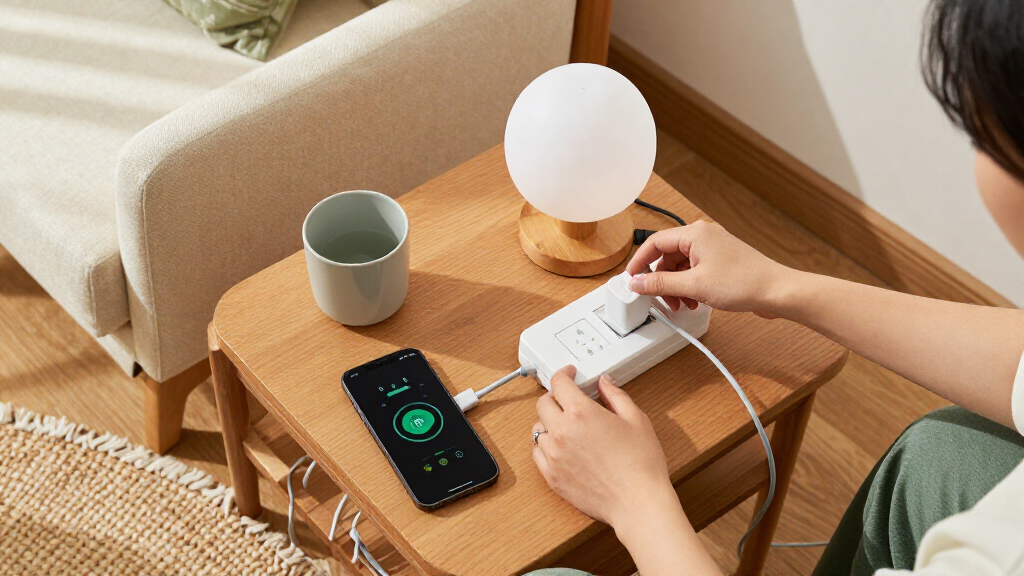
I compared each strip around the decisions that matter in daily use: independent outlet control, outlet and USB count, smart-home compatibility, surge protection, cord length and plug shape, plus useful extras such as energy monitoring. I treated USB charging ports separately from smart AC outlets, since a high total port count can otherwise make a strip seem more capable than it is. I also looked at whether a model’s control features match a clear use case, from a compact desk setup to a larger group of always-connected devices.
The order favors useful flexibility for the widest range of setups, then recognizes products that excel for narrower needs. The HS300 ranks highest for its six separately controlled outlets and three USB ports; the Tapo P316M earns a distinct place for Matter and monitoring, while smaller strips rank better for limited spaces or simpler needs. Models with less detail about control or protection features are not treated as interchangeable with options that explicitly provide them. I do not infer safety certifications, surge ratings, or platform support beyond the stated product information.
Factors to Consider When Choosing Smart Plug Power Strips
Before choosing a smart plug power strip, I’d map the devices and routines you want to control—not just count the sockets. A strip can look generous on paper but still be a poor fit if only some outlets are smart, the plug blocks a neighboring socket, or your preferred voice assistant is unsupported. These checks help separate a useful control hub from a basic extension strip with a smart feature added.
Count Smart Outlets Separately From Charging Ports
Make a quick list of devices you want to switch independently, then compare that number with the strip’s smart AC outlet count. USB ports are useful for phones and small accessories, but they may not provide the same app scheduling or individual control as AC outlets. A common mistake is choosing by total connections and later discovering that a lamp, speaker, or console has to share control with another device. If several devices need separate schedules, prioritize independently controlled outlets over a larger overall port count. For a simple desk, shared control or a few smart sockets may be enough. Leave some capacity unused if you expect to add gear or want to avoid plugging high-draw equipment into an unsuitable strip.
Check Platform Compatibility Before Building Routines
Smart-home support affects more than voice commands: it can shape whether the strip works with the routines, hubs, and automations you already use. Matter support, as listed for the Tapo P316M, may appeal to people combining devices across compatible platforms, while other models name Alexa or Google Assistant compatibility. Do not assume that every Wi-Fi strip works with every assistant or offers the same features through each app. Check whether you need a hub, whether remote control requires an internet connection, and which functions remain available in your chosen platform. If you mainly want scheduled on-and-off control, a straightforward app may be enough. For a growing smart home, platform fit can matter more than adding another USB port.
Treat Surge Protection as a Separate Selection Criterion
A smart outlet and a surge protector solve different problems: remote switching does not itself indicate surge protection. If protection is a requirement, confirm that the specific model lists it and check its documentation for the protection details and any limits. Do not infer surge protection from a power strip’s appearance, brand, or number of sockets. Also think about what you plan to connect; a strip intended for low-power accessories may not suit every appliance. Surge protection can add value at a desk or entertainment setup, but it does not replace checking the electrical requirements of connected equipment. Keep the product’s instructions and any protection-status guidance available after installation.
Measure the Outlet, Cord Route, and Furniture Clearance
Where the strip will sit can decide whether it is convenient or frustrating. Measure the distance from the wall outlet to the intended location, then allow slack for routing the cord without stretching it across a walkway. A flat plug can help behind furniture, but the strip body and neighboring plugs still need clearance. Short cords can reduce clutter at a nearby desk and become a limitation across a media console. Check the arrangement of large adapters too; closely spaced sockets can be difficult to use even when the outlet count looks ample. Planning the placement first can prevent buying a model whose smart features work well but whose physical layout does not.
Decide Whether Energy Monitoring Will Change Your Habits
Energy monitoring is most helpful when you have a question to answer, such as which device uses power while idle or whether a schedule changes consumption. It adds little if you only need to switch a lamp by voice. Monitoring is not the same as automatic savings; you still need to interpret the data and act on it. Before paying for that feature, check whether readings are available per outlet or only for the whole strip, and whether the app presents the detail you need. If you want to identify standby draw across multiple devices, individually controlled sockets can make the comparison clearer. If your goal is just convenient on-and-off control, simpler models may be a better match.
Match Smart Control to the Devices You Plan to Plug In
Smart strips are best suited to devices that can safely be switched by cutting power, such as many lamps and small accessories. Some electronics may restart, lose settings, or behave unpredictably when their power is interrupted, so check the device maker’s guidance before putting it on a schedule. Voice control is convenient, not a substitute for a physical switch or a device’s built-in safety features. Avoid treating a strip as a way to control equipment beyond its stated electrical limits, and do not daisy-chain strips unless the manufacturer permits it. For essential equipment, choose a control method that will not create a problem if Wi-Fi or the app is unavailable. The right strip depends as much on what you plug in as on how many outlets it has.
Frequently Asked Questions
Can I control every outlet on a smart power strip separately?
No; outlet behavior varies by model. Some strips advertise individually controlled smart AC outlets, while others combine smart sockets with standard outlets or USB charging ports. Before buying, check the product’s stated smart outlet count rather than relying on its total number of connections. If you want separate schedules for multiple devices, make sure each device can occupy a separately controlled outlet. Also check whether the USB ports are switched with the strip or remain powered independently.
Does a smart power strip protect my devices from power surges?
Only if the specific model is identified as having surge protection; smart control alone does not provide it. Several options in this roundup list surge protection, but buyers should consult the product documentation for protection specifications and limitations. Consider the connected equipment and the level of protection you need rather than assuming any strip with a Wi-Fi connection offers the same safeguards. Surge protection also does not make a strip suitable for devices beyond its electrical limits. If protection is a deciding factor, treat it as a required feature to verify, not a bonus to guess at.
Will a smart strip work with Alexa, Google Assistant, or Apple Home?
Compatibility depends on the model and the platform, so check the product’s listed integrations before purchase. Some options name Alexa and Google Assistant, while the Tapo P316M lists Matter support, which may fit a compatible Matter-based setup. Support can differ by function: voice commands may work even when a particular app feature or automation does not. Confirm any hub or account requirements and check whether your home network meets the strip’s setup needs. If you rely on one ecosystem, choose a model with explicit support rather than assuming compatibility from its Wi-Fi label.
Is energy monitoring worth choosing if I mainly want remote on-and-off control?
It depends on whether you plan to use the readings. Monitoring can help identify standby consumption or compare how connected devices draw power, but it does not save energy automatically. If you only want to switch a lamp remotely or set a basic schedule, paying attention to outlet control and compatibility may matter more. Check whether monitoring is per outlet or whole-strip, since that changes how useful the data is for pinpointing a device. The Tapo P316M is the roundup’s clear option for buyers who specifically want monitoring alongside Matter support.
Can I plug any appliance into a smart power strip?
No; check both the strip’s electrical limits and the appliance maker’s instructions before connecting a device. Smart strips are commonly used for lamps and accessories, but an appliance may draw too much power or behave poorly when its supply is interrupted. Avoid using remote switching as a substitute for a device’s required controls or safety features. If a device must remain powered, keep it off a socket that may be switched by schedules or voice commands. Never connect strips together unless the manufacturer explicitly allows it.
Conclusion
For most multi-device setups, I’d choose the Kasa HS300 as the best overall: its six individually controlled outlets and USB ports offer a useful balance of flexibility and everyday convenience. The best value-oriented fit depends on your outlet needs, but the Kasa KP303 is a sensible simpler choice when three smart outlets are enough; I’d pick the Tapo P316M as the best premium feature match for buyers who want Matter and energy monitoring. For a first smart strip, the Westinghouse WH-320 is a straightforward candidate if its stated Alexa and Google Assistant support matches your setup. Choose a Geeni surge-protection model if that feature is your priority, and look at the KMC or KP303 for a smaller cluster of devices. Before ordering, verify smart outlet count, platform support, protection details, and cord fit against your actual setup.